Local Variables Debugger Subtab
The Local Variables subtab iisn't used for SuiteScript 2.1 scripts. Logging of SuiteScript 2.1 scripts is done on the Chrome DevTools debugger console. See Chrome DevTools for SuiteScript 2.1 Script Debugging for more information about debugging SuiteScript 2.1 scripts.
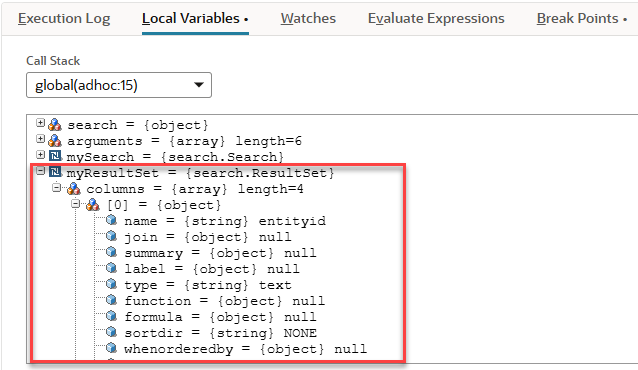
The Local Variables subtab shows a list of all local variables (primitives, objects, and NetSuite objects) currently in scope. Note that for NetSuite objects, all properties are private, even though they can be seen on the Local Variables subtab. Don't try to reference these properties directly in your script. Use the appropriate getter/setter functions instead.
The Local Variables subtab includes a call stack that shows the current execution stack of the script. The function call and current line number for that function are included in the list. Use the Call Stack list to switch between call stacks to view different local variables. In addition, watch expressions and expression evaluations are automatically performed in the context specified by this field.
Due to performance considerations, the display limit for all variables is 1000. In addition, only the first 500 characters of a String are displayed. For large variables, use a watch to see the full member display (see Watches Debugger Subtab for additional information).