Reorder Items
The Reorder Items feature lets SuiteCommerce MyAccount (SCMA) site users reorder items. The following example depicts a typical Reorder page:
Reorder Items Page
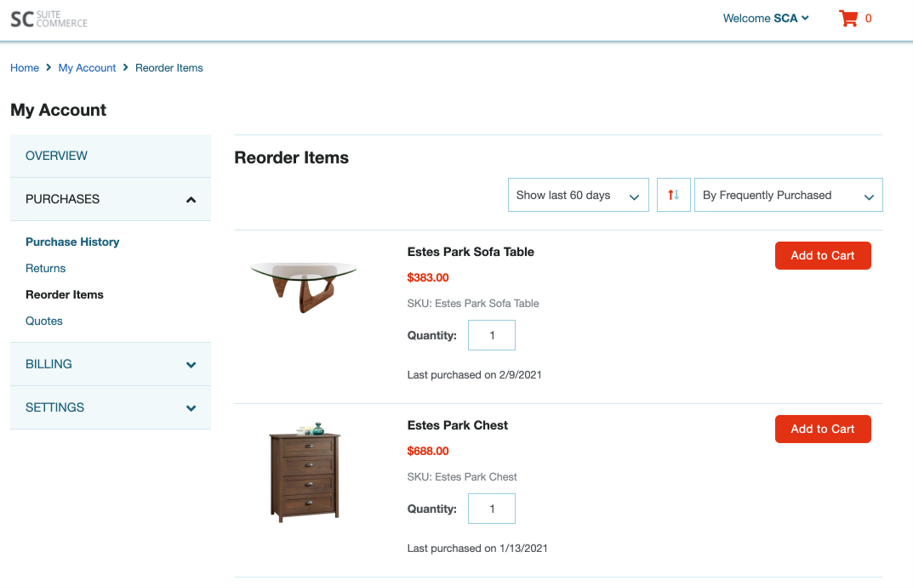
Frequently purchased items are displayed first according to the time frame selected by the user and then according to which items have the most individual orders. For example, if a logged-in user placed 10 orders in the last 60 days for the Estes Park Sofa Table and one order for 11 Estes Park Chests, the Sofa Table appears as more frequently purchased.
Reordering items is a default SuiteCommerce and SuiteCommerce Advanced (SCA) functionality. This topic shows you how to set up this feature for an SCMA site.
All logged-in users can see their past purchases. When you turn on the Reorder Items feature, users can reorder past purchases in two ways:
-
Go to the Reorder Items page and click Add to Cart for each item.
The user can:
-
View basic information about items they've previously ordered like product name, last purchased date, and price.
-
Increase the quantity of an item.
-
Remove items from the cart.
-
Sort items by frequently purchased, most recently purchased, price, and name.
-
View items ordered in the last 15, 30, 60, 90, or 180 days.
-
Order out-of-stock items if your site allows it. See Setting Web Store Back Order and Out-of-Stock Preferences.
-
-
Reorder from a previous transaction that's already in the cart by viewing the cart and proceeding to checkout.
For information about how users can view items they previously ordered from different websites, see Filter Site Subtab.