Send an alert email when a scheduled script completes
This script informs a user when a scheduled script completes successfully.
Follow the steps below or download the solutions file, see Creating Solutions for details.
Setup
-
Create a new Scheduled script deployment.
-
Enter a Filename and click SAVE. The extension '.js' is automatically appended if not supplied.
-
Click on the script link to launch the Scripting Studio.
-
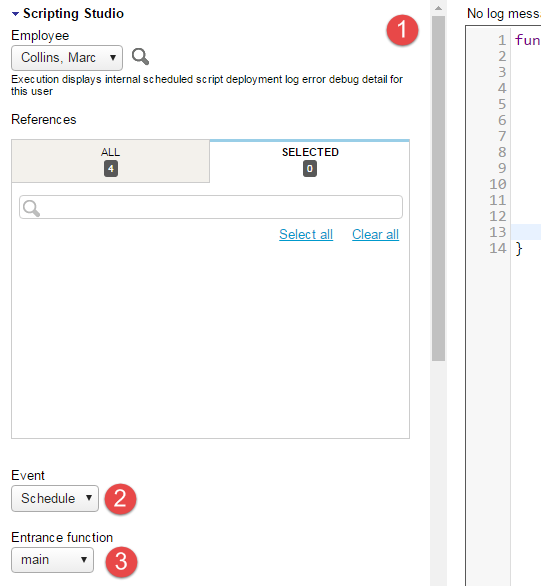
(1) Copy the Program Listing below into the editor, (2) set the Schedule event, and set main as the Entrance Function.
Program Listing
            function main() {
    // TODO Add Your Code Here

    // TODO Handle Errors

    // Notify The Owner
    var me = NSOA.wsapi.whoami();
    var msg = {
        to: [me.id],
        subject: "Script completed",
        format: "HTML",
        body: "<b>Your script completed</b><br/>" +
              "<hr/><i>Automatically sent by the system</i>"
    };

    NSOA.meta.sendMail(msg);
}