Specifying the Title, Description, Outcome, Priority, Category, Owner, and Application Context
Learn how to specify the task details such as the title, description, outcome, priority, category Owner and the Application context.
To specify the details of a task:
- Click the General tab.
Figure 29-2 shows the General section of the Human Task Editor.
This section enables you to specify details such as the task title, description, task outcomes, task category, task priority, and task owner.
Figure 29-2 Human Task Editor — General Section
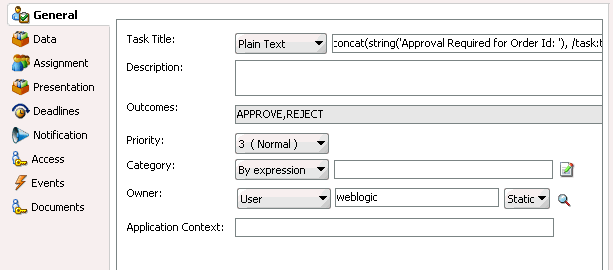
Description of "Figure 29-2 Human Task Editor — General Section"Instructions for configuring the following subsections of the General section are listed in Table 29-2:
Table 29-2 Human Task Editor — General Section
For This Subsection... See... Title
Description
Outcomes
Priority
Category
Owner
Application Context