Load Dataset Data Incrementally
Reload dataset data incrementally to keep workbooks up-to-date. You can load data once or regularly.
Before you start, configure your dataset to load incrementally. See Configure a Dataset to Load Incrementally.
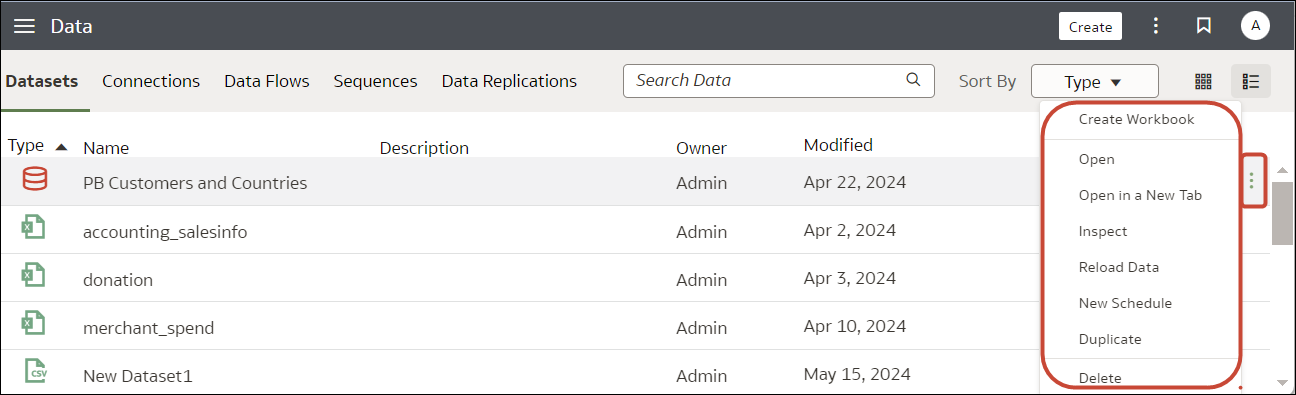
- On your home page, click Navigator , then click Data and hover over the dataset you'd like to refresh to display the Actions
 option.
 - To load data once, click Reload Data.Click Run Reload, then select the tables to reload, then click Run Now.
- To load data regularly, click New Schedule.Use the Schedule dialog to specify when you'd like to start the refresh and how regularly to refresh the data, then click OK.


Use the Schedules tab on the Inspect dialog to review updates. See View a Dataset's Reload History and View and Download Log Files for a Dataset Reload Job.
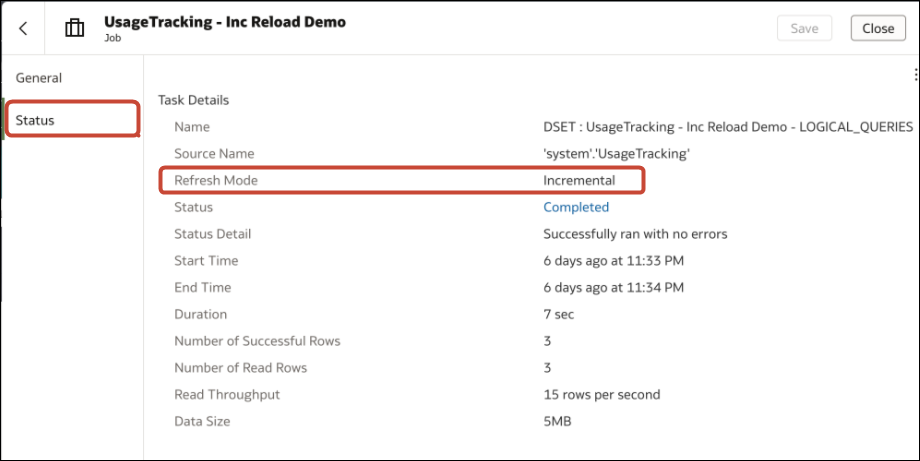
If you drill into the task-level details for an incremental load, you'll see that the Refresh Mode is set to "Incremental".