View a Dataset's Reload History
Historical information is generated for dataset reloads at the job level and at the table level.
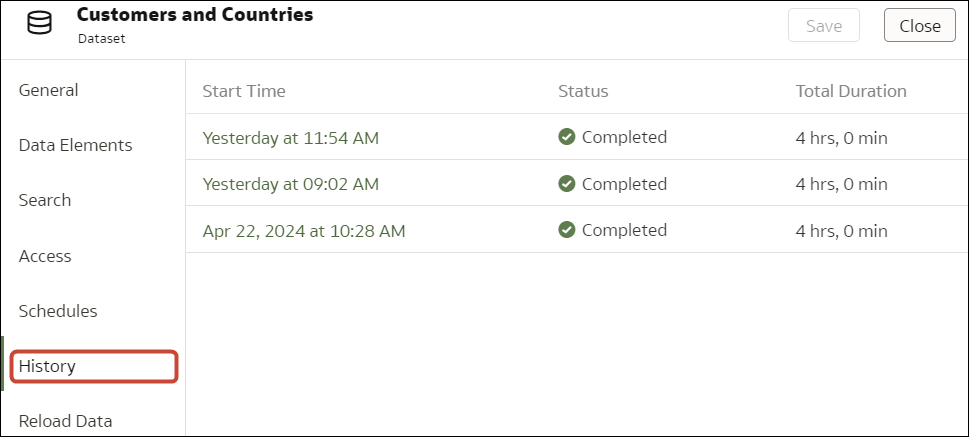
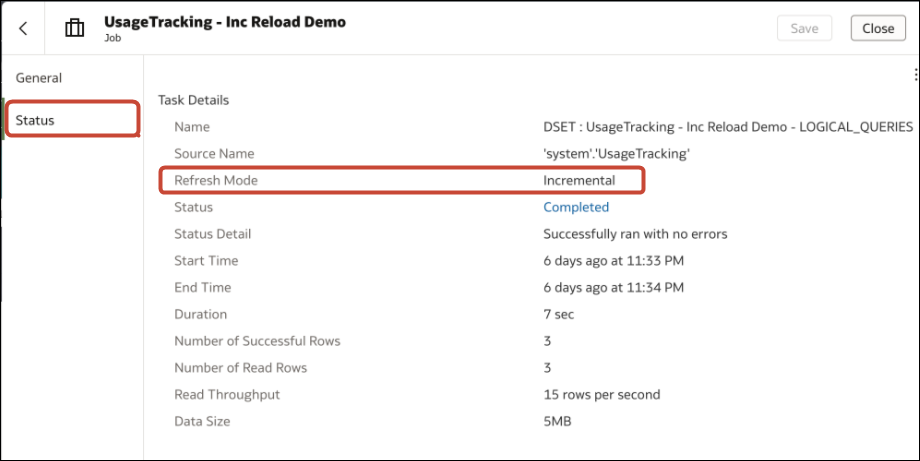
Use a dataset's reload history to find out information such as how the reload was executed (manually or by schedule), job status, start time, end time, and the amount of data reloaded in bytes. You can also drill into information about the job's reloaded tables. For example, the table's source name, reload status, and number of rows.
Oracle Analytics generates historical information when you reload datasets that use connections.
Oracle Analytics doesn't generate historical information and log files when you reload datasets that:
- Use only files.
- Use a connection and a file. Oracle Analytics generates historical information only for a dataset's tables that use a connection.
- Use an Oracle EPM Cloud or Oracle Essbase connection.
- Click the History tab to see data load jobs that have completed on that dataset.
- Optional: Click the Status tab display tasks that were executed as part of the job.Click a task in the list to display log information for the task. If the load was incremental, you'll see the Refresh Mode set to "Incremental".