Manual Charge Schedule
Manual Charge Schedule allows users to add customized bill lines for specific charges to specific billing periods within a draft subscription, independent of the standard recurring billing cycle. Unlike automated recurring charges that follow predefined rules, this feature gives billing users and subscription managers the flexibility to manually define charge amounts for individual billing periods based on unique business needs, contractual agreements, or special circumstances.
A new attribute at the subscription product and charge called Bill Generation Method allows you to select if the bill lines for the charge have to be generated by the application or be manually entered. You can select a subscription charge, choose one or more billing periods within the subscription's start and end dates, and manually enter the charge amount for each selected period. These manually scheduled charges appear on the customer's invoice alongside automated recurring charges for those periods.

Bill Generation Method
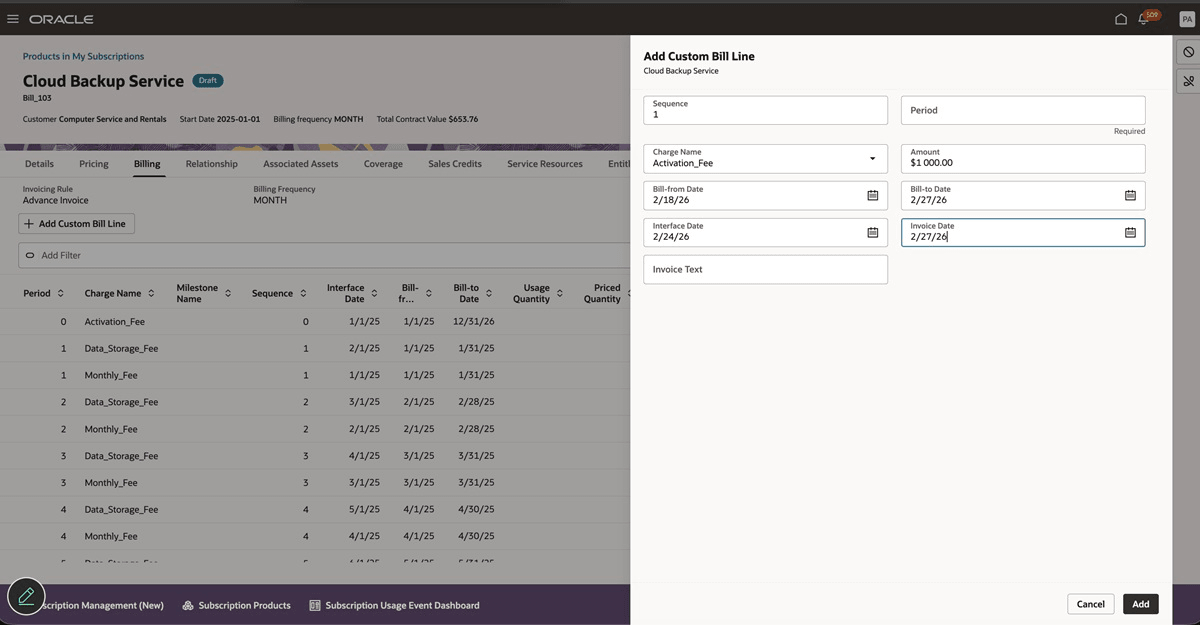
Add Manual Bill Line
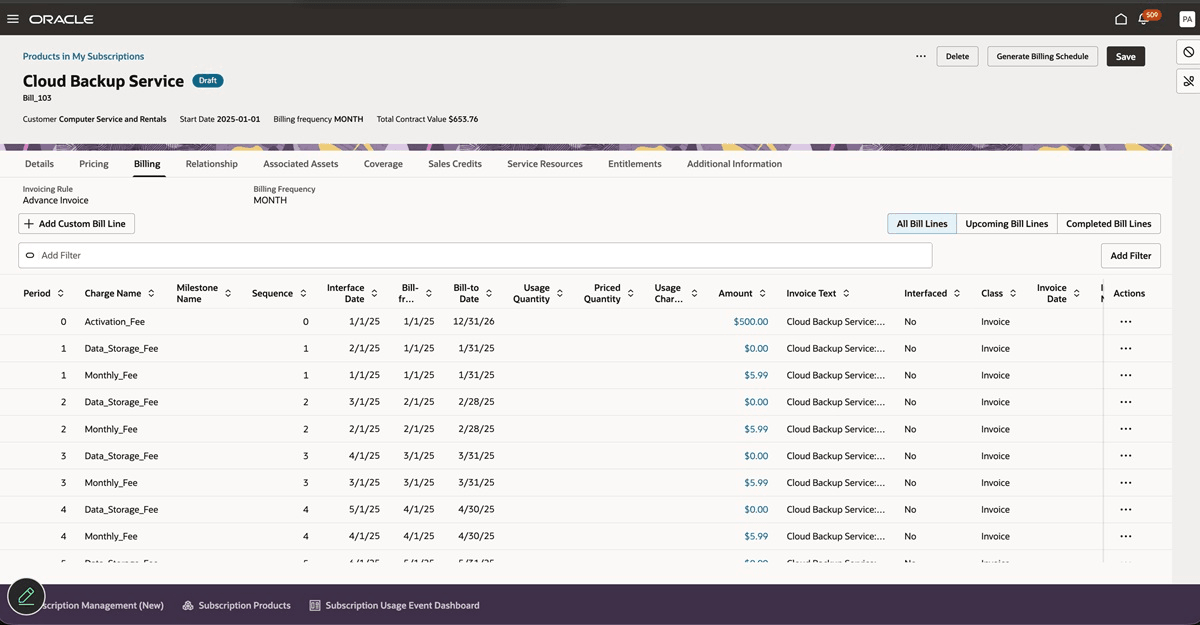
Manual Bill Line
- Accommodates Non-Standard Payment Terms. You can now negotiate customized payment schedules that don't follow standard monthly or annual patterns. Manual Charge Schedule enables you to honor these agreements without complex workarounds or custom code.
- Supports Seasonal Business Models. Businesses with seasonal revenue patterns can structure billing to match their customers' cash flow cycles, improving payment collection rates and customer satisfaction.
- Facilitates Professional Services Bundling. You can now bundle implementation, training, or consulting services with software subscriptions but bill these services on different schedules than on a recurring fee.
- Supports Contractual Milestones and Deliverables. For your subscriptions tied to project milestones or deliverable completions, you can schedule charges to align with milestone achievement rather than on fixed calendar dates.
- Supports Multi-Year Deals with Variable Pricing. If you have subscription contracts that include pre-negotiated price increases or decreases over multi-year terms, Manual Charge Schedule accommodates these without complex automation rules.
- You can now offer your subscription service on a trial-to-paid conversions with custom onboarding fees.
Steps to enable and configure
You don't need to do anything to enable this feature.
Tips and considerations
- Manual bill lines can be added only for one-time charges and recurring charges.
- One close or amend, credit will not be calculated based on proration using the charge amount as the bill line amount is manually entered. You have to manually enter the credit amount.