Behaviors Parameter Updates
Behaviors will now notify users when the parameter definitions they use have been updated. Users can identify behaviors with available parameter updates throughout the Behaviors experience, review parameter transformations in view mode, and update behaviors to use the latest parameter definitions while preserving their existing configuration and business logic.
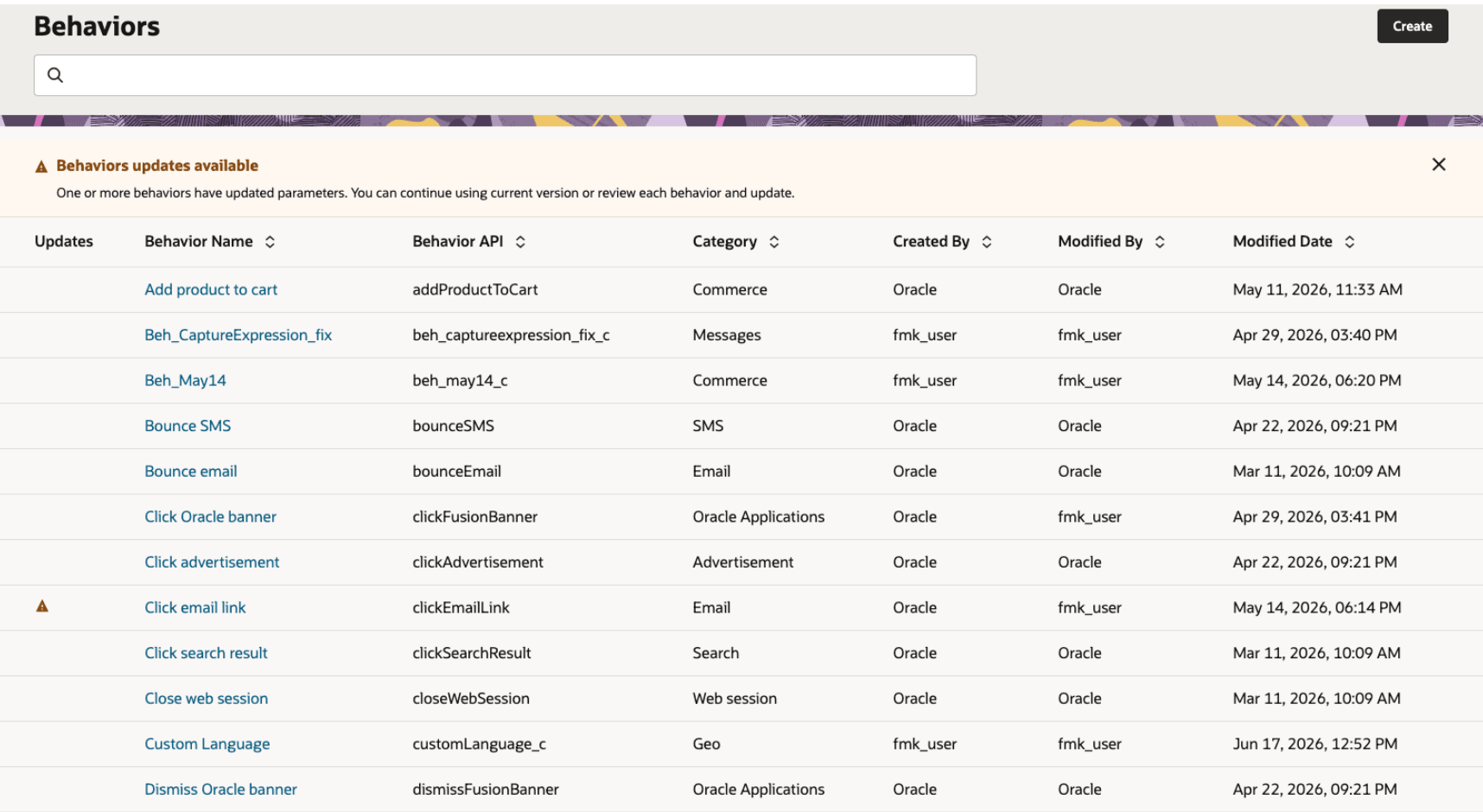
Behaviors list with update banner and stale behavior indicator
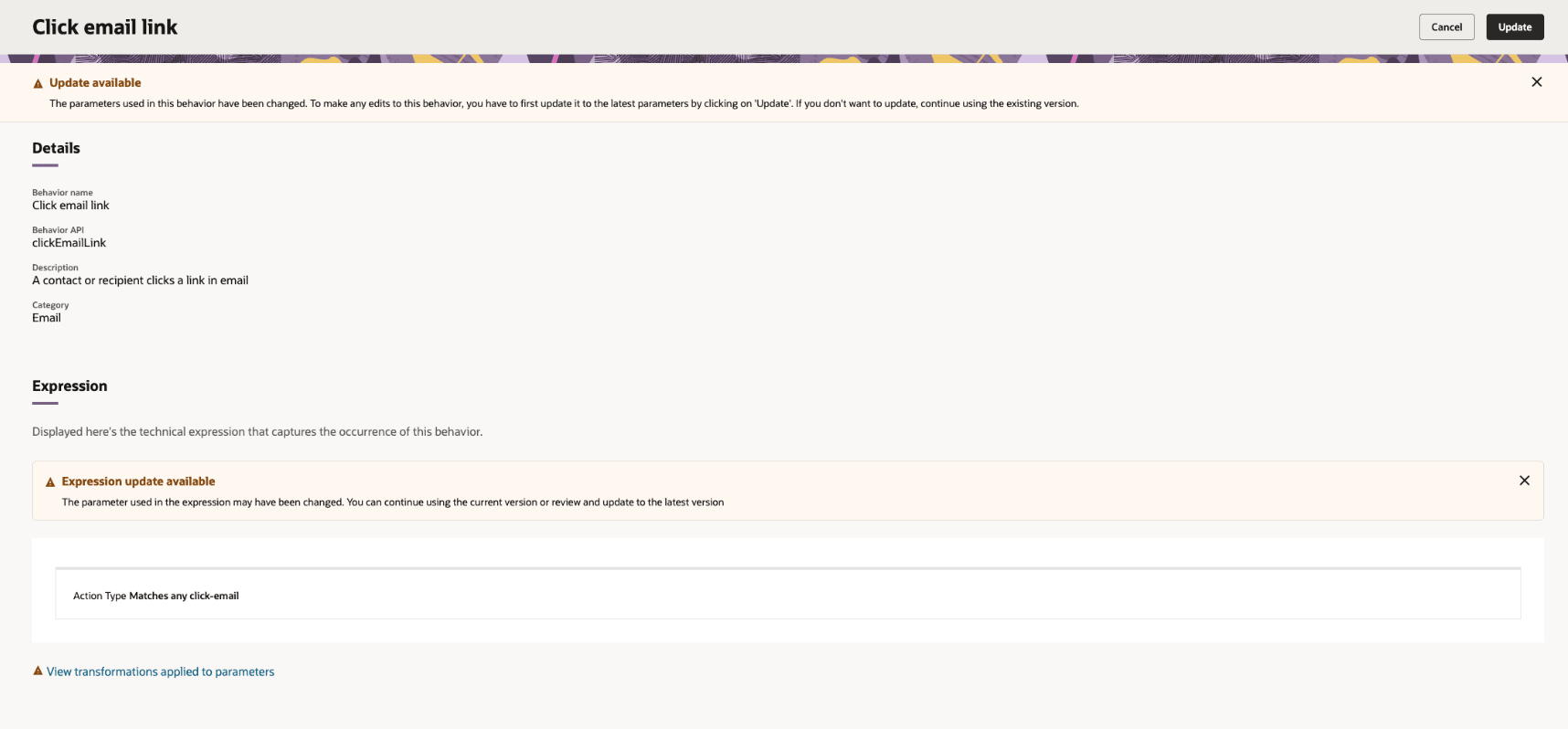
Behavior detail page with stale parameter and expression update indicators
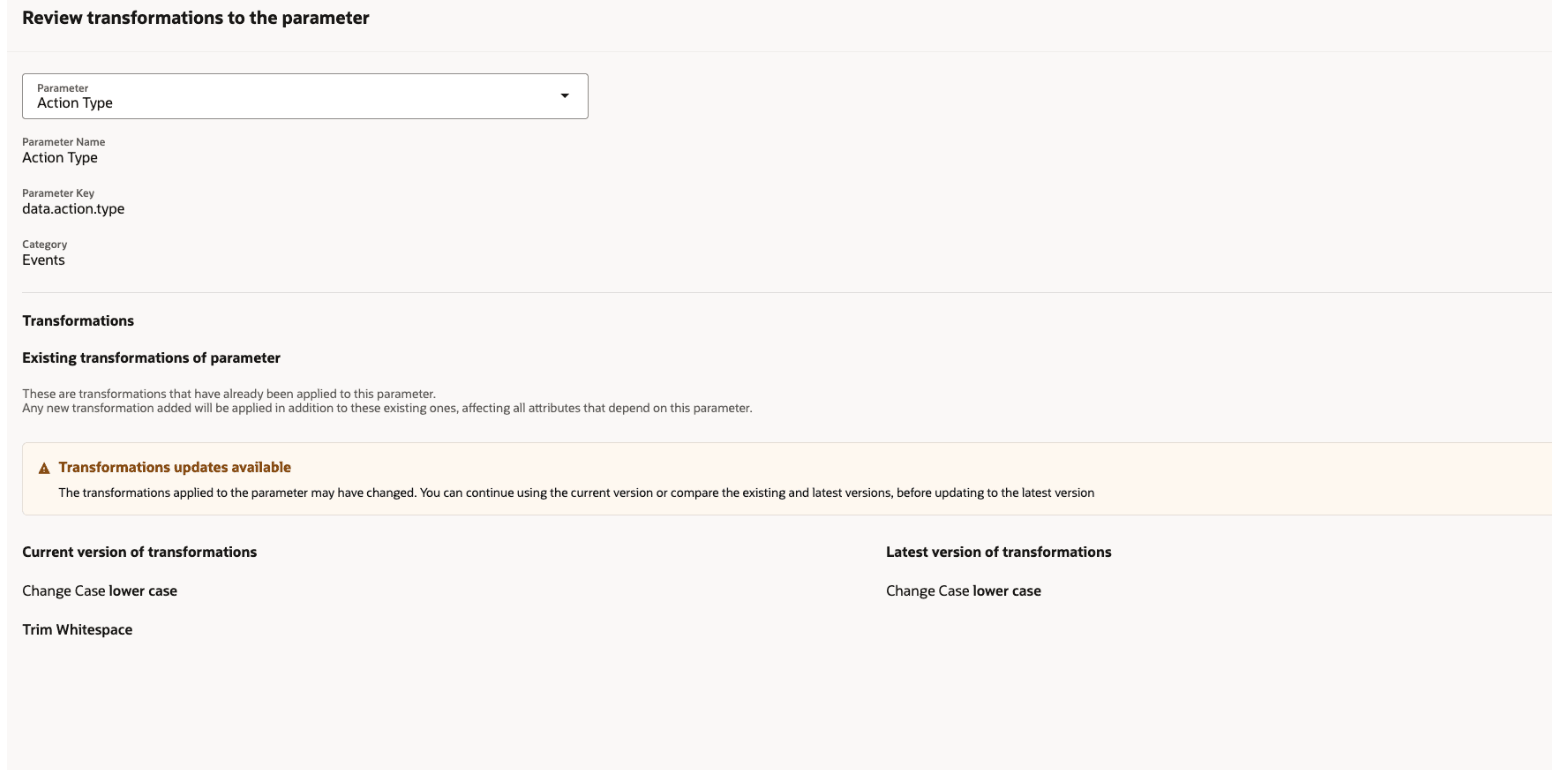
Transformation review page comparing current and latest parameter transformations
Business Benefits
- Helps users identify behaviors that may be using outdated parameter definitions.
- Provides clearer visibility into parameter updates from the Behaviors list, behavior detail pages, expressions, and event attributes.
- Lets authorized users update behaviors directly from the behavior page when parameter updates are available.
- Reduces manual review effort by showing transformation details without requiring edit mode.
- Keeps behaviors synchronized with the latest parameter definitions while preserving existing behavior configuration and business logic
Steps to enable and configure
You don't need to do anything to enable this feature.
Tips and considerations
Try it out
- In Fusion Marketing, open Behaviors and review any stale behavior indicators. If one or more behaviors have updated parameters, the Behaviors list displays an update banner and an Updates indicator for affected behaviors.
- Open a behavior with available parameter updates to compare existing and latest parameter transformations. If you have the required access, select Update to synchronize the behavior with the latest parameter definitions. A confirmation dialog appears before the update is applied because the change may affect digital assets where the behavior is used
Tips & Considerations
- Users can continue using the current version of a behavior or review and update it to the latest parameter definitions.
- Stale indicators may appear on the Behaviors list, behavior details, expressions, and event attributes.
- View-only users can see stale indicators and review transformation details, but they cannot update stale behaviors.
- Before updating a stale behavior, review any tactics, segments, or digital assets that use the behavior.
- Updating a stale behavior refreshes the affected parameter metadata and removes stale indicators after the update completes successfully.
Access requirements
- Ensure users have appropriate roles in order to make updates to stale behaviors:
- Customer Data Platform Administrator (ORA_FMK_CUSTOMER_DATA_PLATFORM_ADMINISTRATOR_JOB)
- Customer Data Platform Manager (ORA_FMK_CUSTOMER_DATA_PLATFORM_MANAGER_JOB)