Segment Insights Analyst
You can now use the Segment Insights Analyst Agent in the Segment Designer in Fusion Marketing to analyze segment composition using natural language. The agent helps you answer questions about segment KPIs, composition across supported dimensions, top account previews, and comparisons with another segment.
With 26C, this capability is available for segments with the following configuration:
- Profile Type: Account,
- Build Type: Visual, and
- Reference Type: Precalculated
You can also refine your analysis by filtering supported dimensions and asking questions about the resulting sub-segment.
Launch the 'Segment Insights Analyst' from the Ask Oracle button in the Segment Designer
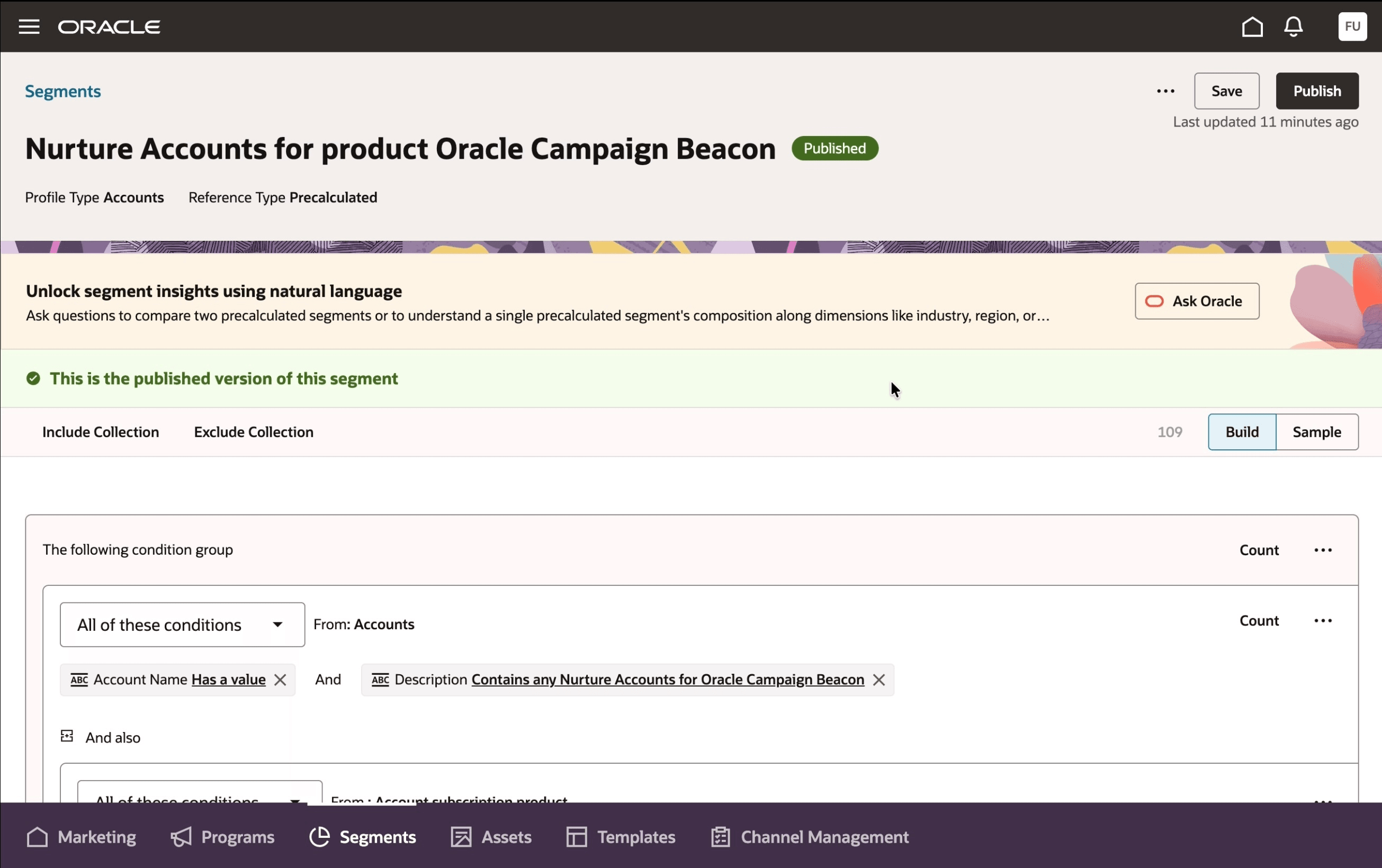
From Ask Oracle button, launch the Segment Insights Analyst
Ask analytics queries in natural language to analyze segment composition
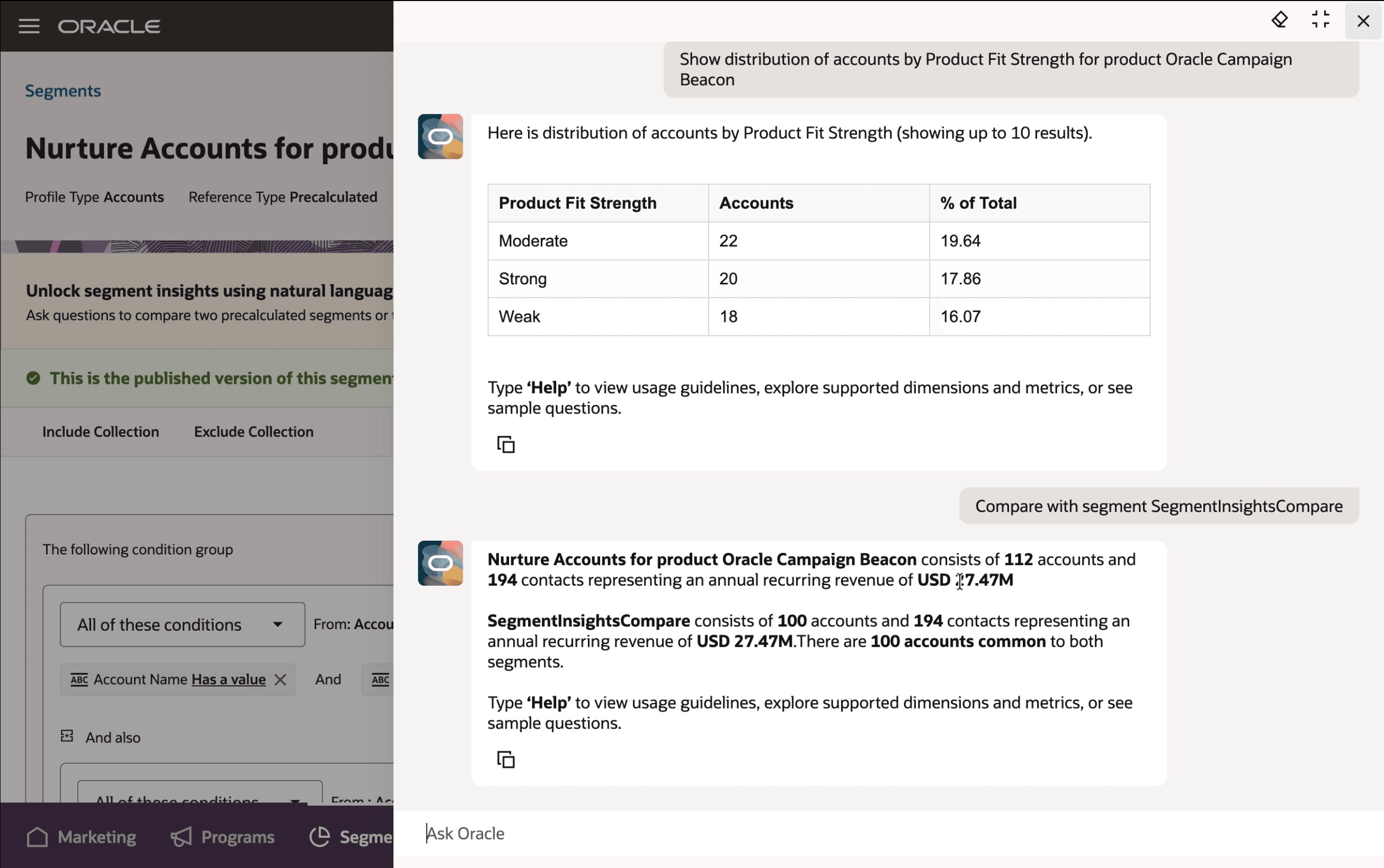
Enter questions to kick off segment anaylsis
Business Benefits
- Productivity gains for teams designing segments as they save time and effort.
- Lift in ROI driven by more effective segments created through better data-driven decision-making.
Steps to enable and configure
You don't need to do anything to enable this feature.
Tips and considerations
Try it out
- Navigate to Marketing> Marketing Segments
- Enter the segment designer in context of the segment that you want to analyze
- Ensure that this is a Published segment
- Click on the "Ask Oracle" Button in the Banner that says "Unlock segment insights using natural language"
- Proceed to ask your analytics questions in the conversation drawer that opens up
Tips and Considerations
- The segment being analyzed must be Published
- Use the 'Help' command to learn about "Segment Insight Analyst" capabilities and usage guidelines
- Use ‘Help dimensions’ to explore supported dimensions or ‘Help metrics’ to explore supported metrics
Access requirements
- This feature is available to users that have access to the Segment designer within Fusion Unity Data Platform