Segment Usability Enhancements
Fusion Unity introduced several usability improvements that make the segment builder easier to use for common segmentation tasks. Users can now view reference segment details, retain selected sample columns across sessions, copy and paste values for string attributes, and take advantage of cleaner segment builder controls.
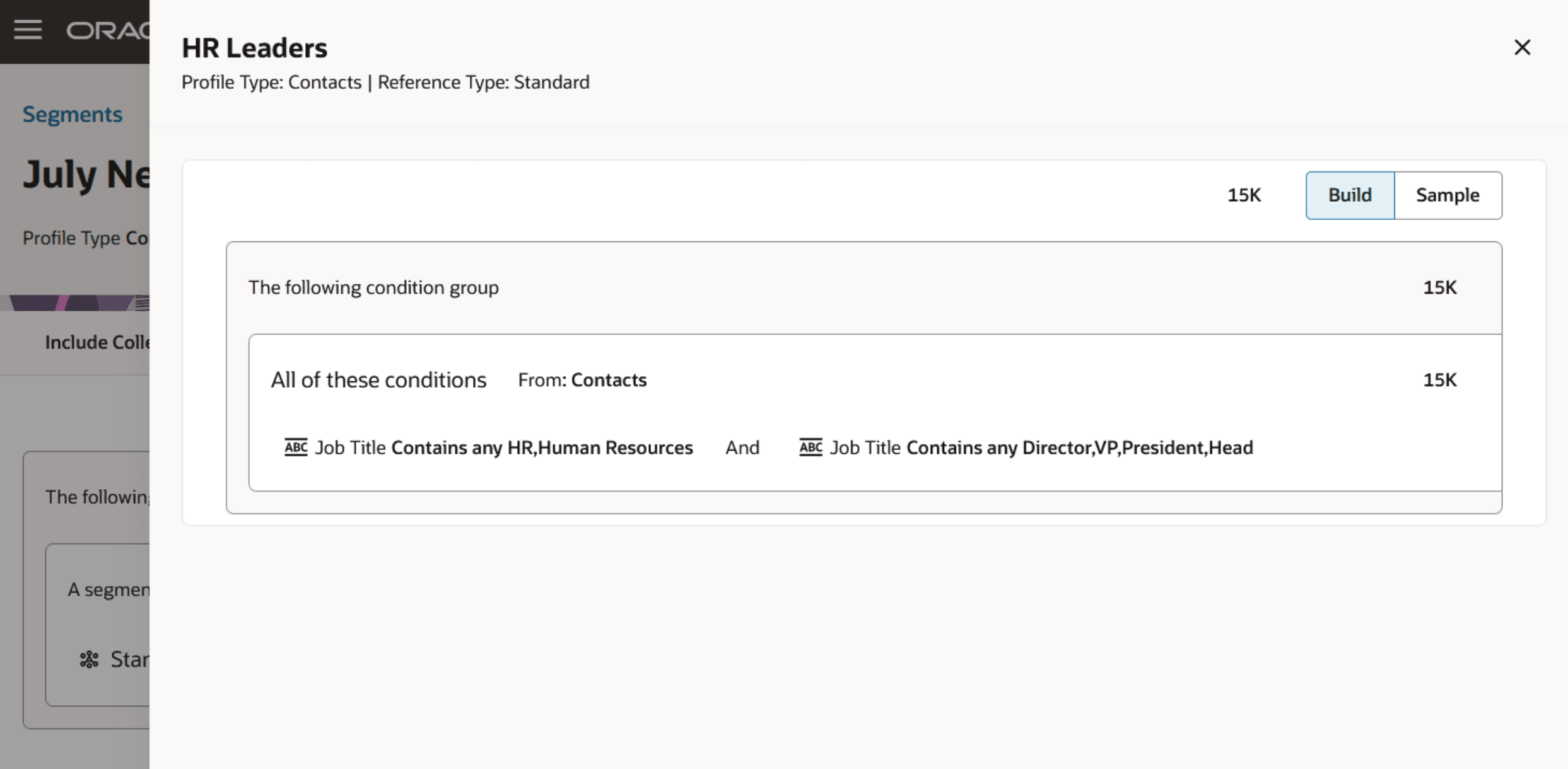
Reference Segment Drawer
Business Benefits:
- Reduces friction and makes segment creation and review quicker and easier for marketers.
- Reduces repetitive setup by saving selected sample columns with the segment.
- Speeds up criteria entry for string attributes by supporting copy and paste of values.
- Improves usability by reducing visual clutter and making segment builder controls easier to navigate.
- Helps users review reference segments more confidently before using them.
Steps to enable and configure
You don't need to do anything to enable this feature.
Tips and considerations
Try it out
Use the segment builder as usual. The usability enhancements are available automatically in the segmentation workflow.
Tips and Considerations
- You can view reference segment details, including segment criteria, counts, and samples.
- Sample column selections are saved to the segment and remain consistent across users and sessions.
- You can copy and paste multiple values for string attributes when using supported Matches and Contains operators.
- Condition group actions are now available from a menu to reduce clutter.
- Attribute selection now opens in a drawer, and data objects are listed alphabetically.
- The Segments List Page and Add Reference Segment drawer include additional filter options.
- Number and date formats in lists and samples now respect the user’s Fusion preferences.