Create Emails with Copywriting Agent
The AI Copywriter Assistant automatically generates high-quality, first-draft email content based on your campaign objectives and template instructions, helping you move from idea to execution faster and with greater consistency.
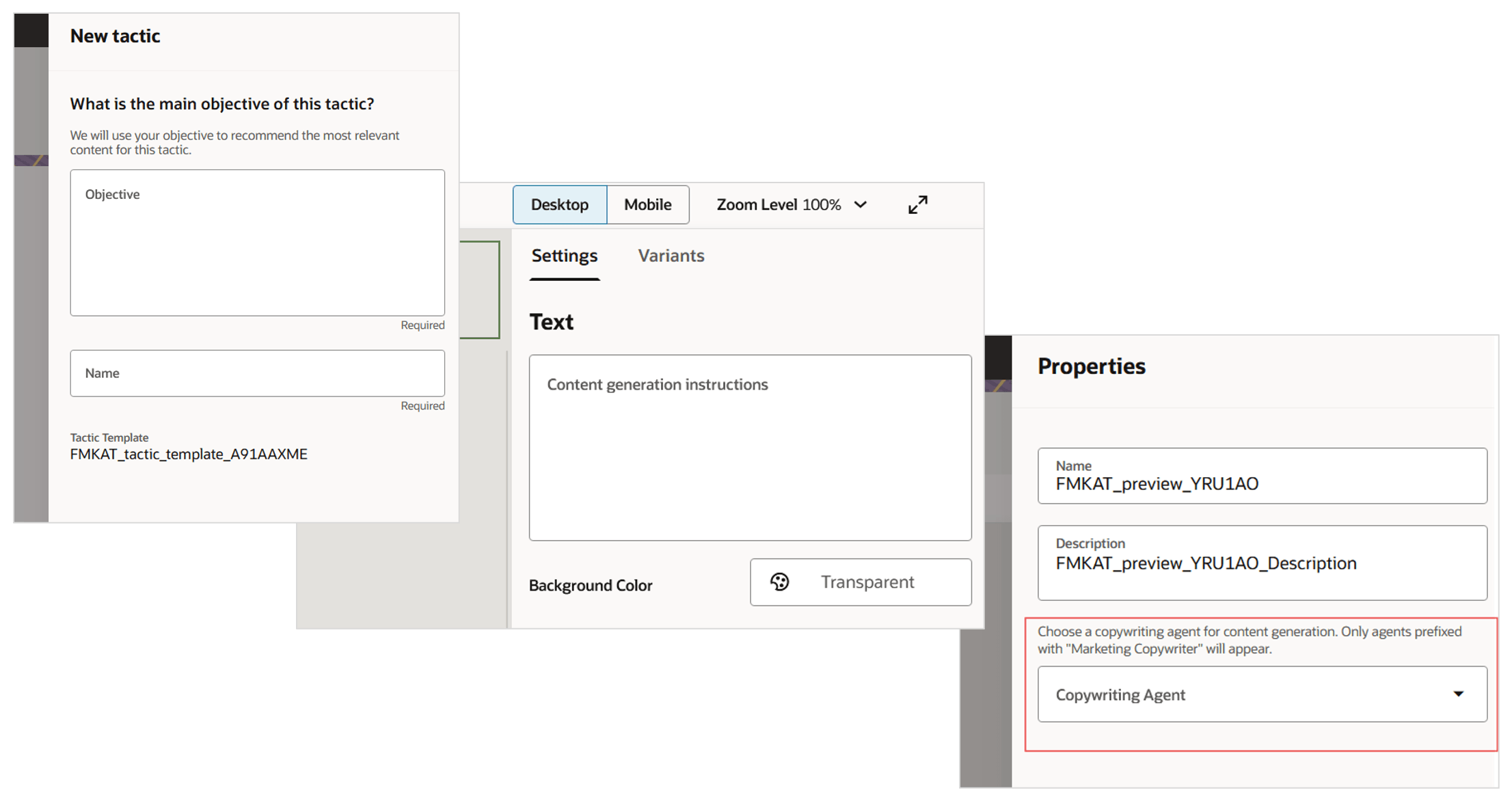
Using Copywriting Agent
Business Benefits:
- Faster Content Creation: Instantly generate professional email copy, saving valuable time on first drafts.
- Message Alignment: Ensure messaging aligns with your campaign objectives across teams.
- Enhanced Productivity: Free your team to focus on strategy, personalization, and optimization—instead of starting from scratch for every campaign.
Steps to enable and configure
For AI Studio Administrators:
- Navigate to AI Studio.
- On the AI Agent Studio tab, locate the Marketing Copywriter Assistant agent team template.
- Click Copy Template.
- Provide a suffix to add to the name of the new agent team.
- Publish the new agent team.
For Template Designers:
- In Marketing Templates > Email Templates, create or open an email template.
- Assign the marketing copywriter agent to the template using the template’s Properties.
- Select the button or text components for which you want first-draft content generated. Add detailed copywriting instructions for those components in the Settings panel.
For Field Marketers:
- When adding a new tactic, provide a clear and specific objective (e.g., target audience, campaign goal).
- In the email step of your tactic, select a template that uses the Marketing Copywriter Assistant.
- Proceed to the Email Message step to review and edit the AI-generated content as needed.
Tips and considerations
- Provide precise, detailed objectives and component instructions for best results.
- Review all AI-generated content to ensure compliance, accuracy, and strategic alignment before sending.
- Edits and fine-tuning may be needed to reflect your unique voice and campaign goals.
- Content is generated once per tactic/template selection. If campaign objectives or templates change, reselect the template to trigger fresh content generation.
Access requirements
Note: Requires Fusion Marketing Orchestration Add-on for Fusion Unity Data Platform. Please contact your account manager for more information.