Academic Person Activation for Existing Accounts
Activate existing nonacademic accounts as academic persons for more party usage types than just employee or contingent worker. Administrators can search for accounts individually or in bulk, assign higher education roles before activation, and monitor the activation process as it assigns an academic person ID, creates identifier mappings, and applies the appropriate higher education party usage.
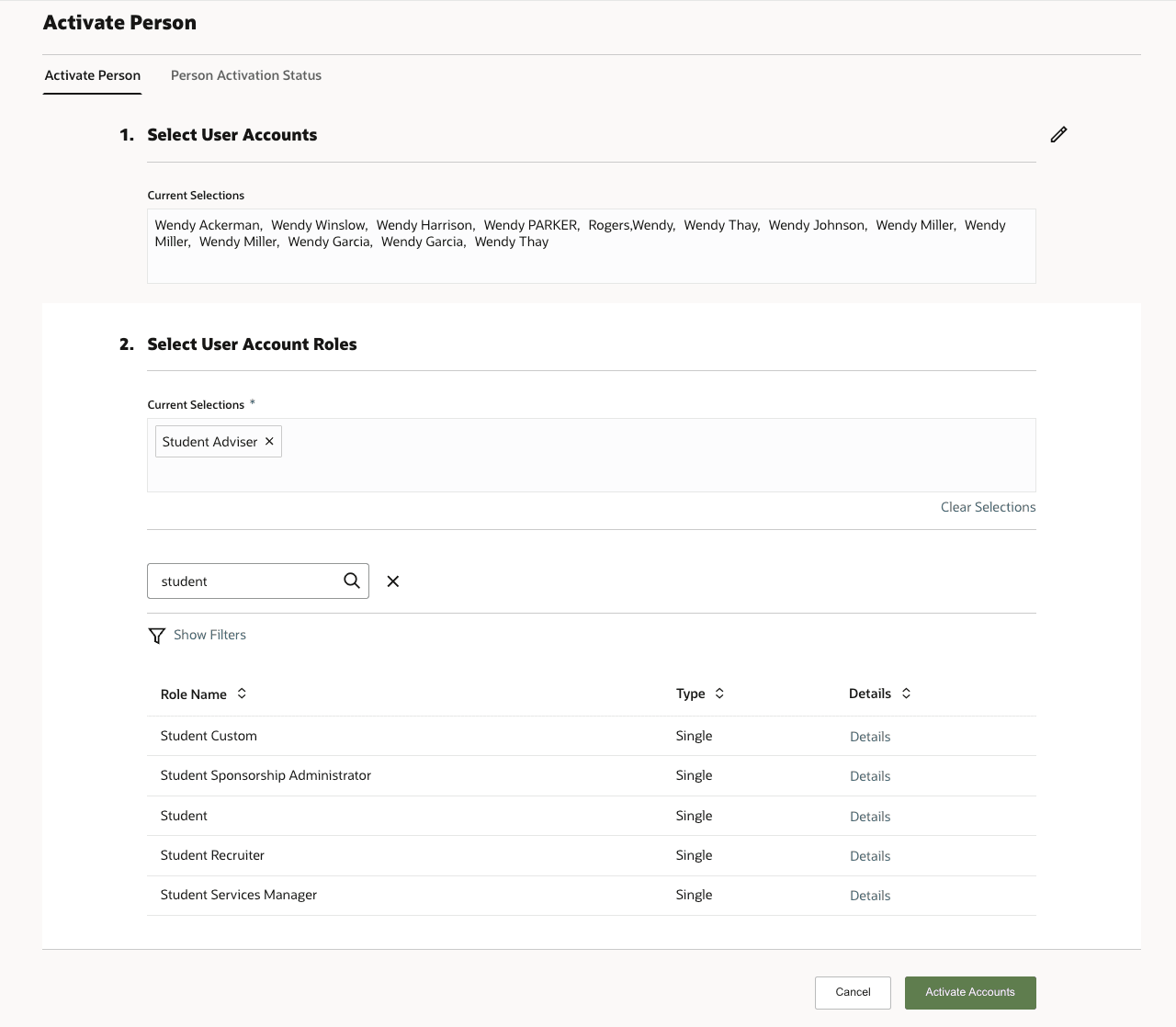
Person Activation
Activate existing Fusion persons into Student Management without recreating them through Person Profile Data Import. Administrators can:
- Search for eligible nonacademic TCA persons across all party usages.
- Use Party Usage as an advanced search criterion.
- Select one or more persons for activation.
- Review and assign higher education roles before activation.
- Activate the person into Student Management as an academic person.
- Generate and assign an academic person ID during activation.
- Add the activated person to the person identifier mapping table.
- Assign higher education party usages based on Manage User Role Mappings, or use the documented default party usage where no mapping is found.
- Review activation status through the activation status page and ESS process tracking.
Steps to enable and configure
You don't need to do anything to enable this feature.