Academic Person Identifier Configuration and Mapping
Configure the format and management of academic person identifiers. Institutions can define autonumbering rules for academic person IDs created and assigned during academic person creation or activation and define external unique identifiers to identify students in externally sourced data. Maintain mappings between academic person IDs, external system identifiers, and party ID registered in Trading Community Architecture through a centralized mapping table. Use APIs and data import capabilities to create and maintain identifier mappings individually or in bulk.
Preserve externally meaningful identifiers while adopting Oracle Student Management academic person IDs. Administrators can configure the assigned prefix and start number for autogenerated academic person IDs, classify mapped identifiers using the Person Identifier Type lookup, load or maintain identifier mappings in bulk, and use the mapping table as a common reference point for onboarding, activation, search, and subsequent person-data imports. The feature also supports clearer UI terminology by replacing constituent ID references with academic person ID on customer-facing pages.
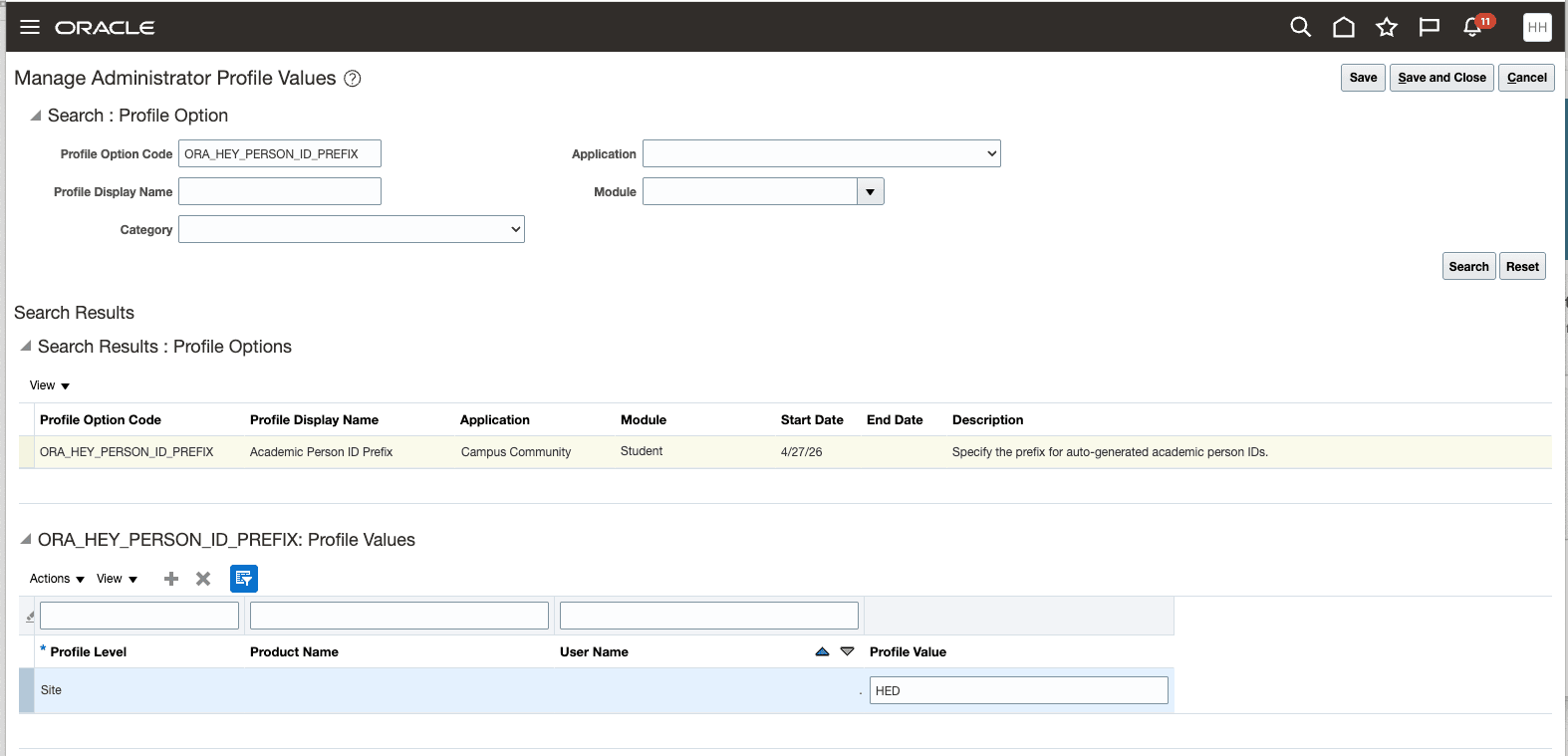
Manage Administrator Profile Values
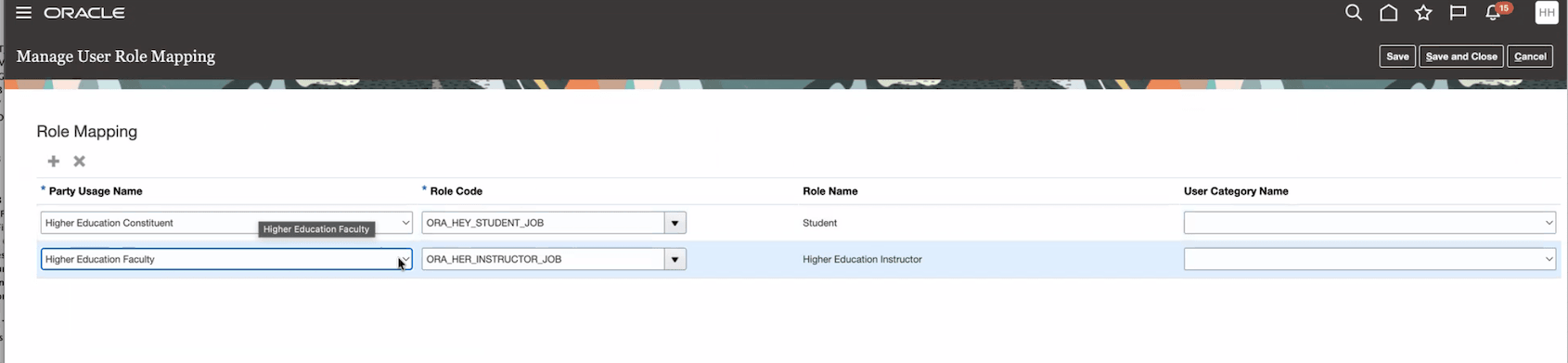
Manage User Role Mapping
Steps to enable and configure
- Use the Manage Administrator Profile Values Fusion Setup Manager (FSM) task to configure academic person ID prefix and start number. The academic person ID prefix is configured through the ORA_HEY_PERSON_ID_PREFIX profile option, and the start number is configured through the ORA_HEY_PERSON_ID_START_NUMBER profile option. Note that to configure a prefix, you must also set up a start number.
- Use the Manage User Role Mapping FSM task to map your defined job roles to relevant party usages.
- Party usages that require role mapping: Higher Education Constituent (Required by New User Registration)
- Party usages highly recommended to set up a role mapping
- Higher Education Administrative Staff
- Higher Education Applicant
- Higher Education Faculty
- Higher Education Learner
-
Set up external identifier types using the Person Identifier Type lookup type in the Manage Student Management Lookups FSM task.
Note: This setup is optional and serves to support data import using external IDs of a specified type and an external ID value, such as an external admissions system. As of the 26D release, no business objects support data load using external ID values. This capability will be delivered in a future release.
Tips and considerations
If Academic Persons have already been created through autonumbering, run the Update Academic Person ID scheduled process to add the configured prefix to already generated numeric IDs.