Transfer flow enhancements
With the new enhancements, schedule managers can move a worker from an assigned shift to another eligible open shift of a different department based on their work pattern. From the Workforce Schedule view, schedule managers can select the Transfer option from the assigned shift. This action opens the Transfer drawer, guiding the manager through the cross-department transfer process.
- Eligible Shift Identification: The system analyzes the worker’s work pattern and only surfaces open shifts in different departments that are eligible based on:
- Work pattern type
- Shift timing (start and end time, duration compatibility)
- Unpaid break alignment (ensuring the transferred shift complies with required break configurations)
- Eligible Open Shift Matching and Sort Criteria: The system applies precise logic to ensure proper matches:
- Exact Time Match: Open shifts with start time, end time, and duration identical to the original assigned shift.
- Duration Match: Open shifts with matching duration, even if start/end times differ for workers on a flexible work patterns.
- Unpaid Breaks: Transfers will only proceed if required unpaid breaks are honored in the new shift for fixed work patterns.
- Action on Original Shift: After a successful transfer, managers can either choose to delete the original shift (it it isn't needed in the originating department), or leave the original shift unassigned (for potential later reassignment or fulfillment). They need to consider the downstream staffing impacts before deleting a shift.
- Validation: Before completing the transfer, the platform performs robust validation checks. If any fatal scheduling violations are detected, the transfer is blocked and informative feedback is provided.
Practical use case scenario: Cross-Department Transfer
Consider a workers is scheduled for a 7am–7pm shift (12 hours) in Department_01, following a flexible work pattern. Due to a late call-out in Department_03, there is an open shift from 9am–9pm needing immediate coverage.
The schedule manager selects Transfer option on the the worker’s assigned 7am–7pm shift in the Workforce Schedule page.
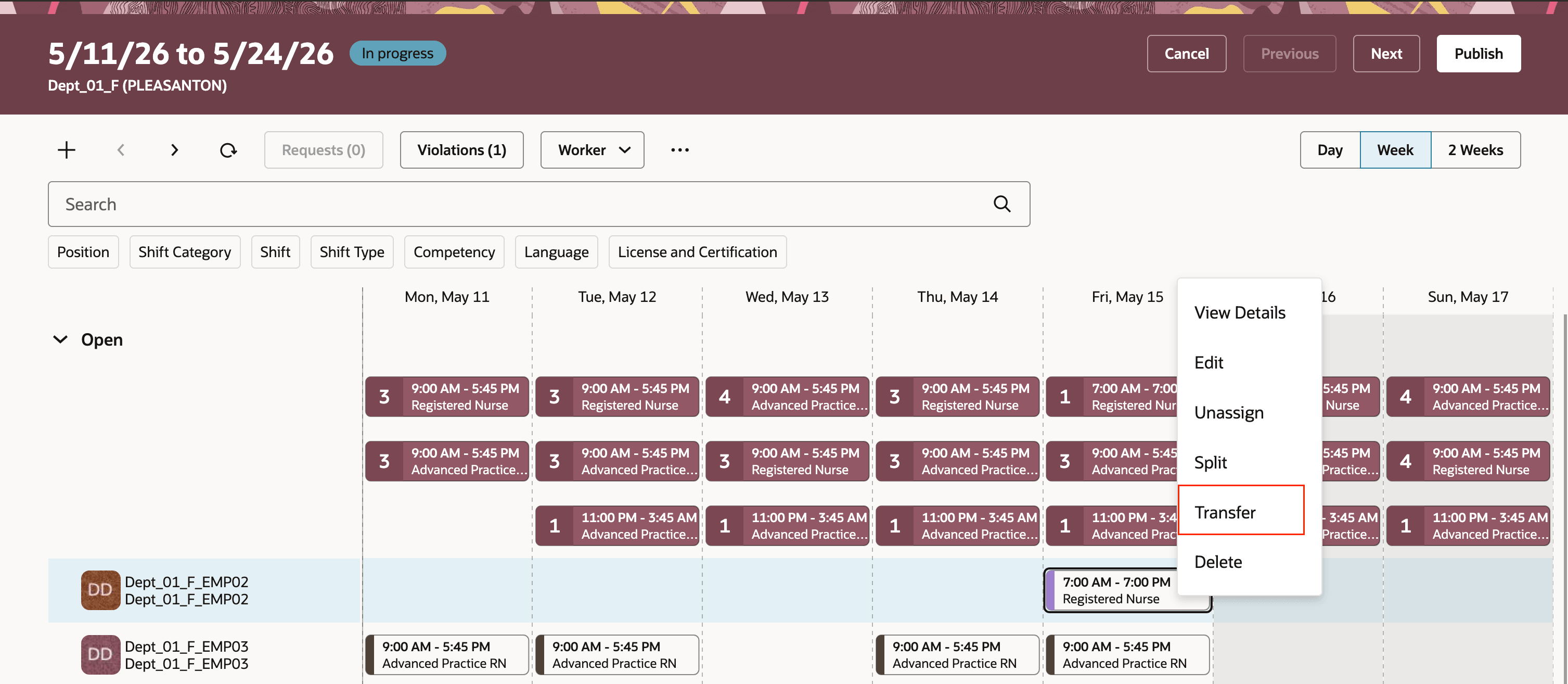
Transfer Action at the Workforce Schedule
The system highlights the 9am–9pm shift in Department_03 as an eligible match due to the same duration and matching of the flexible work pattern.
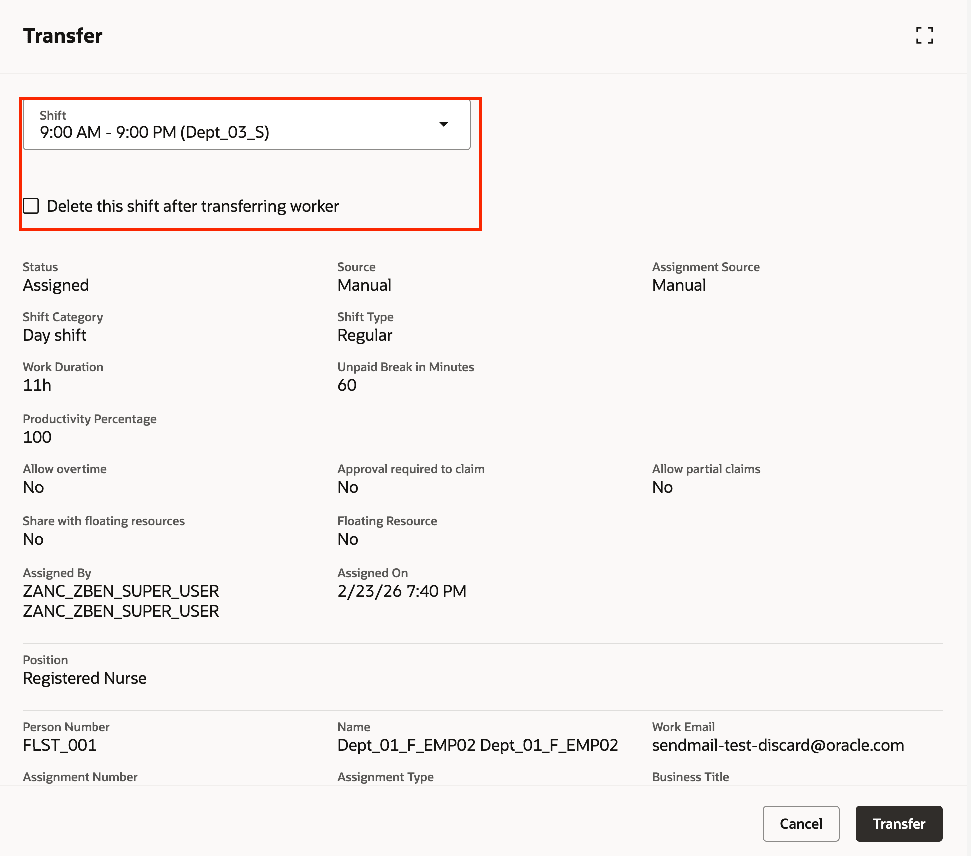
Transfer Drawer Showing Eligible Shifts across other Departments
Schedule manager chooses to either delete the original Department_01 shift or leave it unassigned, based on operational needs. The system performs final validations and confirms the transfer if all criteria are met.
This release introduces a powerful enhancement to workforce scheduling, enabling schedule managers to flexibly reallocate staff across departments while ensuring compliance with nuanced work pattern rules.
Steps to enable and configure
The transfer option applies for schedule managers when the area of responsibility includes multiple departments and Allow scheduling of floating resources across the following departments is enabled at the schedule generation profile.
Tips and considerations
- Work pattern types affect which target shifts appear and their ordering; flexible patterns may show shifts that span multiple days while fixed and time-limited patterns require matching break and time details.
- The transfer list shows target shifts in an order that prioritizes closer and more exact matches for the worker’s work pattern.
Access requirements
| Privilege | Privilege Code | Description |
|---|---|---|
|
Manage Workforce Schedule |
ORA_HTS_MANAGE_WORKFORCE_SCHEDULE |
Allows users to manage the workforce schedules they're responsible for. |