Workforce Management Rule Sets Enhancements
Reuse existing conditions
You can add one or more existing conditions to a scheduling or attendance rule set so multiple rule sets share the same condition definition instead of recreating it.
- When adding conditions to a scheduling rule set you can select existing conditions defined on other scheduling rule sets.
- When adding conditions to an attendance rule set you can select existing conditions defined on other attendance rule sets.
- Selected conditions are added to the target rule set and reused as the same condition object.
- Conditions cannot be reused across types — scheduling conditions aren't available for attendance rule sets and vice versa.
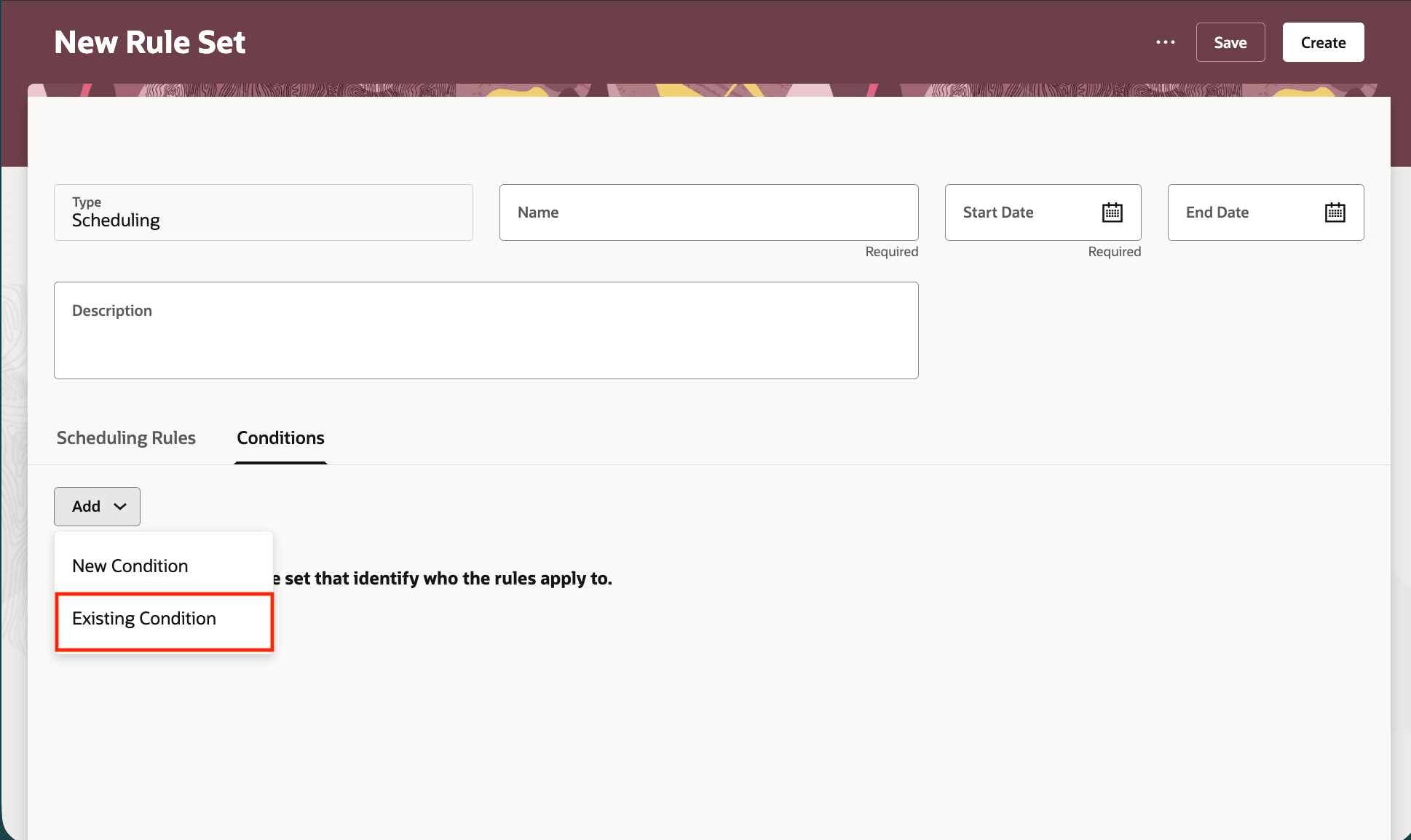
Add Existing Condition on Workforce Management Rule Set
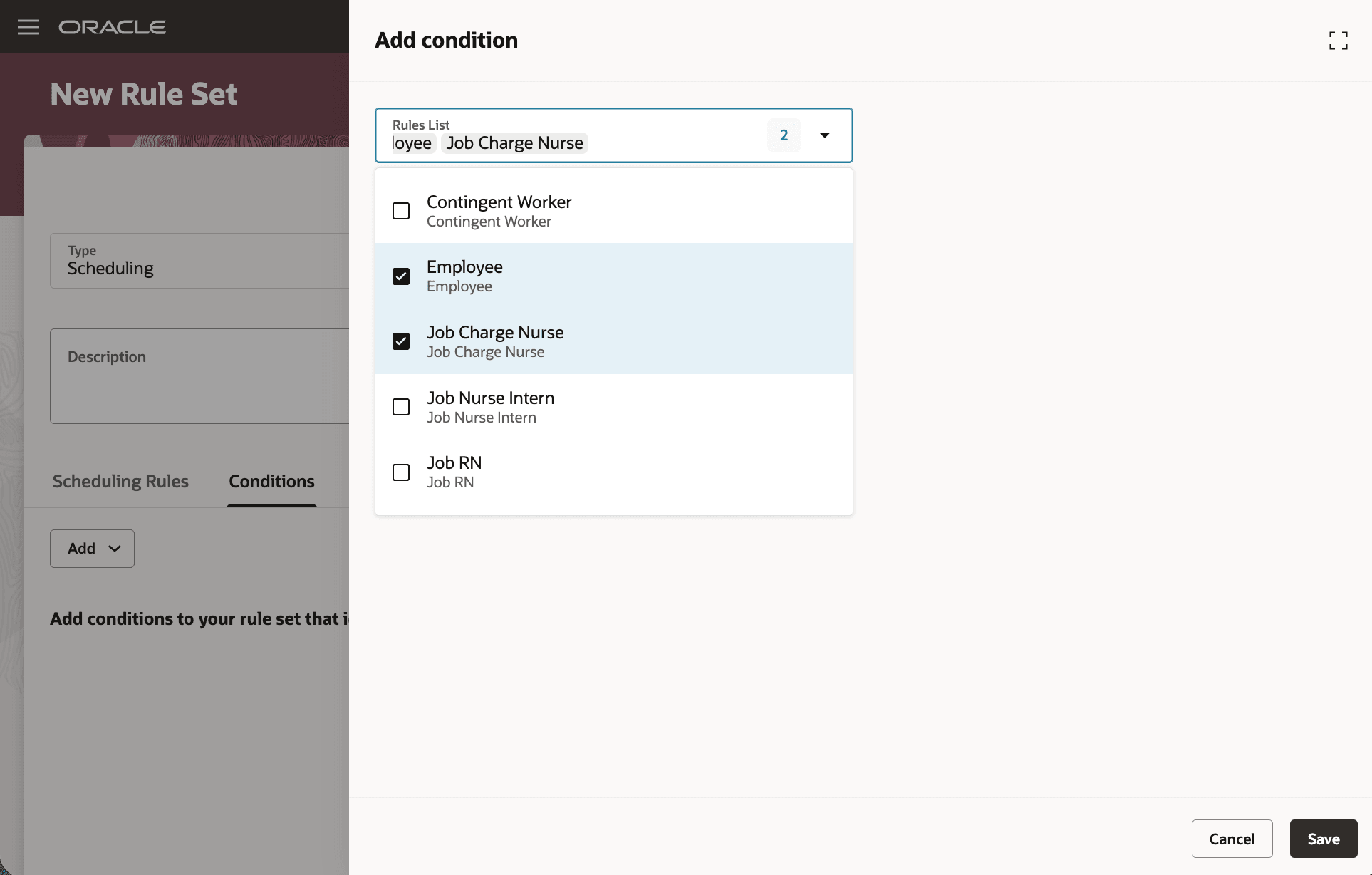
Select Existing Conditions on Workforce Management Rule Set
Validation of condition names
You can't save a condition with a name that already exists on another rule set of the same type. This is done to avoid duplicate names within that scope.
- Name uniqueness is enforced across rule sets of the same type (scheduling or attendance).
- If you enter a name already used by another rule set of the same type, you will be prompted to change the name before saving.
- The validation applies when creating or saving a condition on a rule set.
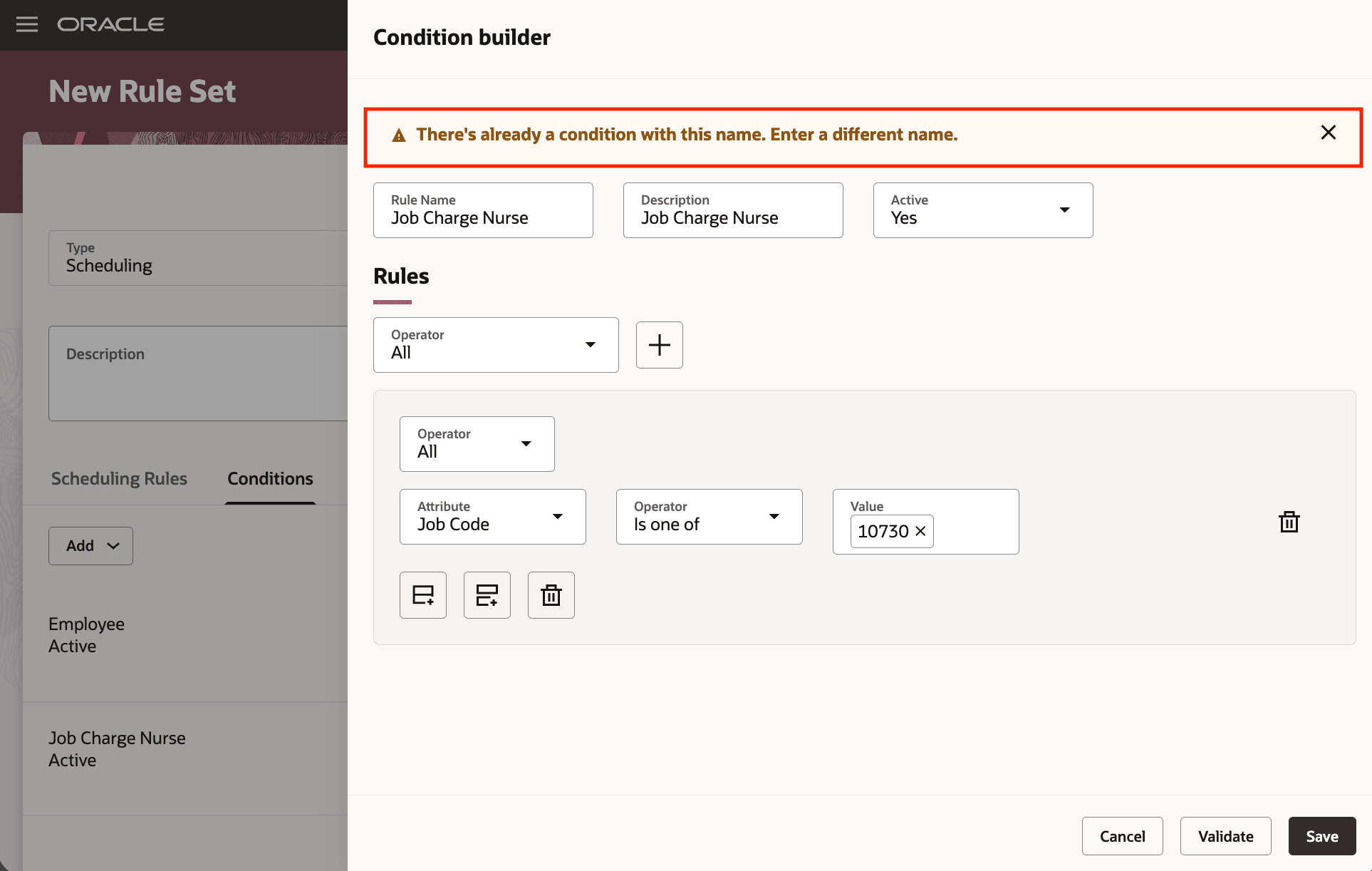
Warning When Creating or Saving a Condition With Existing Name
Warning when editing shared conditions
If you edit a condition that is used by other workforce management rule sets, the system warns you that changes will affect all rule sets that use that condition.
- A warning is shown when editing a condition that is shared by other rule sets.
- The message informs you that all rule sets using this condition will be affected by changes.
- This warning appears for both scheduling and attendance conditions when they are shared.
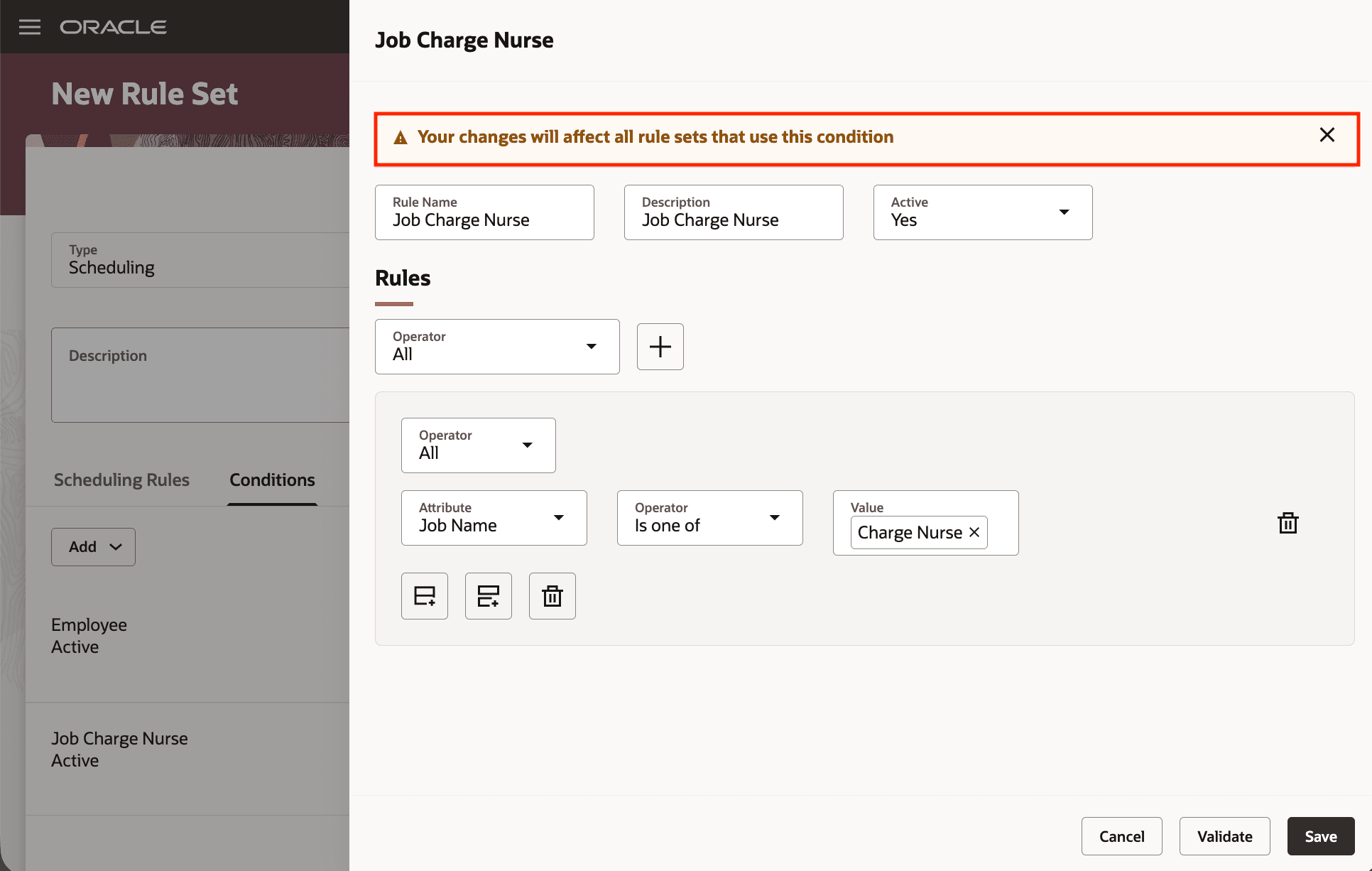
Warning When Editing a Shared Condition
Updated duplicate flow for rule sets
Duplicating a workforce management rule set now opens a drawer to enter minimal required details and creates the duplicated rule set in Draft status.
- When duplicating a rule set you provide a name (pre-filled as 'Duplicate <original name>') and a required start date; end date is optional.
- After creating, the duplicated rule set is saved in Draft status so you can complete or review it before publishing.
- The duplicate flow reduces the steps needed to create a draft copy and ensures required dates are collected up front.
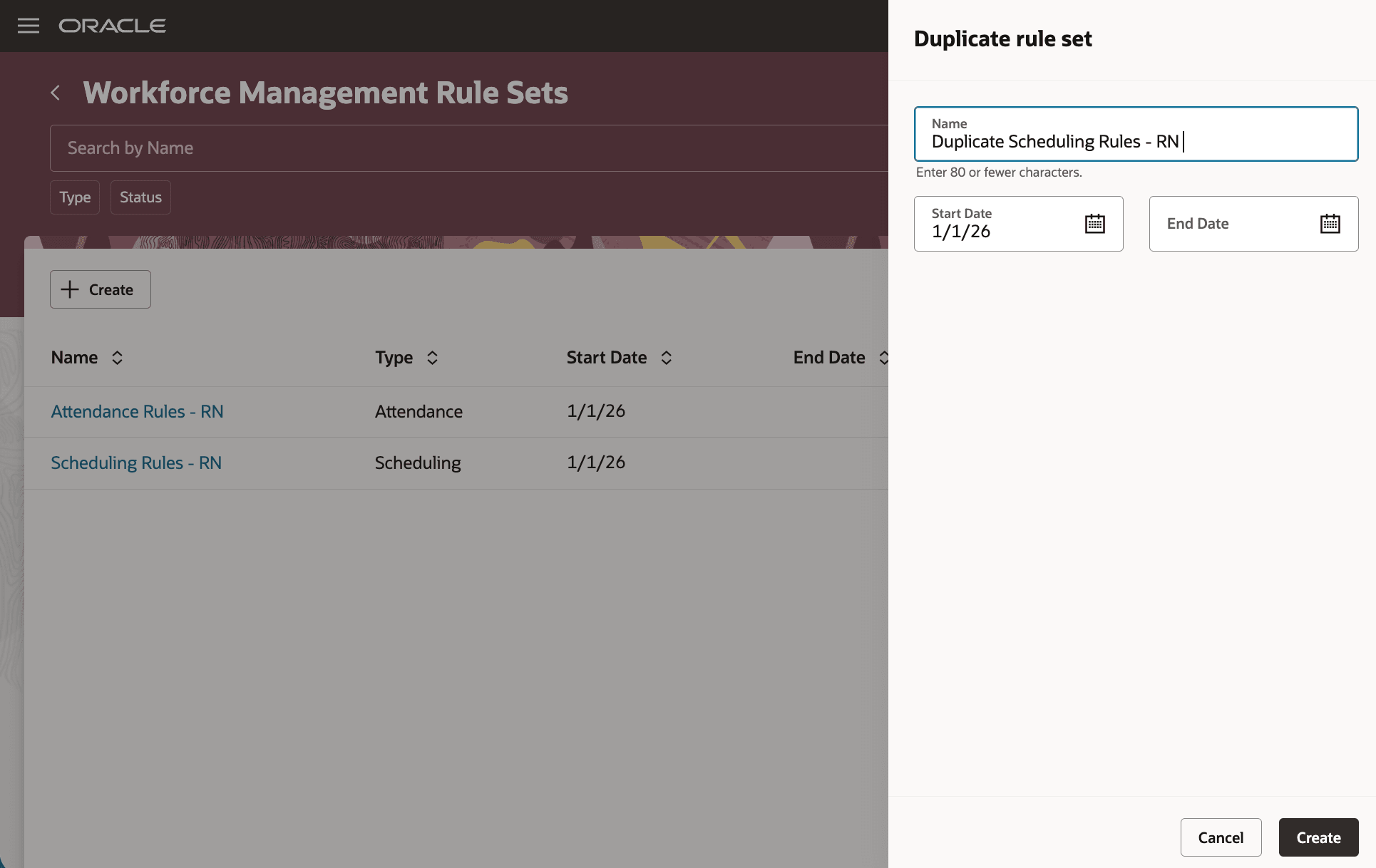
New Drawer When Duplicating Existing Workforce Management Rule Set
Reduce configuration time and ensure policy consistency by duplicating complete rule sets and safely reusing shared conditions within the same rule set type.
Steps to enable and configure
You don't need to do anything to enable this feature.
Tips and considerations
- Conditions are reusable only within the same rule set type; you cannot reuse a scheduling condition in an attendance rule set or vice versa.
- Editing a shared condition affects every rule set that references it.
- You must provide a unique condition name within the same rule set type; the system will block saving duplicate names in that scope.
- Duplicating a rule set requires entering a start date; the duplicated object is created in Draft status and must be completed and saved to become active.
Key resources
For more information about scheduling rule sets, see these What's New features:
-
Release 25A: Scheduling Rule Sets Introduction
- Release 25B: Scheduling Rule Sets Enhancements
- Release 25C: Scheduling Rule Sets Enhancements
- Release 25D: Scheduling Rules Enhancements
- Release 26A: Scheduling Rules Enhancements
For more information about attendance rule sets, see this What's New features:
- Release 25A: Attendance Tracking Introduction
Access requirements
These privileges gives access to manage scheduling and attendance rule sets on Workforce Management Rule Sets:
| Privilege Name | Privilege Code | Description |
|---|---|---|
| Manage Scheduling Rule Sets | HTS_MANAGE_SCHEDULING_RULE_SETS | Allows users to manage scheduling-type rule sets for workforce management. |
| Manage Attendance Rule Sets | HXT_MANAGE_ATTENDANCE_RULE_SETS | Allows users to manage attendance-type rule sets for workforce management. |