Schedule Generation Profiles Enhancements
Reuse existing conditions for self-scheduling rotations
When adding a self-scheduling rotation to a schedule generation profiles, administrators can choose an existing condition (previously defined for groups or rotations) instead of creating a new one. Administrators can select from existing conditions for self-scheduling rotations instead of creating a new one.
- The selection list displays condition name and description.
- Only one existing condition can be selected for a self-scheduling rotation.
- Selected existing condition is added to the rotation when saved.
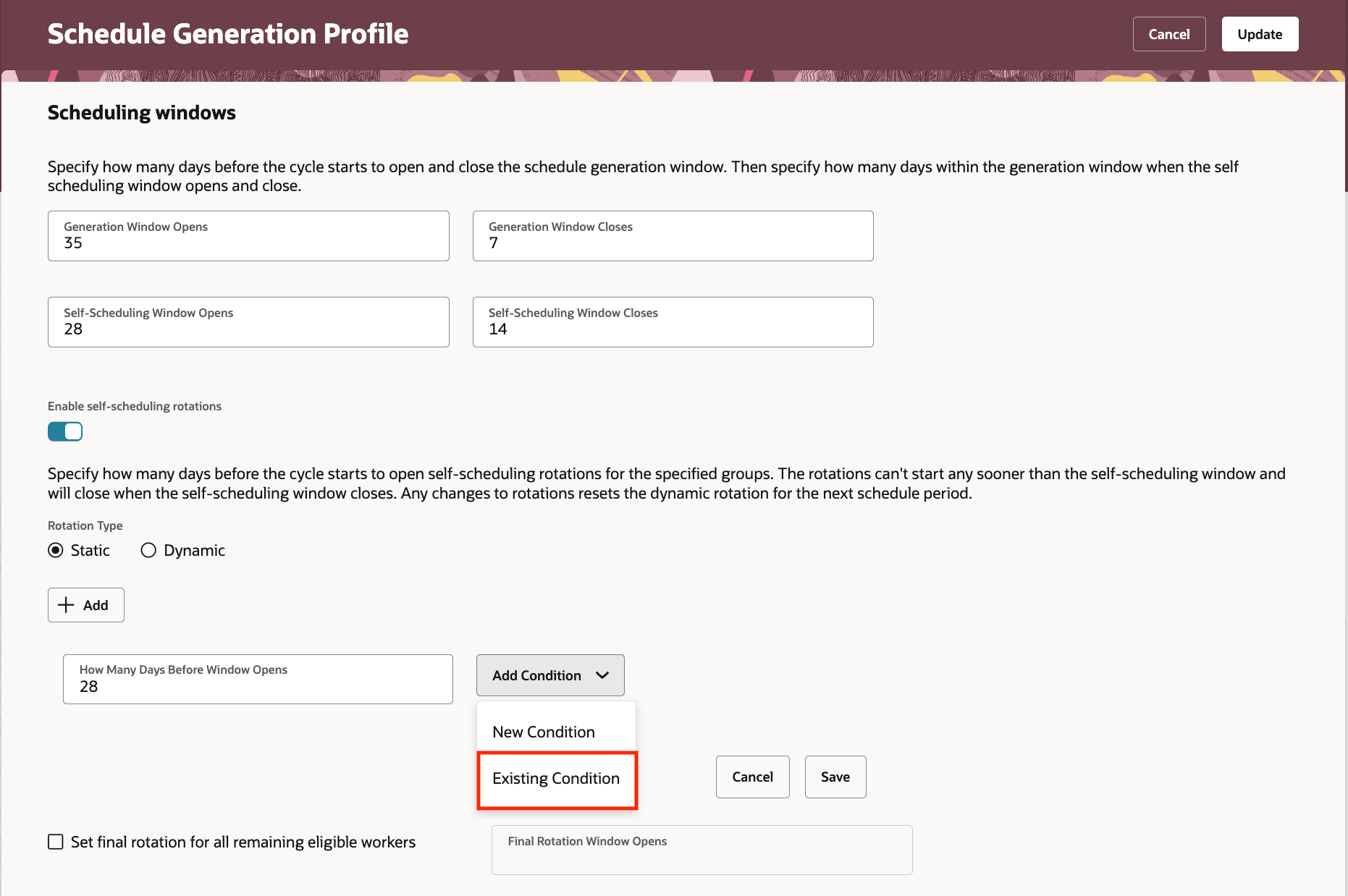
Add Existing Condition on Self-Scheduling Rotations in Schedule Generation Profiles
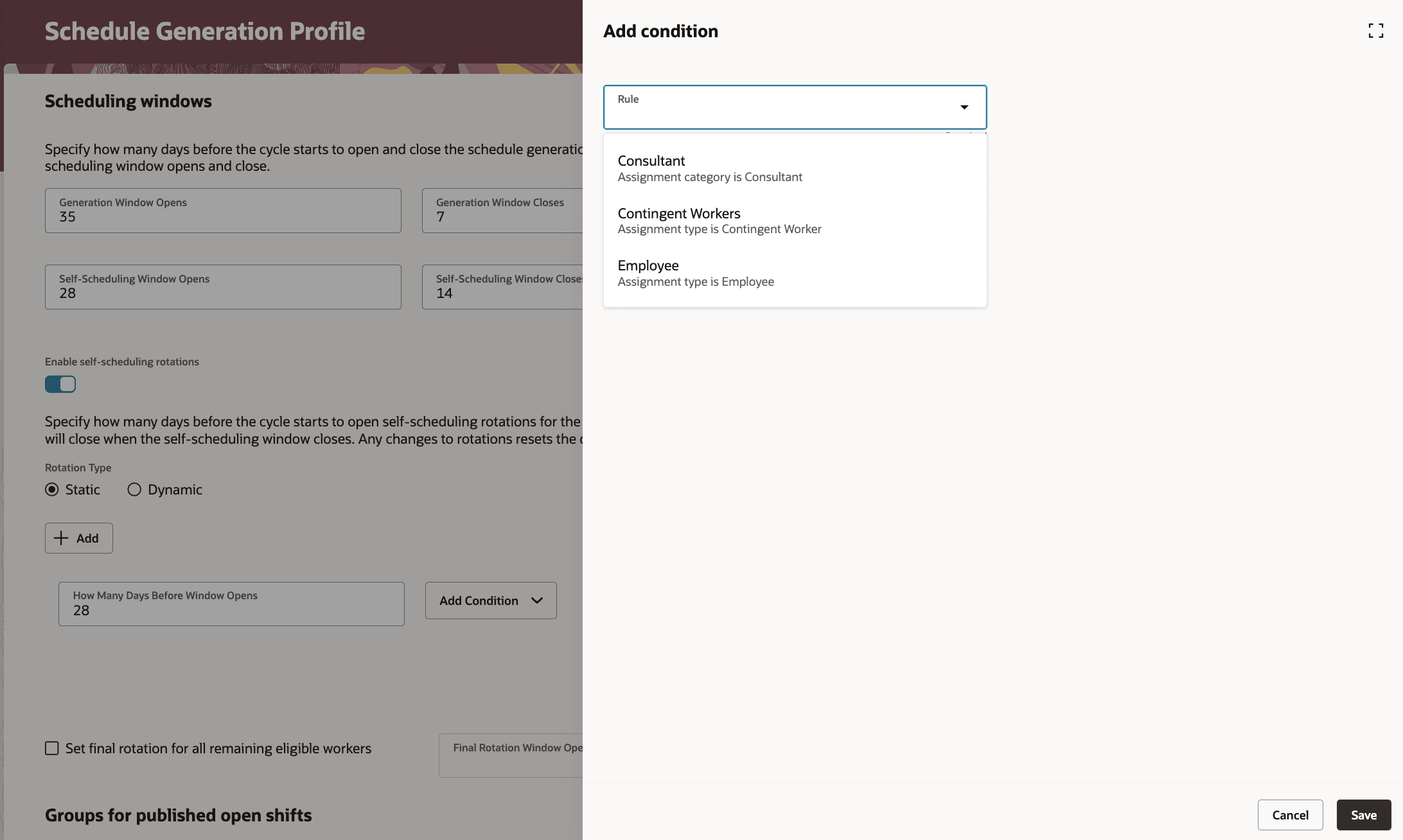
Select Existing Condition for Self-Scheduling Rotations in Schedule Generation Profiles
Reuse existing conditions for groups for published open shifts
When adding a group for published open shifts to a schedule generation profiles, administrators can pick one or more existing conditions defined for groups or rotations.
- Administrators can select one or many existing conditions for a published-open-shifts group
- The selection list displays condition name and description
- Selected existing conditions are added to the group when saved
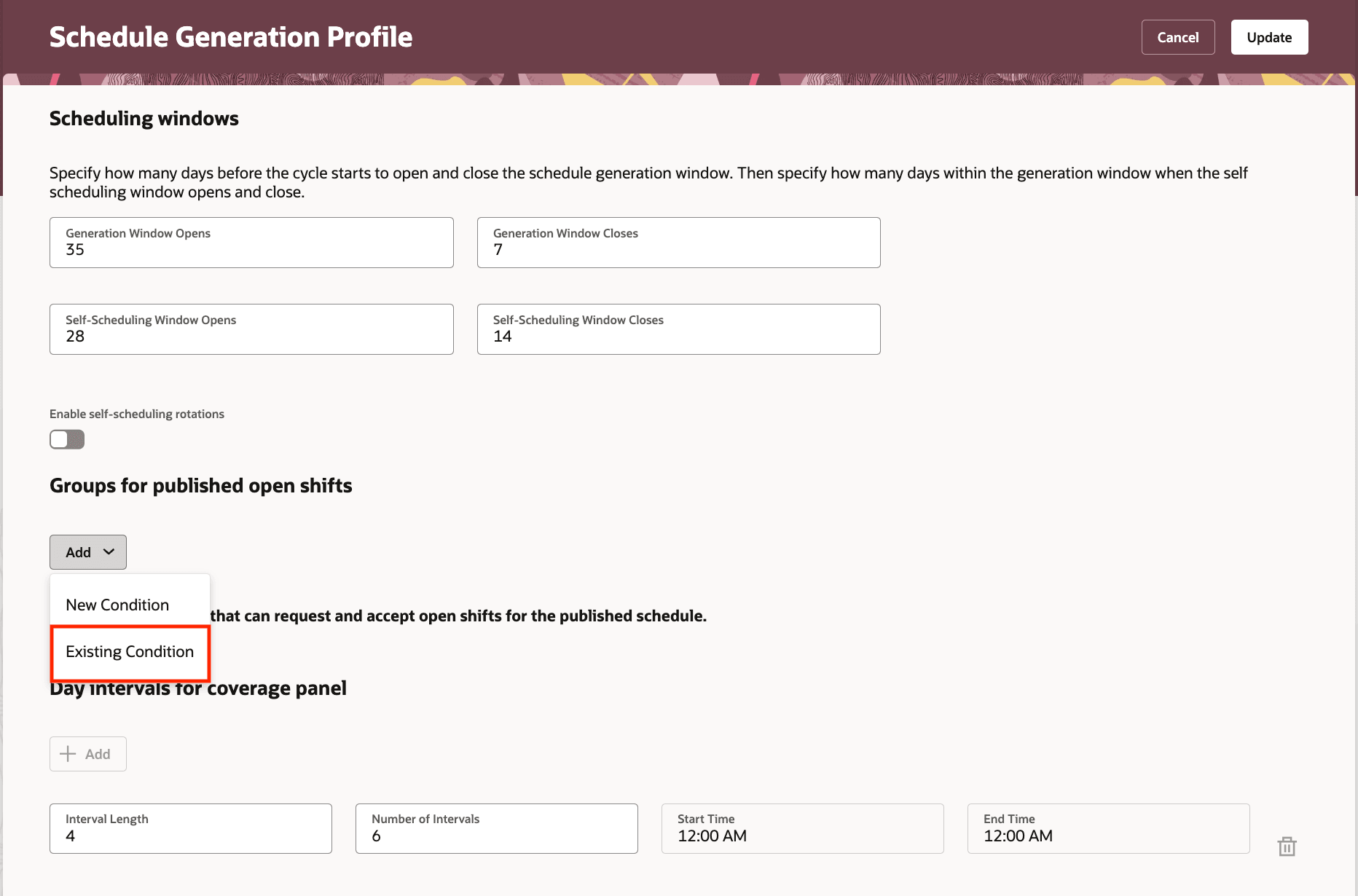
Add Existing Condition on Groups for Published Open Shifts in Schedule Generation Profiles
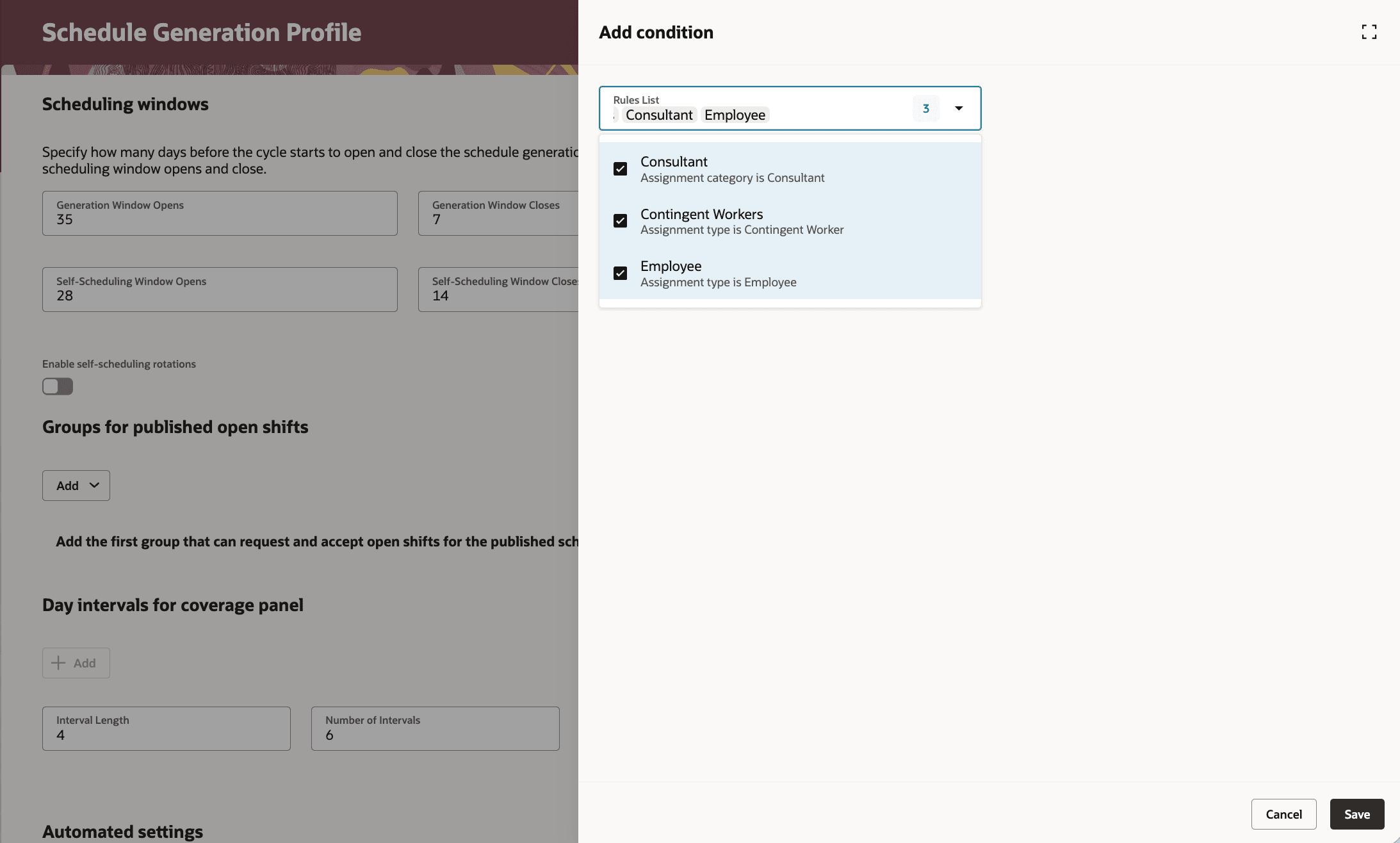
Add Existing Condition on Groups for Published Open Shifts in Schedule Generation Profiles
Name uniqueness validation across groups and rotations conditions
When creating a new condition (for either a group or a self-scheduling rotation) the system enforces that the condition name is unique across all groups and self-scheduling rotations.
- Condition names must be unique across groups and self-scheduling rotations
- Saving or validating a condition with a duplicate name shows an error and prevents save
- Administrators must change the name before the condition can be saved
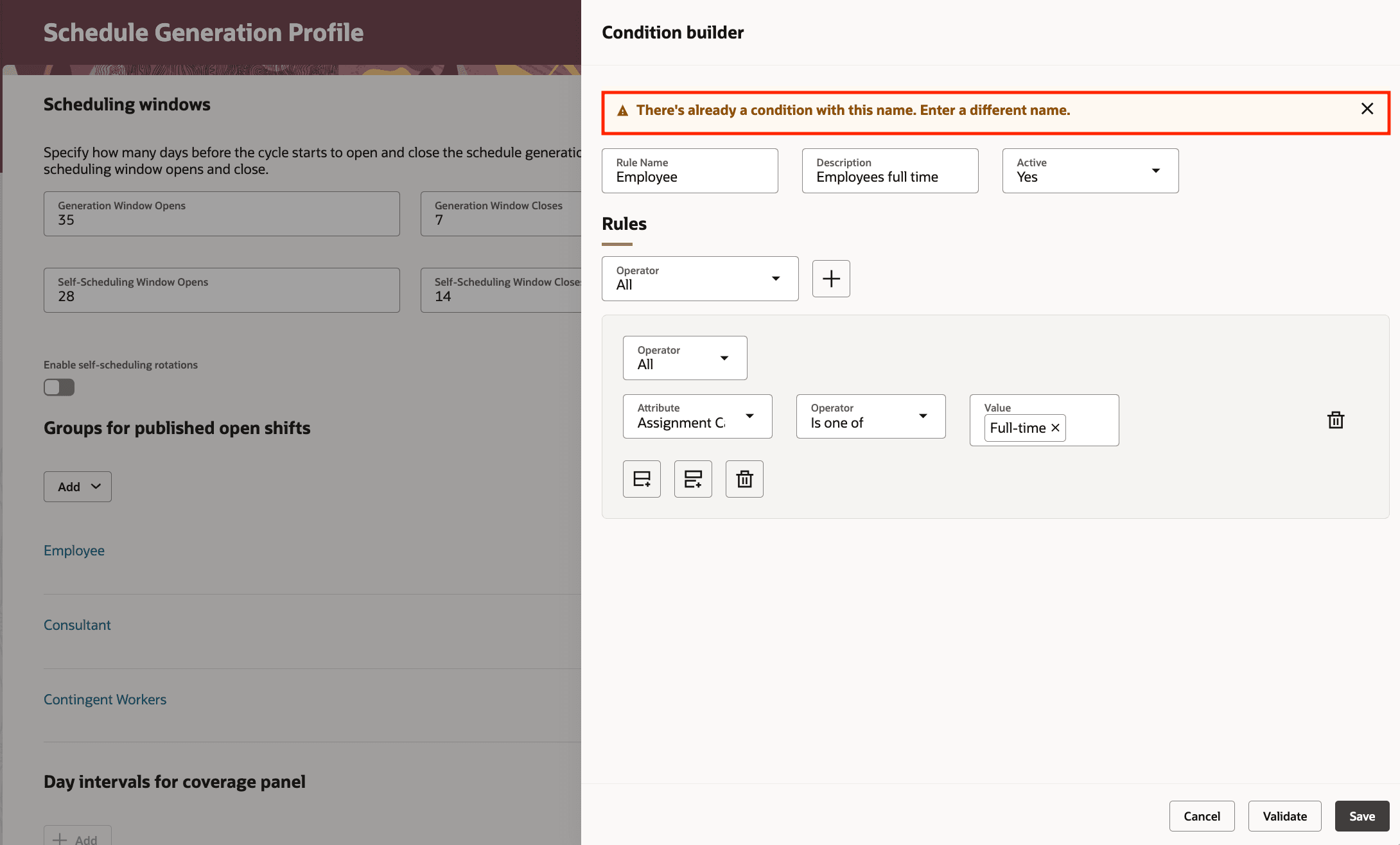
Warning When Creating or Saving a Condition With Existing Name
Warning when editing shared conditions
If an administrator edits a condition that is used by other Schedule Generation Profiles, a warning banner informs them that changes will affect all Schedule Generation Profiles that use that condition.
- A visible warning appears when editing a condition used by other Schedule Generation Profiles
- The banner informs that all Schedule Generation Profiles using this condition will be affected
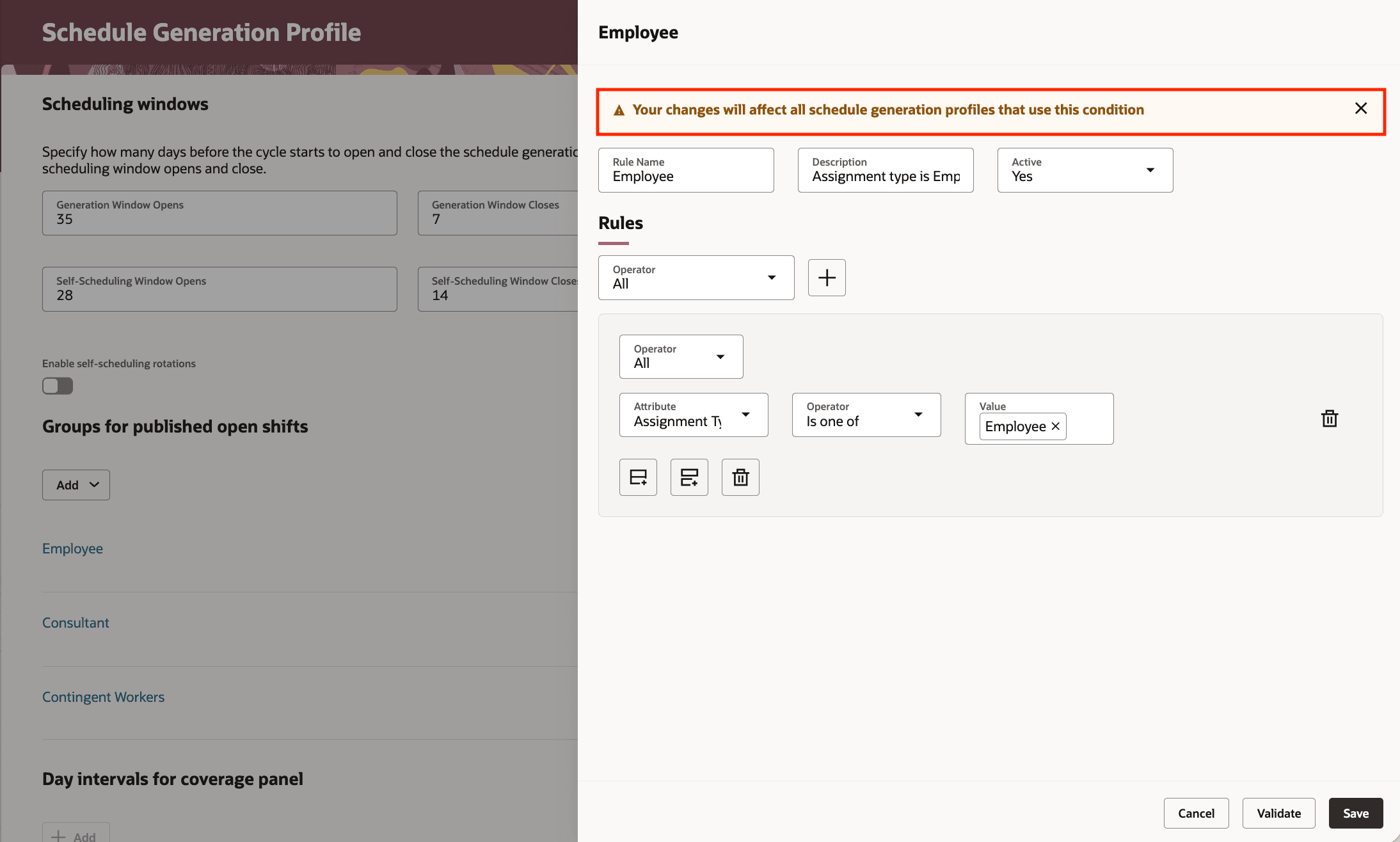
Warning When Editing a Shared Condition
Accelerate workforce scheduling setup and ensure consistent, compliant rules by reusing shared conditions on self-scheduling rotations and groups across Schedule Generation Profiles.
Steps to enable and configure
You don't need to do anything to enable this feature.
Tips and considerations
- A condition selected for a self-scheduling rotation is limited to a single selection; groups for published open shifts may accept multiple conditions.
- If you edit a condition that other Schedule Generation Profiles use, expect changes to affect all Schedule Generation Profiles that reference that condition.
- You cannot save a condition with a name already used by any group or rotation; rename it before saving.
Key resources
For more information about schedule generation profile, see the release 24B What's New feature Schedule Generation Profile Introduction.
Access requirements
Here are the aggregate privileges that schedule administrators and managers need to work with schedule generation profiles:
| Privilege | Code | Description |
|---|---|---|
|
Manage Schedule Generation Profiles by Schedule Administrator |
ORA_HTS_MANAGE_SCHEDULE_GENERATION_PROFILE_BY_ADMINISTRATOR |
Allows schedule administrators to manage schedule generation profiles. |
|
View Schedule Generation Profiles by Schedule Administrator |
ORA_HTS_VIEW_SCHEDULE_GENERATION_PROFILE_BY_ADMINISTRATOR |
Allows schedule administrators to view schedule generation profiles. |
|
View Schedule Generation Profiles by Schedule Manager |
ORA_HTS_VIEW_SCHEDULE_GENERATION_PROFILE_BY_MANAGER |
Allows schedule managers to view schedule generation profiles. |