 Redwood: Enable Negative Values for Goal Measurements
You can now enter negative values in measurement fields and task measurement fields of both performance and development goal provided your administrator has enabled this.
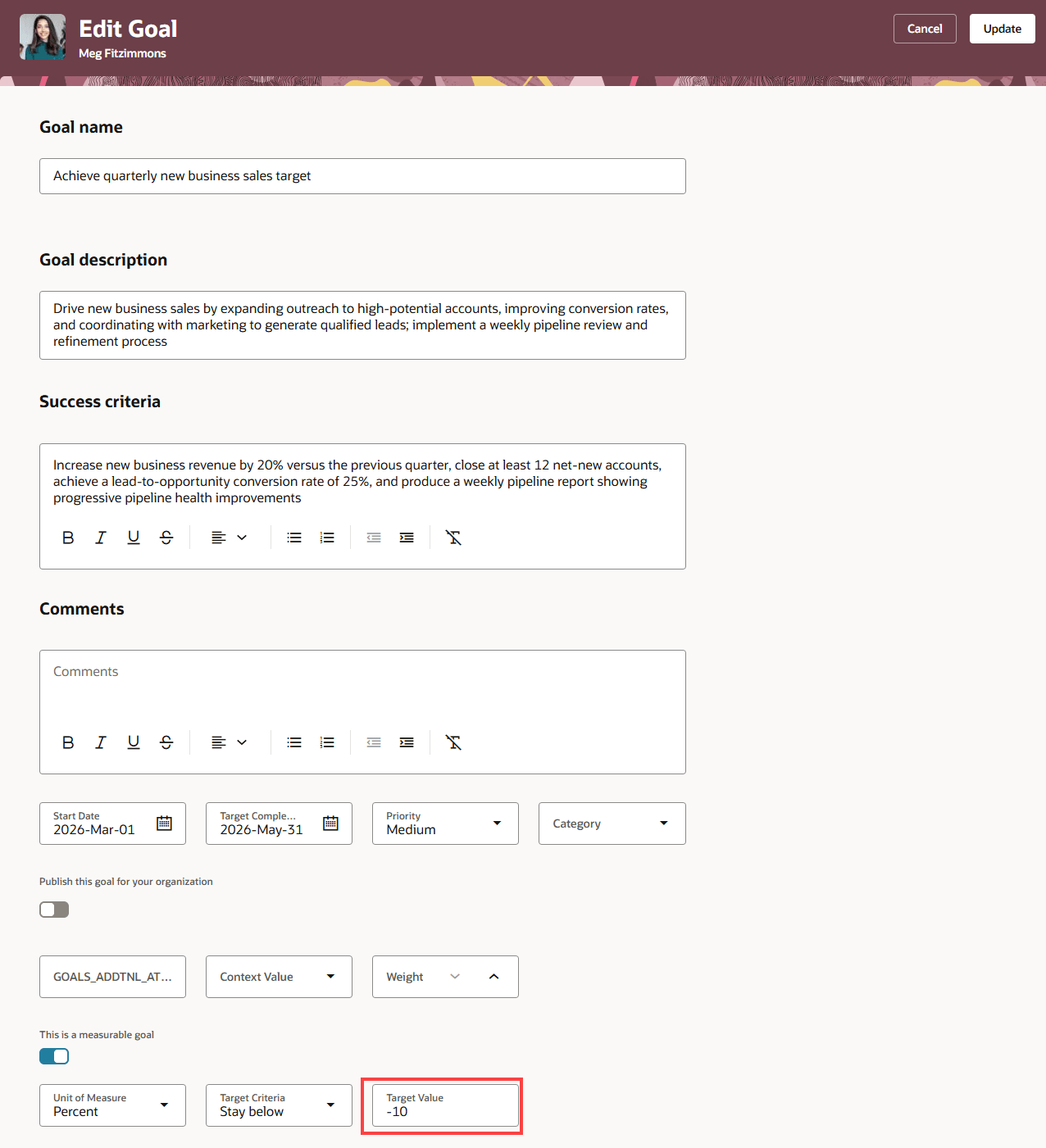
Negative Value in Target Value Measurement Field of a Performance Goal
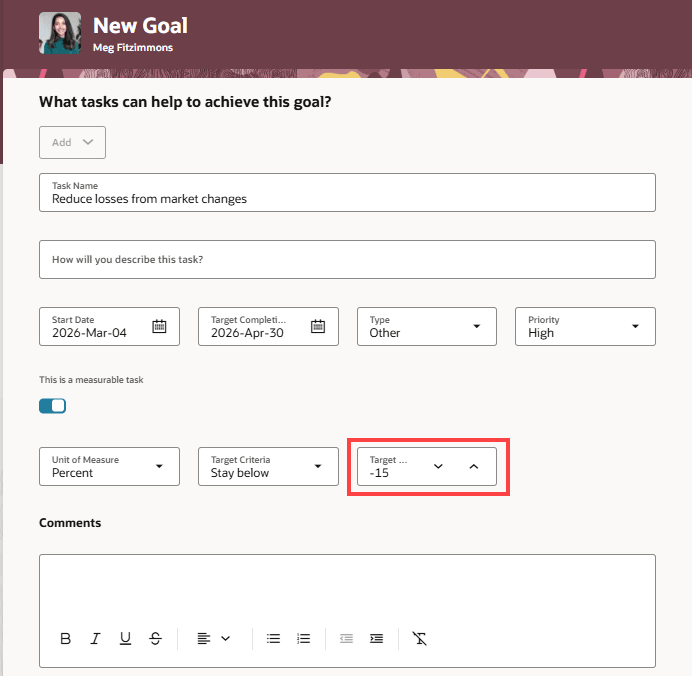
Negative Value in Target Value Task Measurement Field of a Development Goal
Business Benefit
Ensure that goal measurement values are captured accurately by enabling negative value entries in these fields.
Steps to enable and configure
To enable Redwood Goals Center, you need to enable the profile options indicated in the table.
|
Profile Option Code |
Profile Option Display Name |
Value |
|---|---|---|
|
ORA_HCM_VBCS_PWA_ENABLED |
Enable VBCS Progressive Web Application User Interface |
Y |
|
ORA_HRA_PERFORMANCE_DOCUMENTS_AND_GOALS_REDWOOD_ENABLED |
Enable Redwood Performance Documents and Goals Center |
Yes |
NOTE: The Performance Document, Check-in, and Goals Center features are closely connected. So, the Redwood version of these pages can all be enabled or disabled only using the common ORA_HRA_PERFORMANCE_DOCUMENTS_AND_GOALS_REDWOOD_ENABLED profile option. These features can't be enabled individually.
For more information, see How do I enable a profile option?.
To enable entry of negative values in the measurement fields of various Goal Management pages, edit the pages specified in the table and set the page properties indicated to true.
| Use Case | Page to Edit | Page Properties to Enable |
|---|---|---|
| Enable entry of negative values in the measurement fields of performance goals. |
|
|
| Enable entry of negative values in the task measurement fields of performance goals. |
|
|
| Enable entry of negative values in the measurement fields of performance goals included in goal plans. | Goal plan details |
|
| Enable entry of negative values in the task measurement fields of performance goals included in goal plans. | Goal plan details |
|
| Enable entry of negative values in the measurement fields of performance library goals. | Library goal details | Allow Negative Values for Measurement Fields |
| Enable entry of negative values in the task measurement fields of performance library goals. | Library goal details |
|
| Enable entry of negative values in the measurement fields of performance goals included in a mass assignment or mass share process. | Mass assignment or mass share process details |
|
| Enable entry of negative values in the task measurement fields of performance goals included in a mass assignment or mass share process. | Performance goals mass assignment or mass share process details |
|
| Enable entry of negative values in the measurement fields of development goals. |
|
|
| Enable entry of negative values in the task measurement fields of development goals. |
|
|
| Enable entry of negative values in the measurement fields of development library goals. | Library goal details | Allow Negative Values for Measurement Fields |
| Enable entry of negative values in the task measurement fields of development library goals. | Library goal details |
|
| Enable entry of negative values in the measurement fields of development goals included in a mass assignment process. | Development goals mass assignment process details |
|
| Enable entry of negative values in the task measurement fields of development goals included in a mass assignment process. | Development goals mass assignment process details |
|
For more information on how to do this, see How do I control the display of a UI element in Visual Builder Studio?.
You need to create business rules in Visual Builder Studio to make these measurement fields visible:
- Achieved Weight
- Actual Value
For more information on how to do this, see How do I hide or show a field in Visual Builder Studio?
Key resources
For more information on extending Redwood pages in HCM, refer to this guide on the Oracle Help Center: