Redwood Experience: Manage Check-In and Cancel Check-In Actions for Event Attendees
Event admins can manage attendee presence on behalf of the candidates directly from a unified candidate list. The ability to check a candidate in to an event is available when a candidate's status is listed as Registration/Registered.
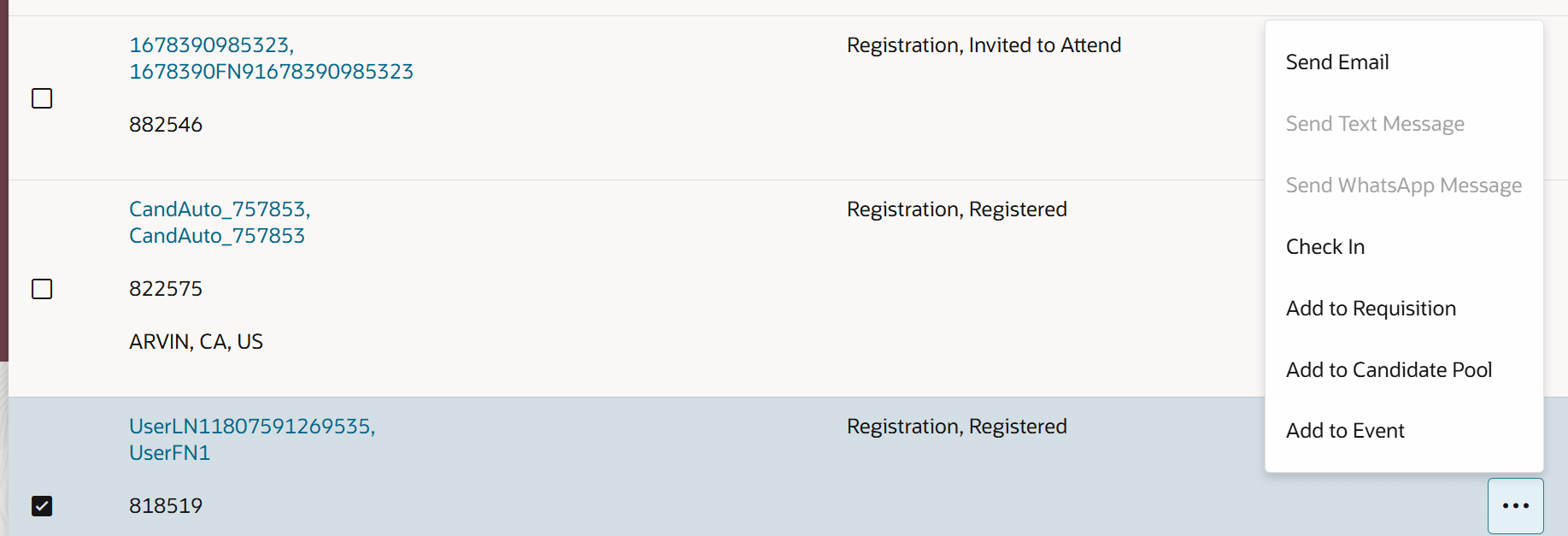
Check in a candidate with the status of Registration, Registered
Similarly, if you need to cancel a candidate's check in, a Cancel Check-in action displays for candidates whose statuses are listed as Attendance/Attended.
Note: This option is only available if the event admin has previously checked the candidate in to the event.
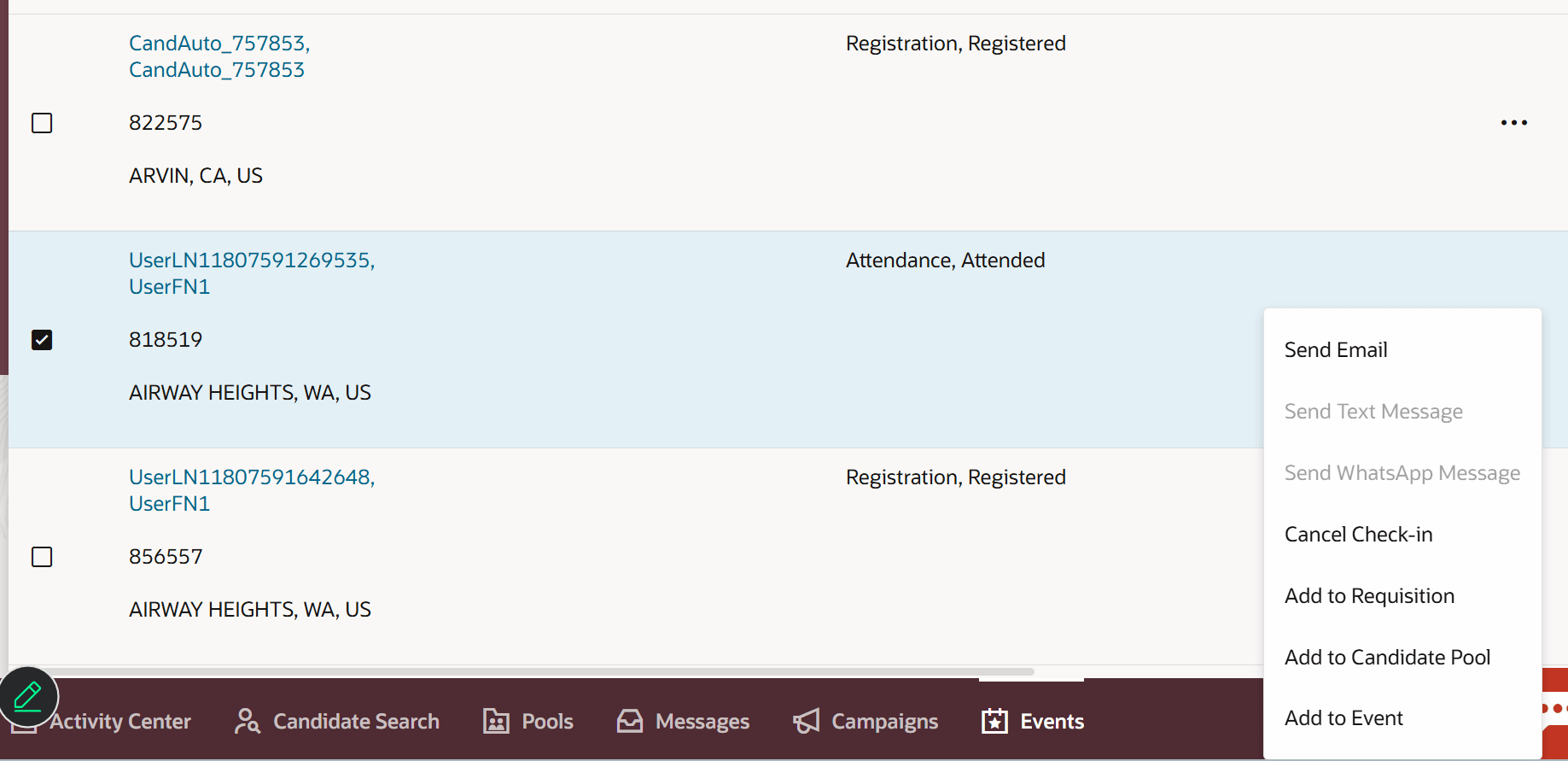
Cancel check in for a candidate
Business benefit: Check-in and cancel check-in actions enable event owners to manage attendee entry on behalf of participants, ensuring faster processing and smooth crowd handling during high-traffic events.
Steps to enable and configure
You need to enable these profile options:
- ORA_IRC_RECRUITING_REDWOOD_ENABLED
- ORA_IRC_EVENT_REDWOOD_ENABLED
For details, see How do I enable a profile option?