Redwood Experience: QR Code Based Check-in for Event Audience
You can now allow candidates to check in to events using a QR code. This is a good option when you have a large event with many candidates arriving at the same time.
When event owners create new events, they select a checkbox called Enable check-in using candidate QR code.
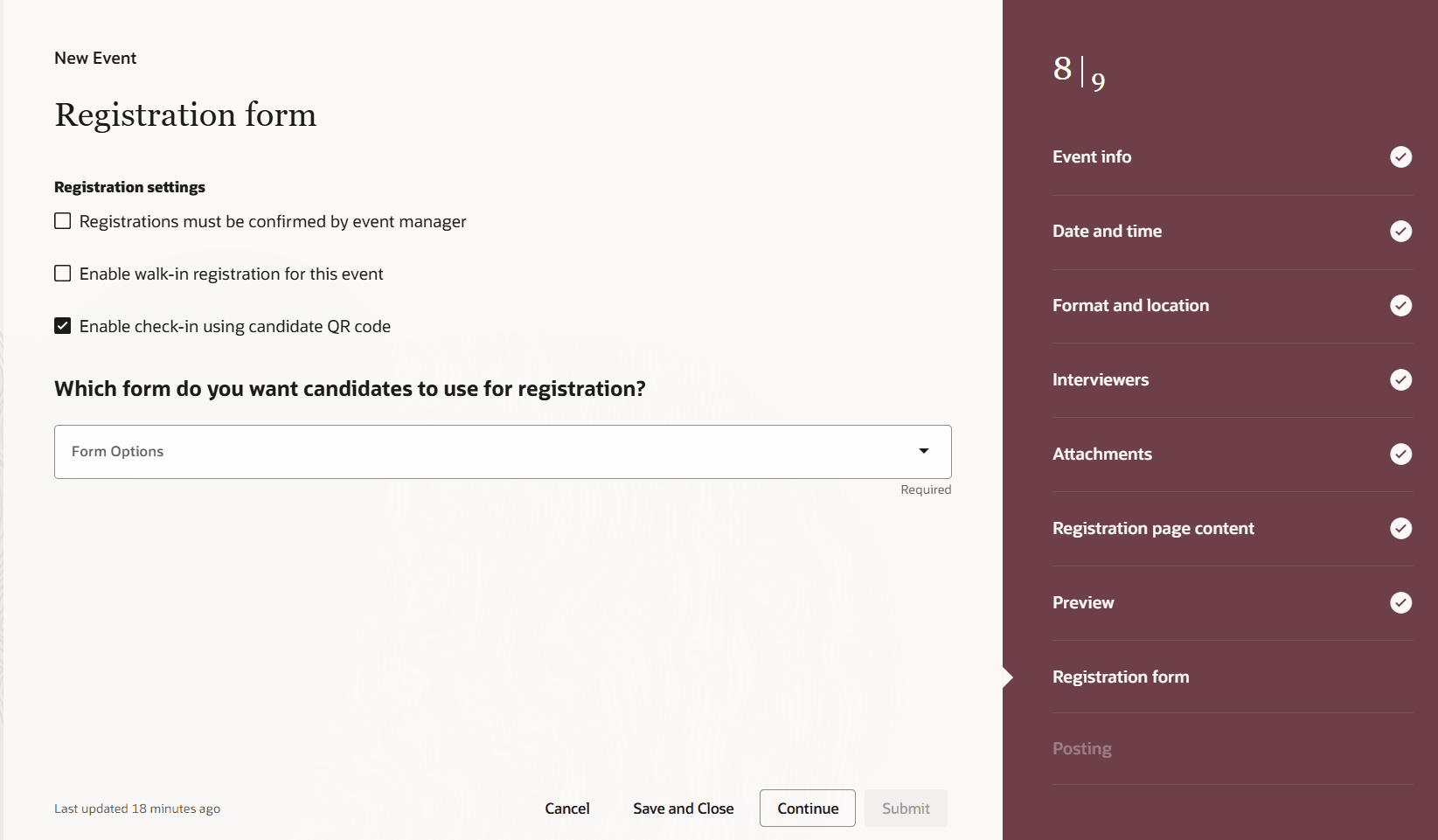
New check box to enable QR code check-in at events
Approved candidates receive an email containing a QR code 24 hours prior to the event start time. This QR code is unique to the candidate and specific for that event. When candidates arrive at the event, they’ll use their mobile device to open the email and scan the QR code at a kiosk.
Scan to check in
This feature is only available for public, in person events.
Business benefit: QR code–based check-in ensures fast, secure, and contactless entry while enabling accurate attendance tracking and real-time event insights.
Steps to enable and configure
You need to enable these profile options:
- ORA_IRC_RECRUITING_REDWOOD_ENABLED
- ORA_IRC_EVENT_REDWOOD_ENABLED
For details, see How do I enable a profile option?
You need to run this scheduled process to send a reminder 24 hours prior to the event start date to all registered candidates It's recommended to schedule the process at a 1 hour interval:
- Recruiting Event Reminder Notification
Tips and considerations
This feature is only available for public, in person events.