Executing Scripts Using a Specific Role
The Execute as Role field sets which role's permissions uses at runtime. It lists all standard and custom roles, plus Current User, which runs the script with the logged-in user's permissions. For example, if you choose Sales Person, the script always runs with that role's permissions-even if an Administrator triggers it. If no existing role fits, create a custom one with the needed permissions and choose it instead.
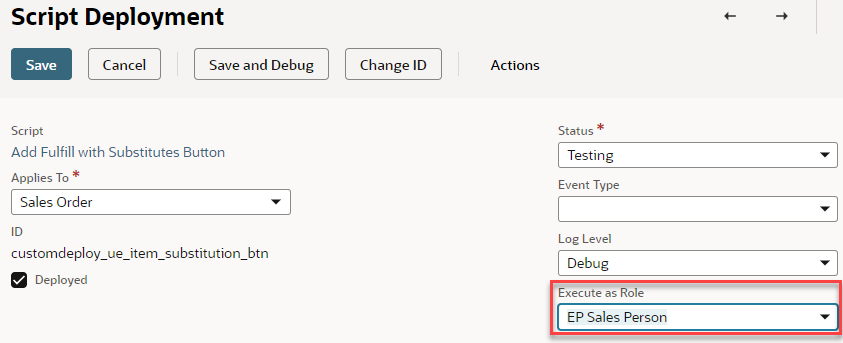
Keep these behaviors in mind:
-
When one script triggers another, the triggered script runs with the first script's role-not the role set on its own deployment.
-
When you're testing, set the deployment status to Testing so the script runs only for you and the selected role; other users won't trigger it.
For more details on roles in script deployments, see the following topics:
For an overview of roles and permissions in SuiteScript, see Setting Roles and Permissions for SuiteScript. For limits that are specific to client scripts, see Client Script Role Restrictions.