Reordering Report Columns
When needed, you can change the order of columns in your report.
To reorder columns on your report :
-
Click Customize in the footer of the report.
-
On the Report Builder (or Financial Report Builder) page, click Edit Columns.
-
In the Report Preview pane, select the column you want to move.
-
Use the Move buttons to move the column to the left or right.
-
Repeat steps 3 and 4 to reorder more columns on your report.
-
Click Save.
In the Report Preview pane, you can also drag columns to change their order.
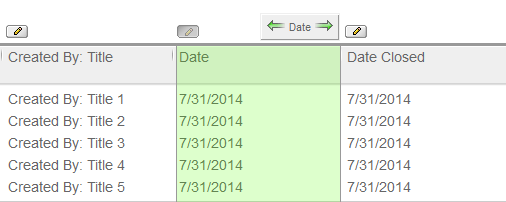
Click and hold any area within the column or the edit icon. When you see an icon with double arrows, you can move the column to a new position in the preview.