Reload Tables in a Dataset
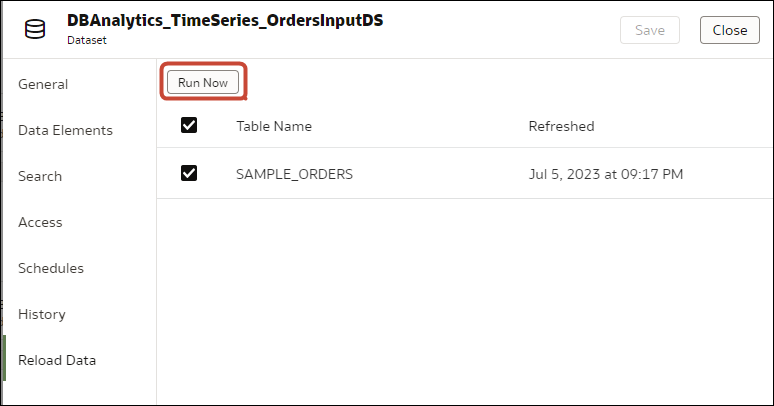
Use the Datasets tab to reload data for the dataset's tables that use connections and have the Data Access field set to Automatic Caching. Reloading queries the tables' data sources and loads the current data into cache.
Note:
You can also programmatically reload data for an existing dataset that's based on a connection using the REST API. See Reload data for a dataset in the REST API for Oracle Analytics Cloud.Reloading data ensures that workbooks and visualizations contain current data. The most current data is displayed in workbooks and visualizations after the dataset reload is complete and you refresh the workbooks.
If you want to reload a dataset that contains more than one
table and uses files as its source, or if the dataset contains a combination
of tables created from connections and files, then see Reload a Dataset's Files.
The Reload Data option is available for
any dataset when the Data Access field is set to
Automatic Caching for one or more table, and
when the data source connection includes credentials for one or more table
.
Dataset tables with the Data Access
field set to Live aren't included in the reload. See
Specify Whether a Dataset Table Is Cached or Live
- On your home page, click Navigator , and then click Data.
- Hover over the dataset that you want to reload, click Actions, and then
click Reload Data
. - Select the tables that you'd like to reload then click Run Now.