Configure Proxy
Configure proxy settings to control how Agent Factory validates server-side outbound requests and user-supplied proxy URLs.
Proxy settings are global application settings. You can update them only when you are signed in as an administrator. Changes apply to all users in the deployment.
If you are not an administrator, you can view proxy settings, but you cannot update them.
Configure Proxy Settings
-
Sign in to Agent Factory as an administrator.
-
In the left navigation menu, select Application Settings.
-
Select the Proxy Settings tab.
-
Review the proxy and outbound URL security controls.
-
In the Action column, toggle each setting to match your deployment requirements. See Proxy Settings Reference.
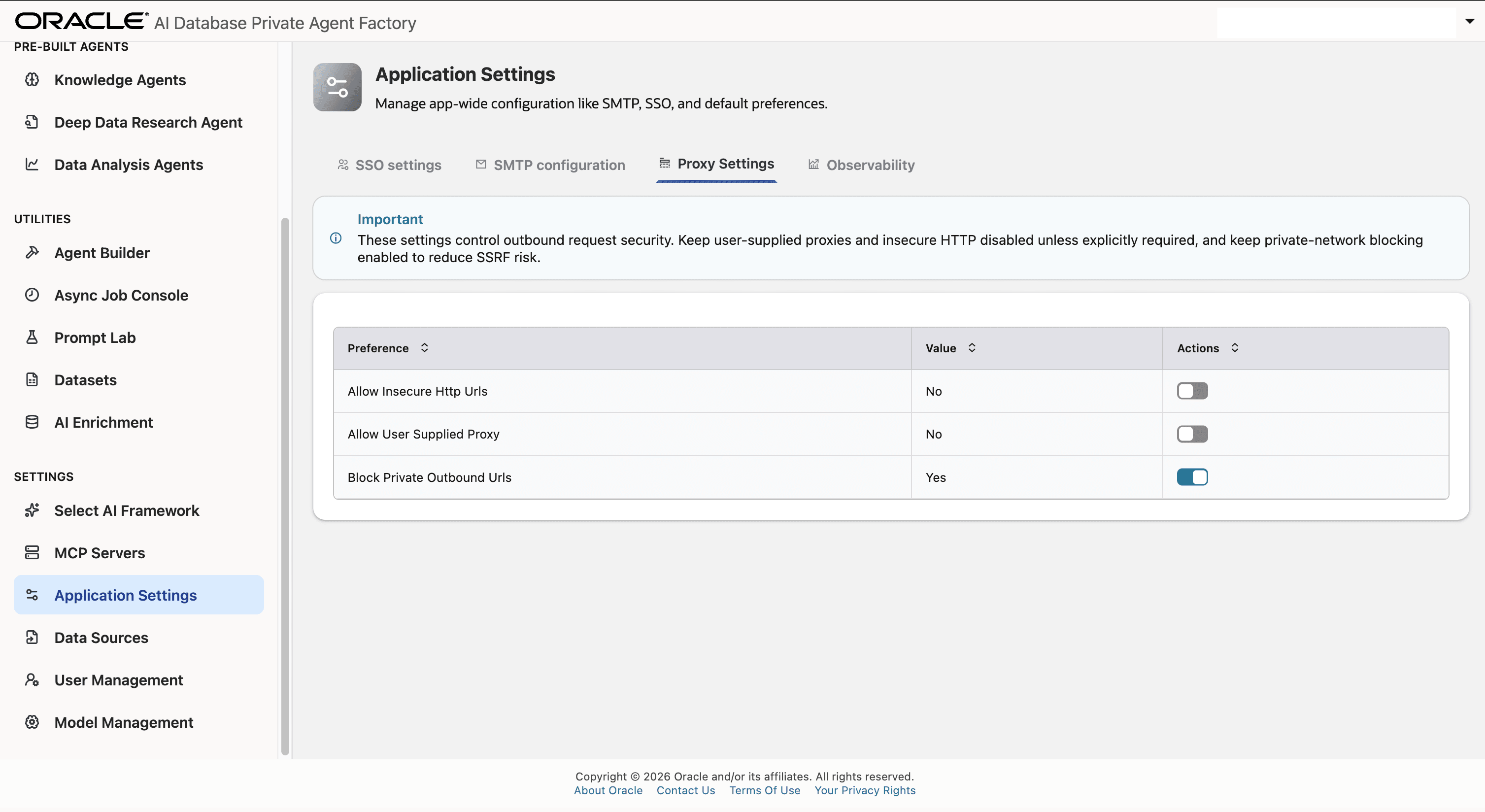
Description of the illustration proxy-setting.png
Tip: Keep insecure HTTP and user-supplied proxies set to
Nounless your deployment has an explicit operational requirement. Keep private-network blocking set toYesto reduce Server-Side Request Forgery (SSRF) risk. -
Confirm that Agent Factory displays the
Preference updated successfullynotification.
After the preferences are updated, Agent Factory applies the changes to subsequent outbound requests. When a URL, proxy value, or update request does not comply with the configured settings, Agent Factory returns a validation error.
Note:
- Proxy settings are global, not tenant-specific.
- Agent Factory stores updates in application settings. You do not need to restart the application.
- Existing saved data source proxy values can remain stored. Agent Factory revalidates proxy use when protected flows use those values.
- User-supplied proxies can redirect traffic through infrastructure outside your expected egress path. Enable them only when your deployment has compensating controls.
Proxy Settings Reference
The Proxy Settings tab contains the following controls.
| Setting | Recommended Value | Description |
|---|---|---|
| Allow Insecure Http URLs | No |
Controls whether protected user-supplied outbound target URLs can use plain http. When it is set to No, target URLs must use https. |
| Allow User Supplied Proxy | No |
Controls whether users can provide custom proxy URLs for data source or connection-test flows. When it is set to No, Agent Factory rejects user-provided proxy values. |
| Block Private Outbound URLs | Yes |
Controls whether Agent Factory blocks outbound URLs that resolve to private, loopback, link-local, multicast, reserved, or unspecified IP addresses. |
How Proxy Settings Affect Connectors
These settings affect server-side outbound requests from Agent Factory, including website sources, Google Drive tests, SharePoint, Amazon S3, REST APIs, MCP servers, and observability endpoints.
If a user reports that a URL works in their browser but fails in Agent Factory, remember that Agent Factory sends the request from the application container. Check:
- Whether the container can resolve the host name.
- Whether firewall, NAT, service gateway, or proxy egress exists.
- Whether the URL is private and blocked by policy.
- Whether the provider requires TLS or a trusted certificate.
- Whether a user-supplied proxy is allowed by the global setting.
For private services, prefer a documented private network path over broad relaxation of outbound URL controls. See Architecture and Security and Access Agent Factory Deployed in a Private Subnet.