View which Linked Knowledge Articles were shared and helped to solve the SR
When users view knowledge articles linked to a service request (SR), they can now see which articles were shared with the customer, which helped resolve the SR, and which were marked Not Helpful. Users can also manually set the Resolved and Not Helpful flags to reflect the final outcome.
With this update, you can:
- View all knowledge articles linked to an SR.
- See which articles were shared with customers.
- Identify which articles resolved the SR.
- Mark articles as Resolved or Not Helpful based on their impact.
- Quickly review articles flagged as Not Helpful.
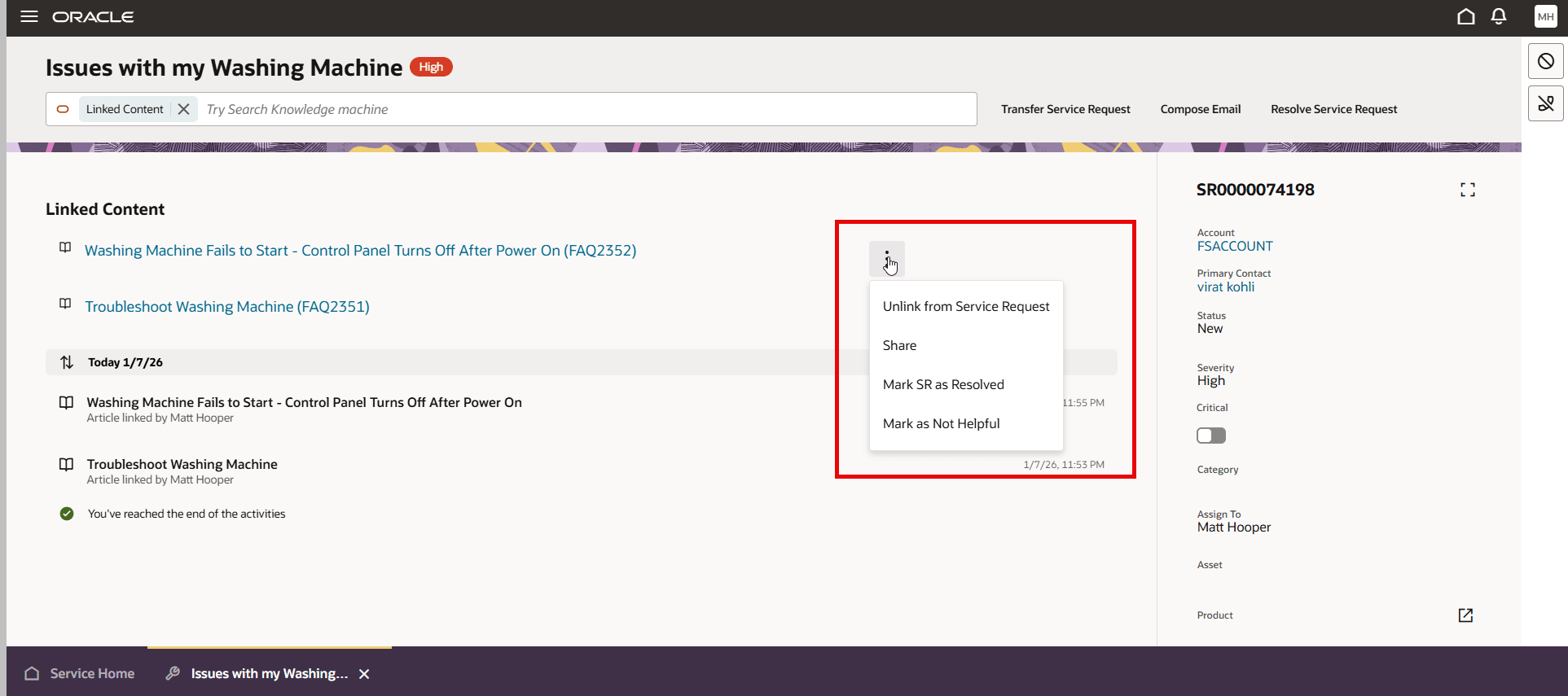
Enhanced Link Content Management
By enabling users to identify which linked articles helped resolve a service request, you gain better insight into the most effective and frequently used knowledge content.
Steps to enable and configure
You don't need to do anything to enable this feature.
Tips and considerations
The enhanced Linked Content action is only available with the new SR Details page, not for the SR foldout page
To view the different options available per each knowledge article, enter the Show Linked Content command from the filter bar and then click on the 3 dots to edit the options.
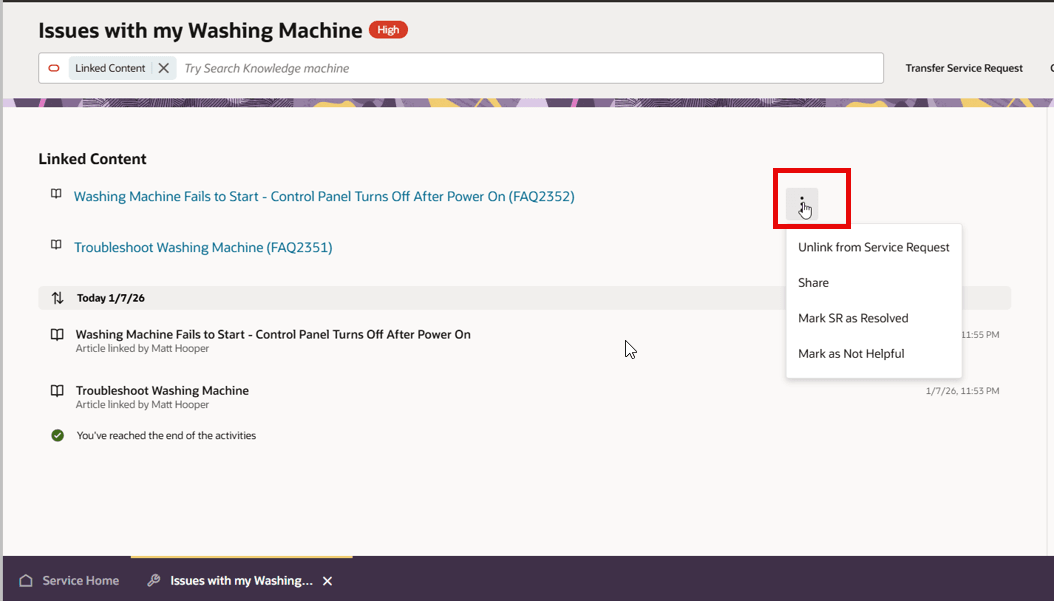
Edit Linked Content Options