Rapidly Improve Message Content with Generative AI
You can now enhance messages in Fusion Service with Generative AI-powered tools. While composing or reviewing service request messages and problem and solution description fields, service representatives can:
- Instantly translate message content to other languages
- Summarize long text to create concise messages
- Improve writing quality with suggestions for clarity and tone
These Gen AI capabilities are available directly within the text editing areas of the Service Request, making advanced language tools easy to access during daily workflows.
- Streamlines customer service representatives communication, saving time on content creation
- Improves message clarity and professionalism
- Expands customer reach through on-the-fly translation
- Enhances customer experience with faster, clearer responses
Steps to enable and configure
You don't need to do anything to enable this feature.
Tips and considerations
From the Compose Message or Problem or Solution Description fields, there will be 2 icons in the toolbar as highlighted by the green circle below:
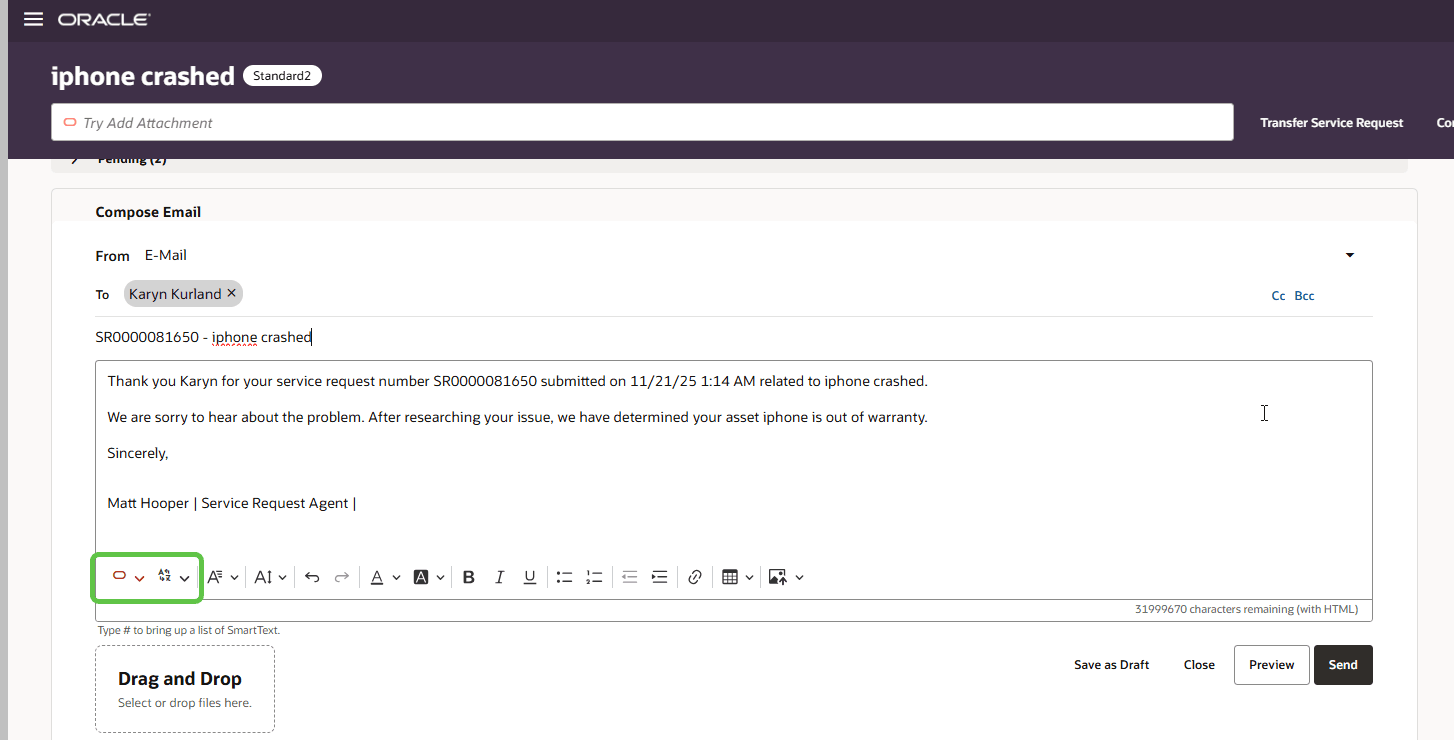
Toolbar Options
When you click on the dropdown arrow from the Red Oracle icon, you will see a list of options to help refine the message or description. You can highlight the entire content or a portion of the content and then select which options you want to apply to the highlighted text.
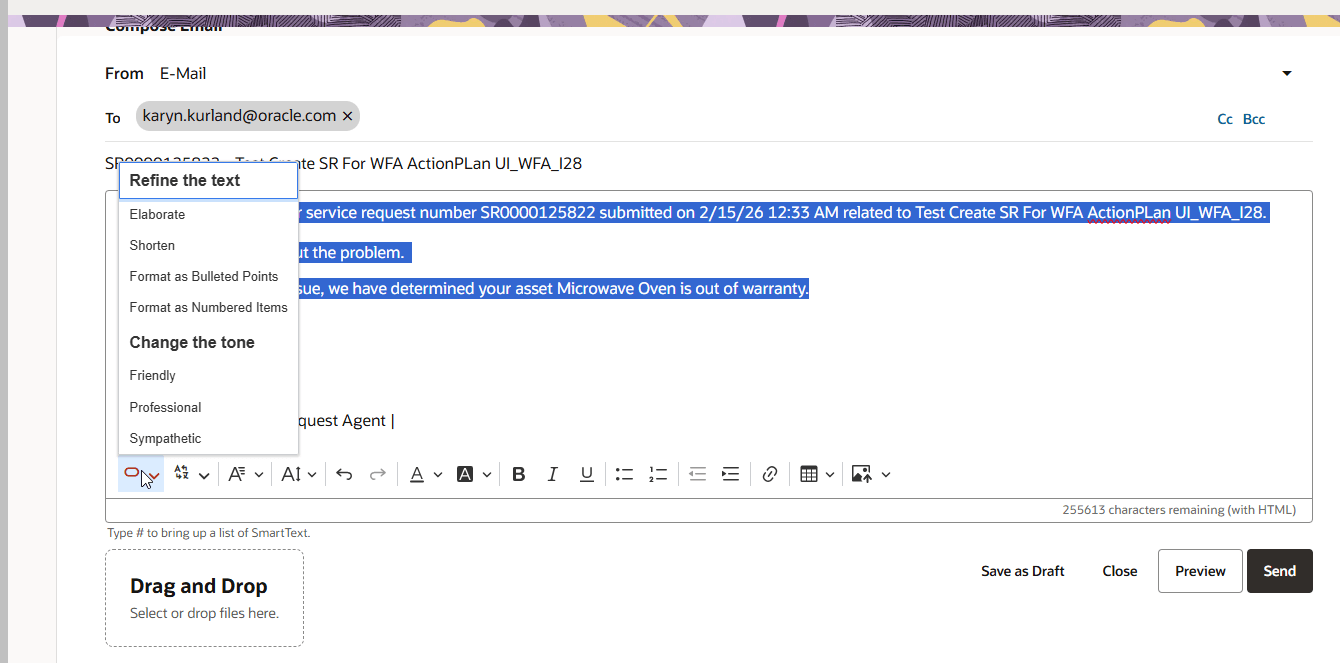
Refine Message Content Options
You can also translate the entire content or a portion of the content by clicking on the language icon dropdown and select the language of choice.
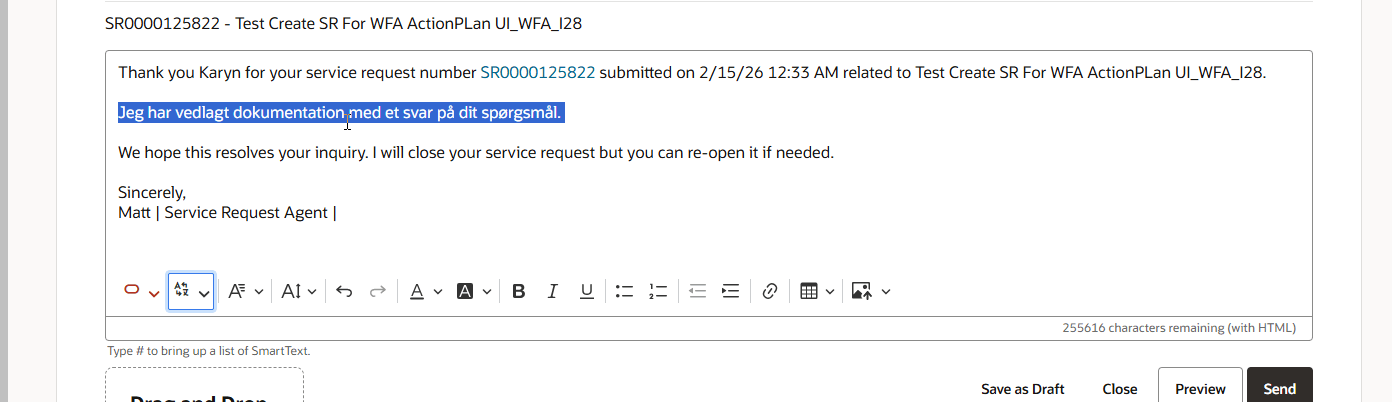
Example of Translating a portion the Message Content
If you want to revert these changes, you can click on the Undo icon as highlighted by the green circle below.
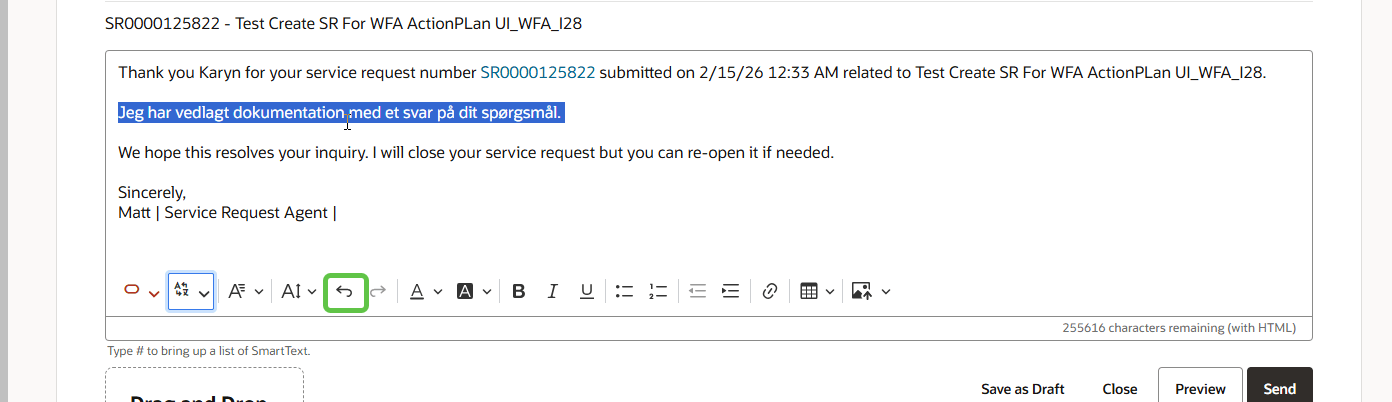
Undo Icon in the Toolbar