Service Profile Foldout Page Usability Enhancements
The Service Profile detail page has added several usability enhancements that utilize slide out drawers and also adds additional actions in sub-views, improving UI consistency and saving clicks for users.
- Creation of a contact for a service profile now utilizes a slide-out panel, pre-populates the account, and automatically adds the contact to the service profile upon creation. Previously users had to create the contact in a separate browser tab, select the account, and then search for and select the contact to be added to the service profile.
- Creating a service request for the service profile also utilizes a slide out panel instead of opening a separate browser tab
- You can now create Service Requests and Work Orders for a specific asset in the Service Profile Assets sub-view, by utilizing the record-level menu. This passes information on the asset, product, customer, and service profile to the respective object, further streamlining the process for users.
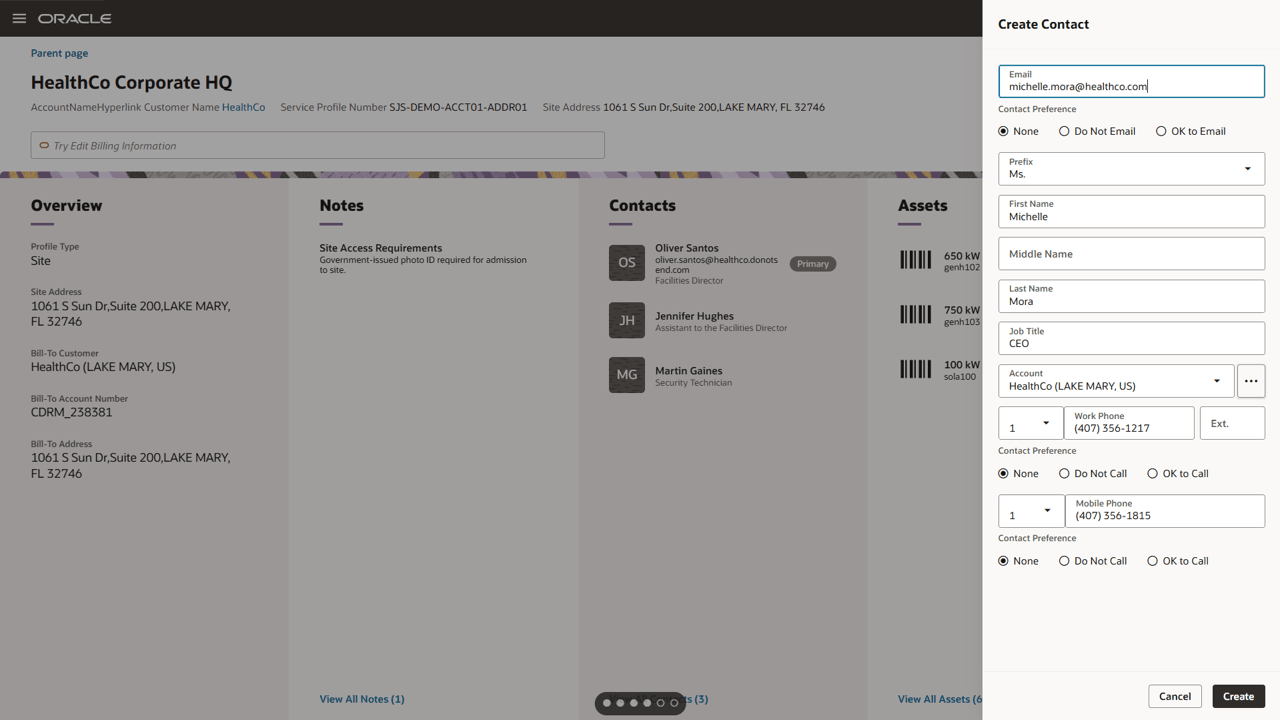
Create a Service Profile contact from drawer
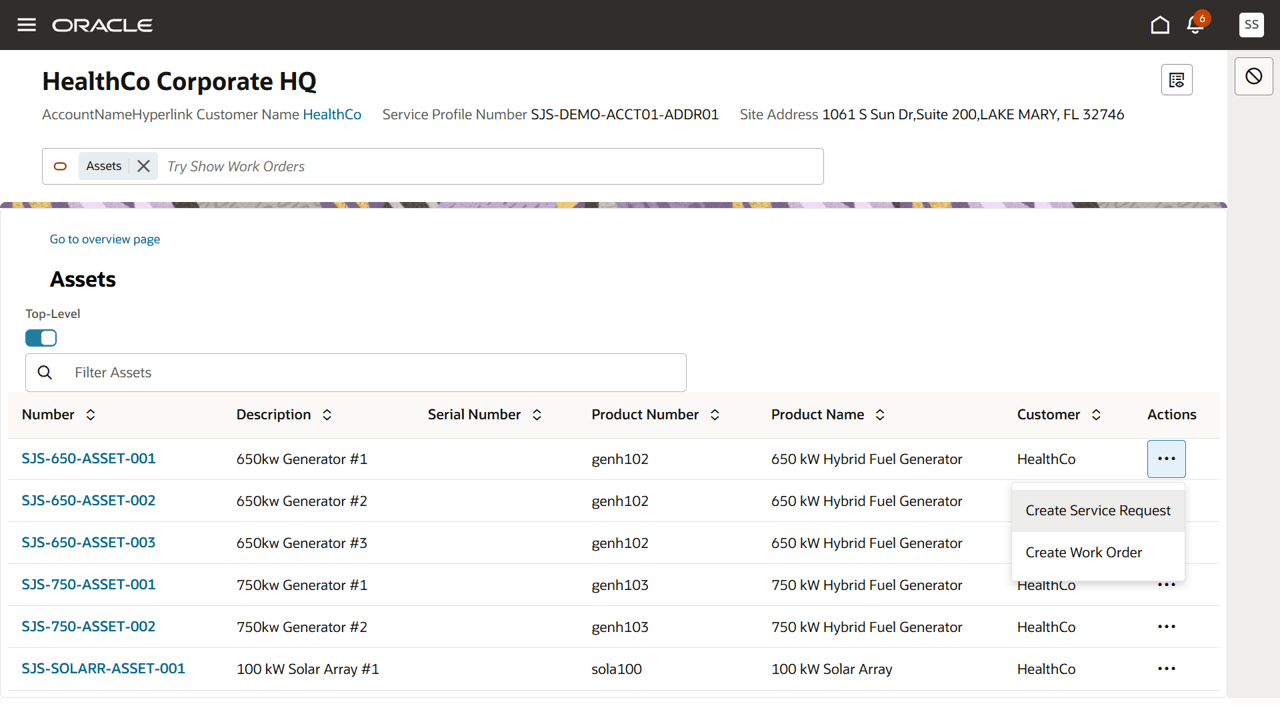
Create a Service Request or Work Order directly from the Service Profile list of assets
These UI enhancements improve UI consistency, and streamline navigation and record creation for users, saving time, effort, and clicks for providing service to a particular customer site.
Steps to enable and configure
You don't need to do anything to enable this feature.