Honor Filter Area Width Size Configuration in BUI Reports
With this enhancement, the filter area in BUI Reports is improved to increase readability and make multi select filtering easier to understand, especially in reports with many filters or long filter values.
BUI Reports now honor the filter area width configured in the .NET Report Designer, so the filter region can expand based on the designer setting. This gives users more space to view filter labels and values, reduces truncation, and makes navigating the selection panel more efficient.
In addition, the multi select filter display has been refined to keep the filter area clean while still clearly communicating what is selected. The first selected value is always shown as a removable pill and is truncated with an ellipsis (three dots) inside the pill when needed. Additional selected values appear only when they can fit completely within the available space. When they cannot, the UI shows an ellipsis indicator to signal that more values are selected, helping users confirm and adjust filters quickly without visual clutter.
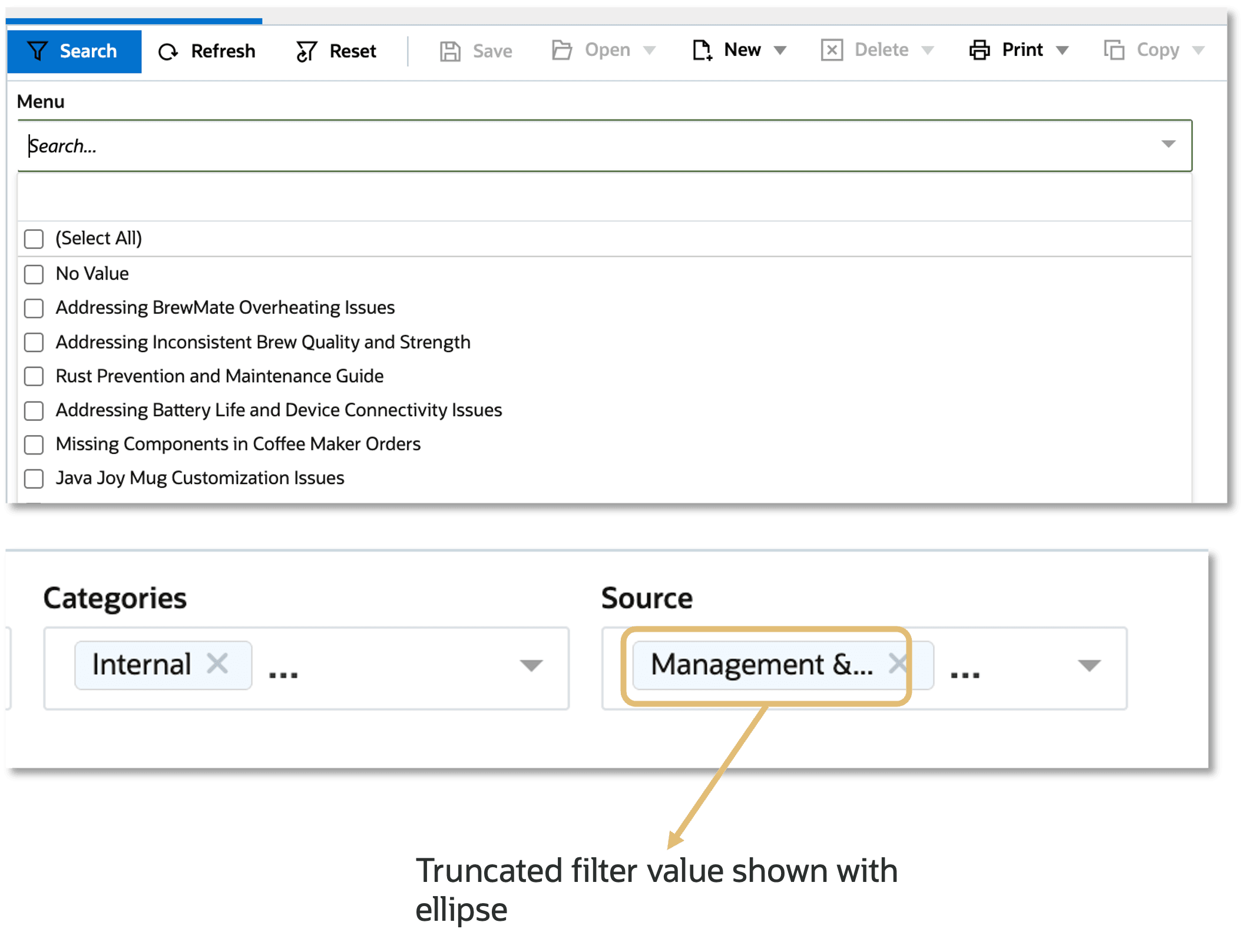
Filter Area Enhancements in BUI Reports
The feature is available from BUI Feb release.
Business Value:
- Improves end user efficiency: Users can review and adjust filters faster with fewer clicks and less scrolling.
- Reduces confusion in multi select scenarion: Clearer selection representation helps users validate what is applied and avoid mistakes.
Steps to enable and configure
You don't need to do anything to enable this feature.
Tips and considerations
The filter area width displayed in BUI is driven by the width configured in the .NET Report Designer. Reports without a wider configured filter area may not show a visible change.