AI Agentic App: Design-to-Source Workspace
Design-to-Source Workspace is an AI-powered, agentic application workspace that connects product design intent to compliant sourcing execution. Specialized agents continuously analyze BOM readiness, supplier availability, negotiation health, bid competitiveness, and risk signals—then recommend and coordinate next-best actions to accelerate RFQs, improve supplier participation, reduce lead-time and compliance risk and deliver measurable cost savings.
This app unifies design review, BOM completion, supplier discovery, negotiations, bid evaluation and cost analysis in a single workspace—so teams can move from design inputs to award-ready decisions faster, with clearer auditability and stronger governance.
You can access the Design-to-Source Workspace from the News feed page as shown in the following screenshot.
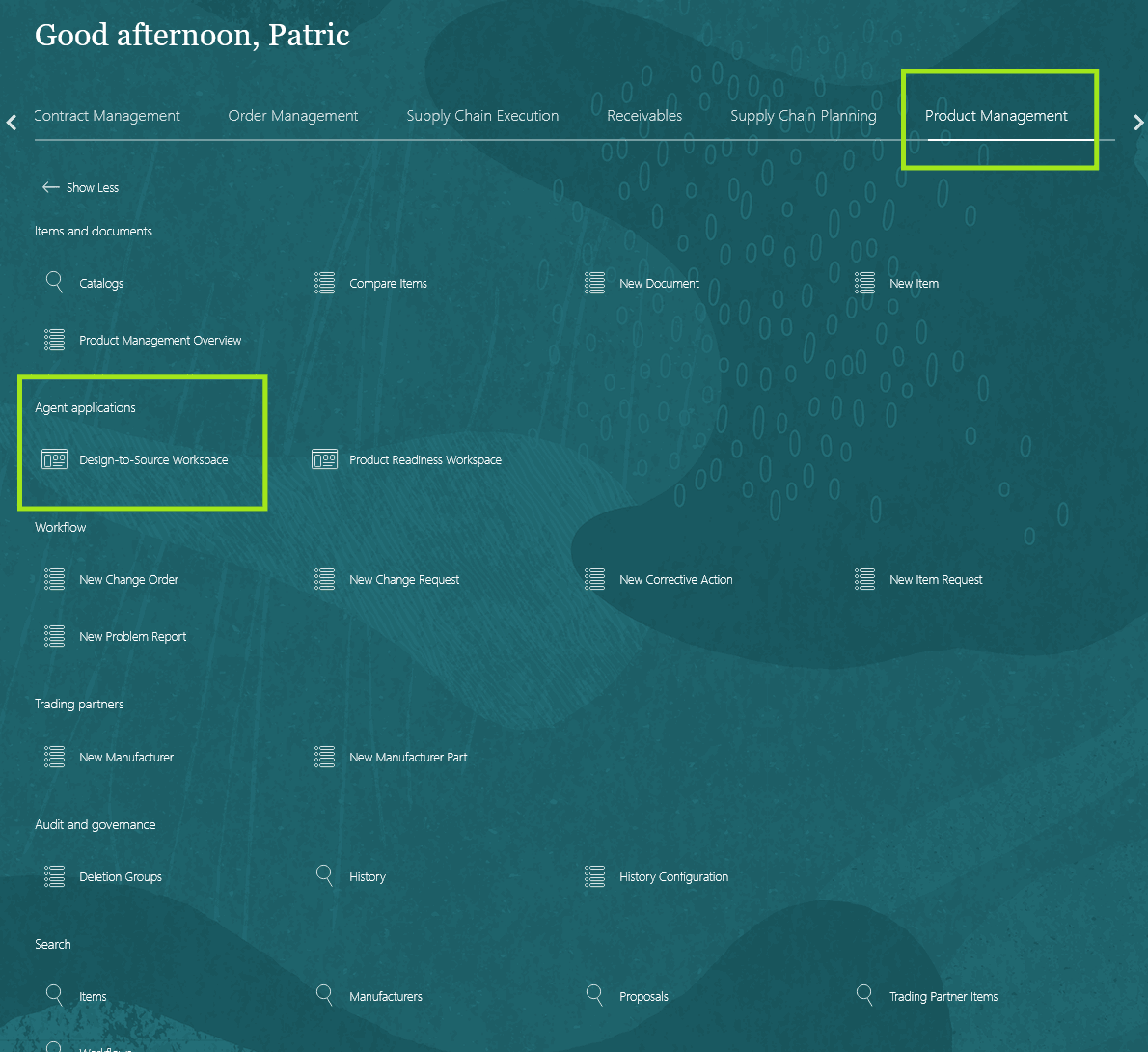
Accessing Design-to-Workspace AI Agentic Application
After navigating to the agent application, you can change focus to a specific item and organization by entering the following prompt in the Ask Oracle field:
Switch focus to {itemNumber}, {organizationCode}
For example, Switch focus to Item OXIM-1 and organization V1
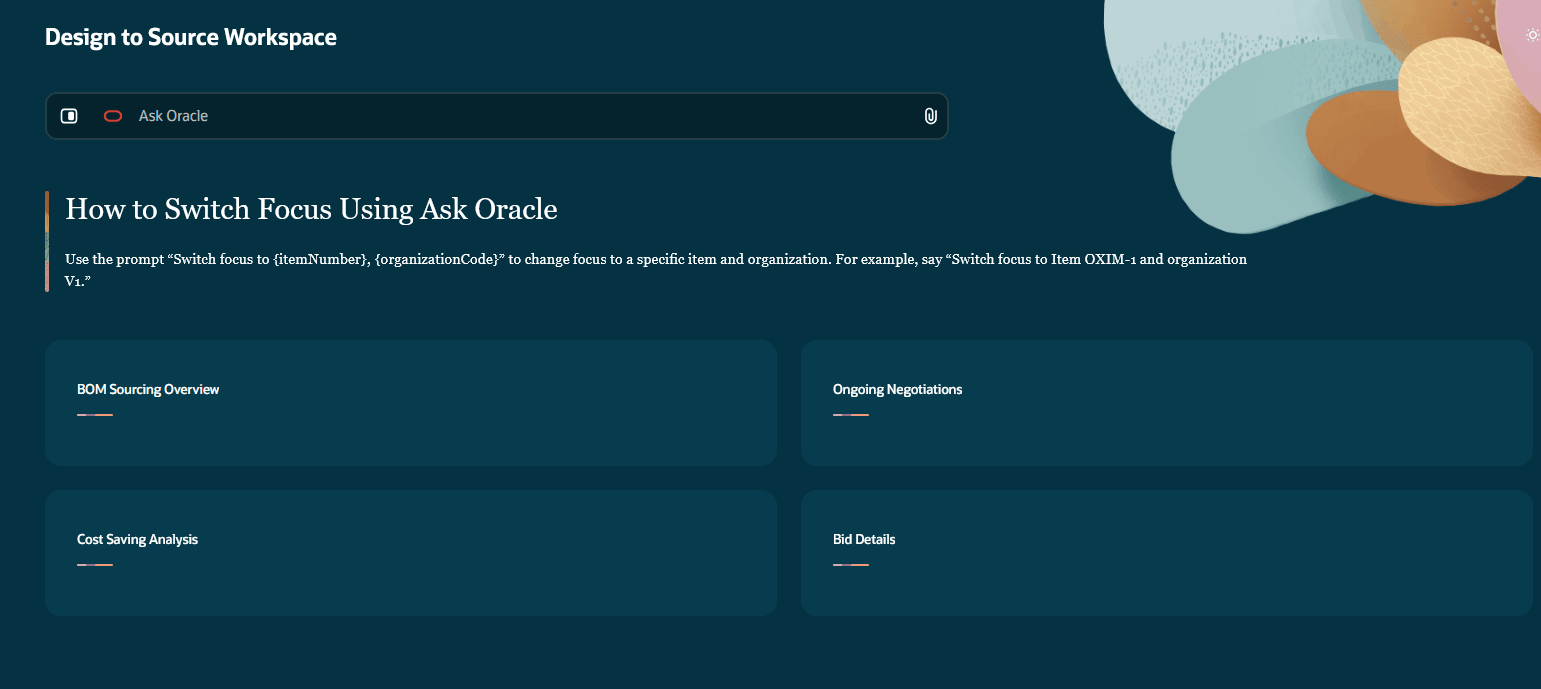
Change Focus to a Specific Item and Organization
The BOM Sourcing Overview section provides a consolidated view of the product structure and its components—the on-hand quantities, unit cost and current sourcing status.
You can also upload a CAD drawing image and ask the agent to parse it. The agent can:
- Extract assembly details from the drawing
- Interpret the product structure and composition
- Compare the latest design against the item structure and components in the Product Management system
- Identify and flag missing parts that need to be added.
- When you approve, it can automatically create items, add components to the BOM and draft RFQ.
The Ongoing Negotiations section tracks and analyzes active negotiations for the selected product and its components, highlighting items that require immediate attention. It also recommends next steps and displays them in the Priority Actions panel. For example, identifying a suitable supplier and adding the supplier to an RFQ.
You can also interact with the workspace by asking questions—for example: “Which negotiations are at risk of delay?"
The app collects and evaluates supplier bids by comparing cost, lead time, and compliance. It assesses lead-time risk and compliance risk and enables you to email suppliers to request any missing compliance documentation. The details are displayed in the Bid Details section.
The app also performs cost analysis to identify cost-saving opportunities. It presents comparative cost insights across bids, including cost variance and key drivers in the Cost Saving Analysis section.
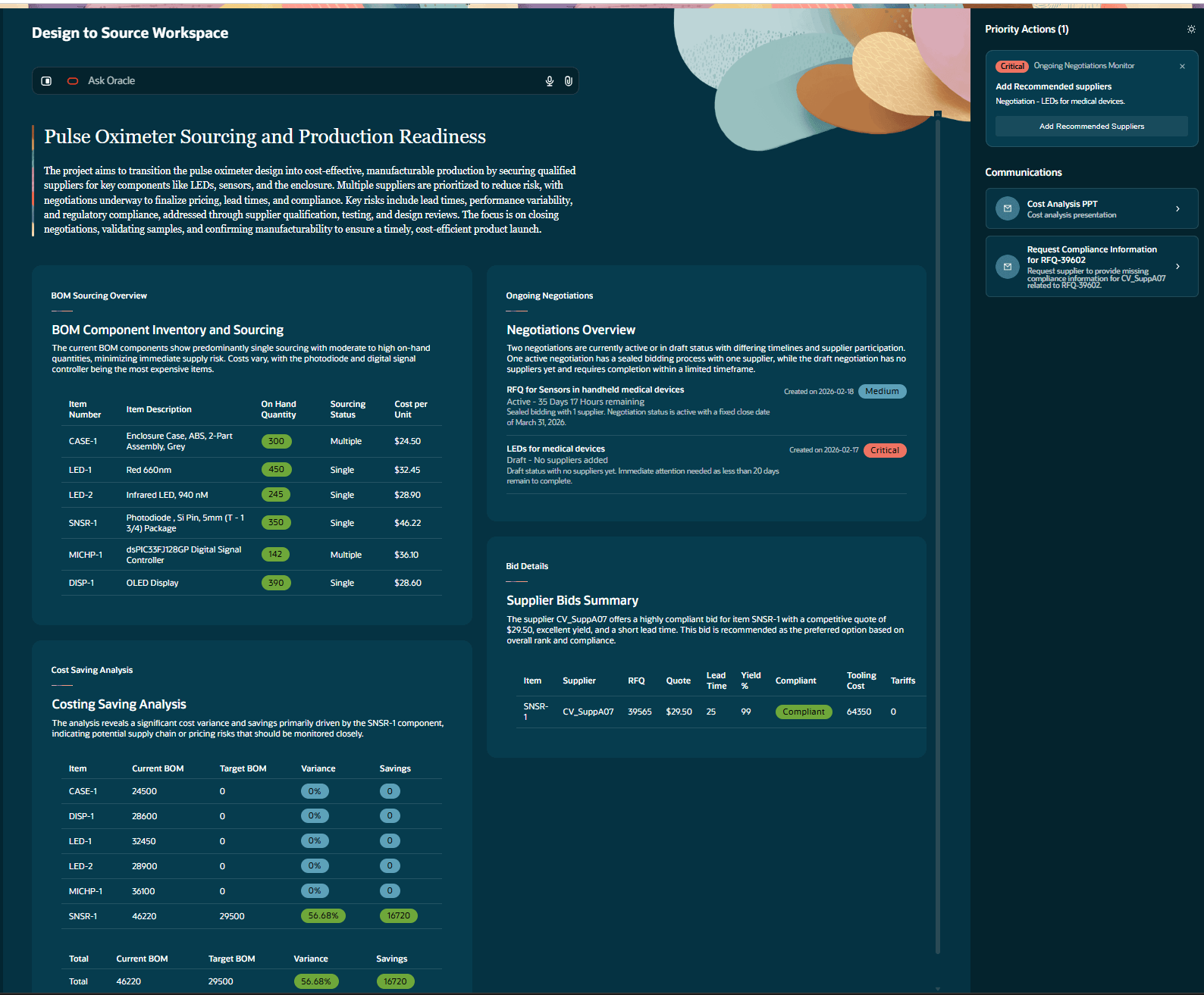
Design to Source Workspace - Displaying the Various Sections
The following screenshot shows how the CAD file is parsed by the app.
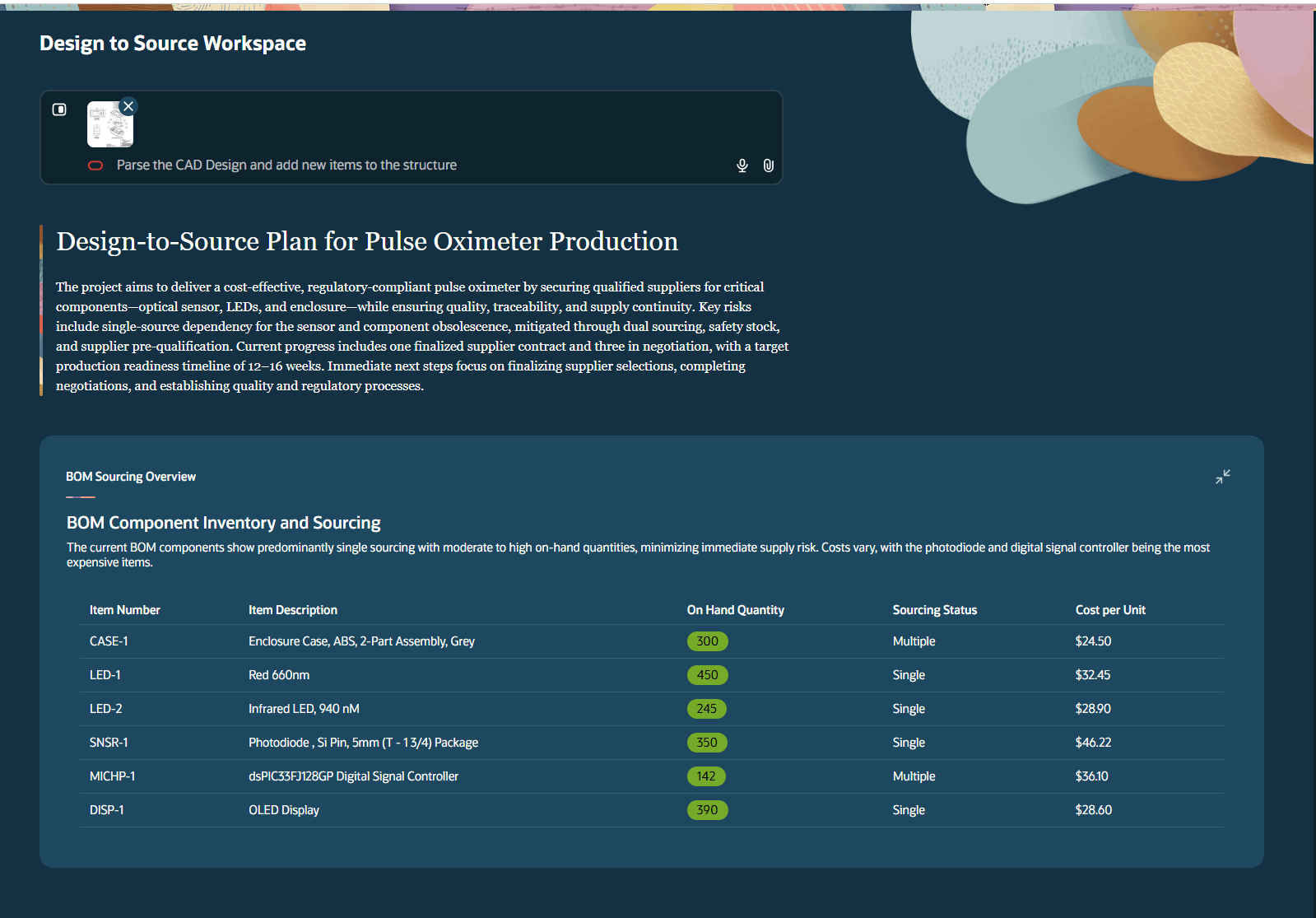
CAD File Parsed by the App
The following screenshot shows the answer provided by the app for specific questions from the user.
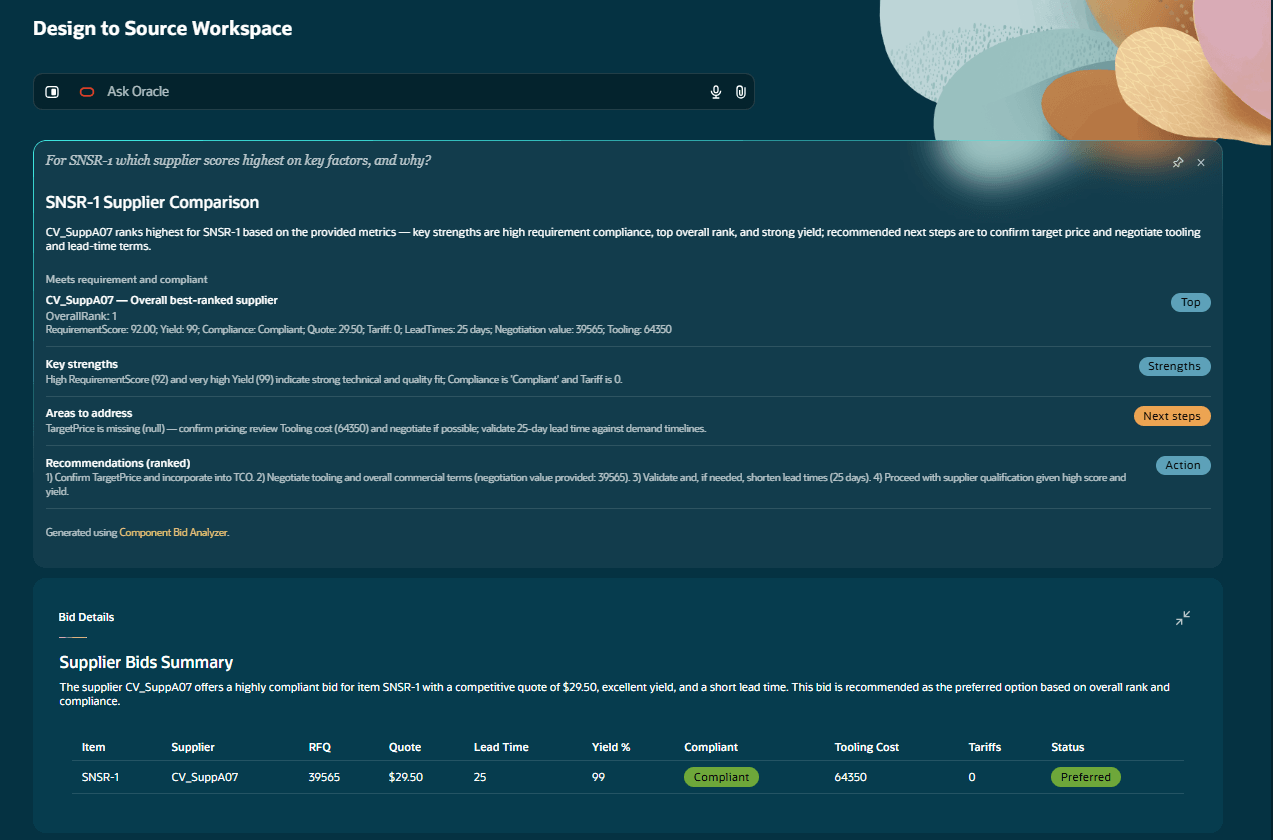
Answer Provided by the App for Specific User Questions
The following screenshot shows the email drafted by the agent to the supplier.
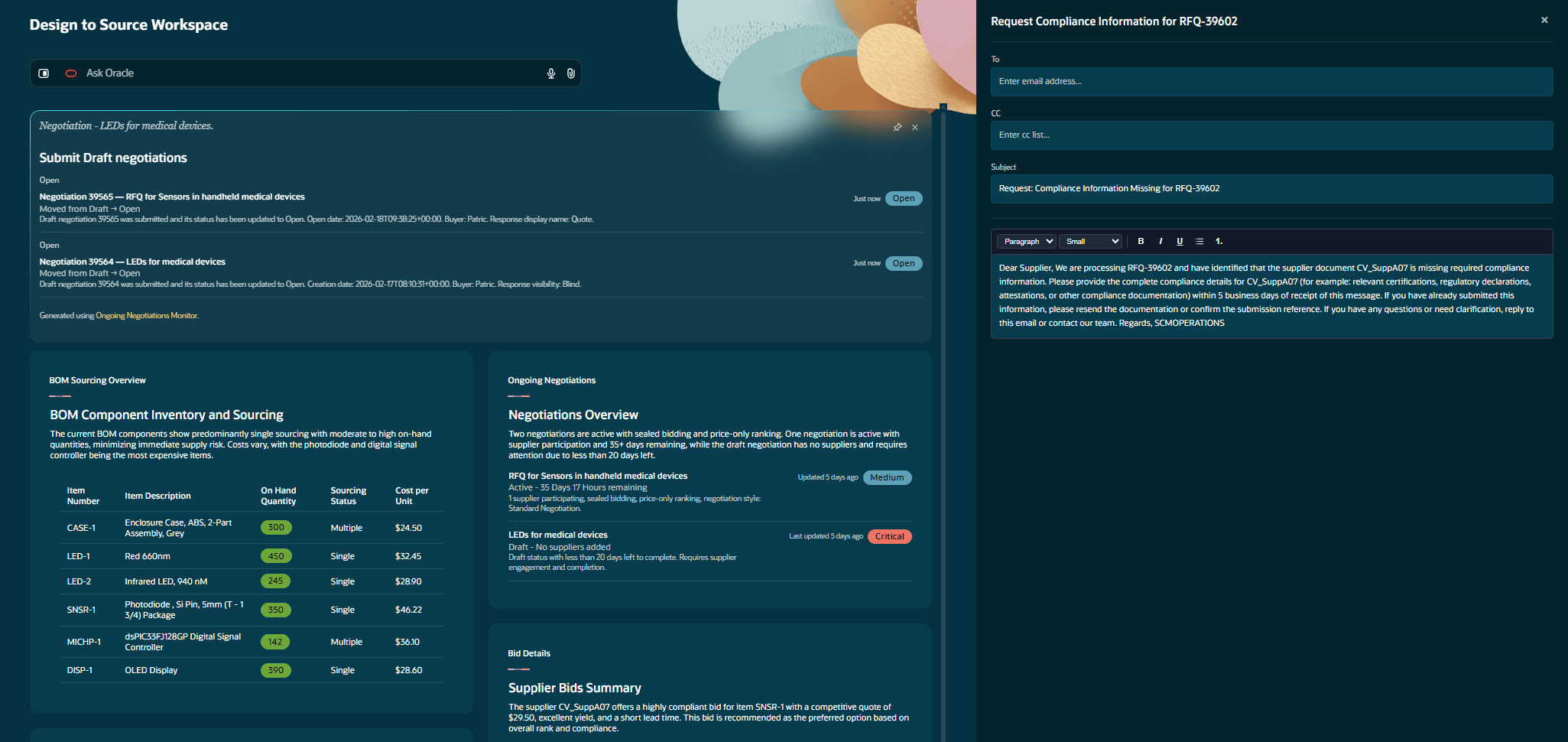
Email Drafted by the Agent to the Supplier
The following screenshot shows the app answering questions related to cost savings.
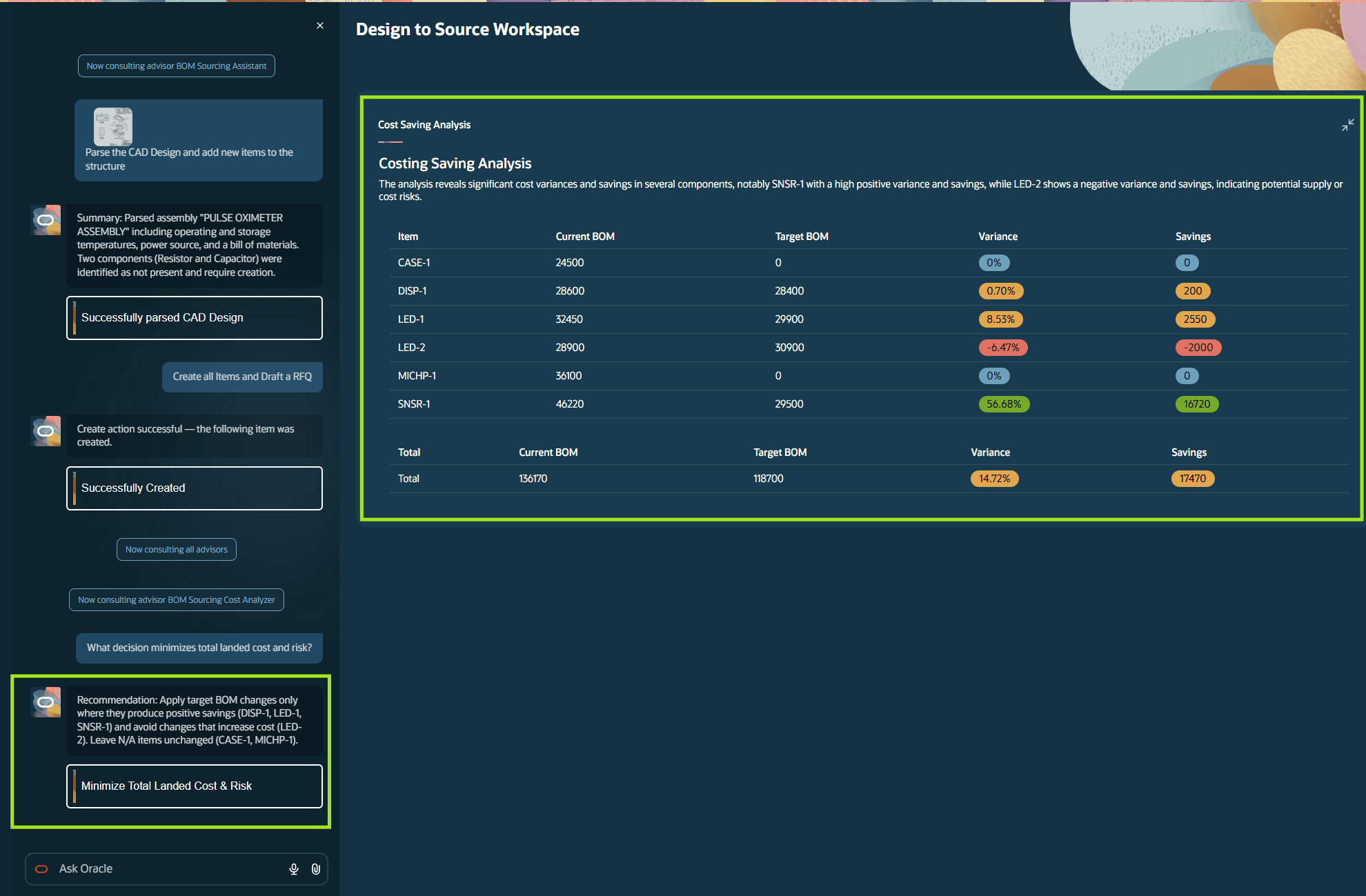
App Answering Questions Related to Cost Savings
The agentic app accelerates the product design-to-sourcing process by inviting, analyzing, and comparing supplier bids to source components for a new product or an enhanced product.
Steps to enable and configure
You don't need to do anything to enable this feature.
Access requirements
Users who are assigned a configured job role that contains this duty role and the privilege can access this feature:
- Product Management Agent Application (ORA_ACA_PM_AGENT_APPLICATION_DUTY)
- Access Design to Source Agent Application (ACA_AI_ACCESS_DESIGN_TO_SOURCE_AGENT_APP)
This duty role and privilege are new in this update.