AI Agent for Product Extraction
Oracle CPQ 26B introduces AI-Assisted Add Products for the Redwood Quote UI. The new AI agent automatically identifies and extracts product details from customer-provided documents and converts unstructured data into structured product entries.
When enabled, users can access the AI-Assisted Add Products from the Redwood Quote UI.
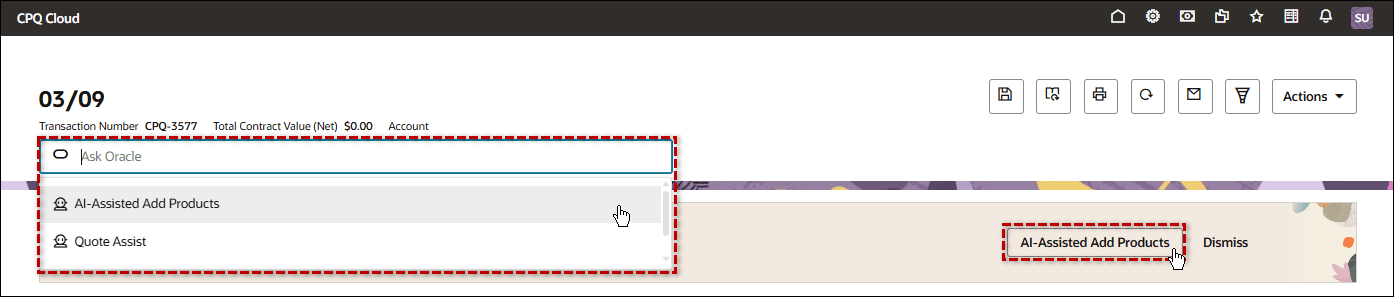
- Click AI-Assisted Add Products or select the AI-Assisted Add Products agent from the Ask Oracle drop-down to access this AI agent.
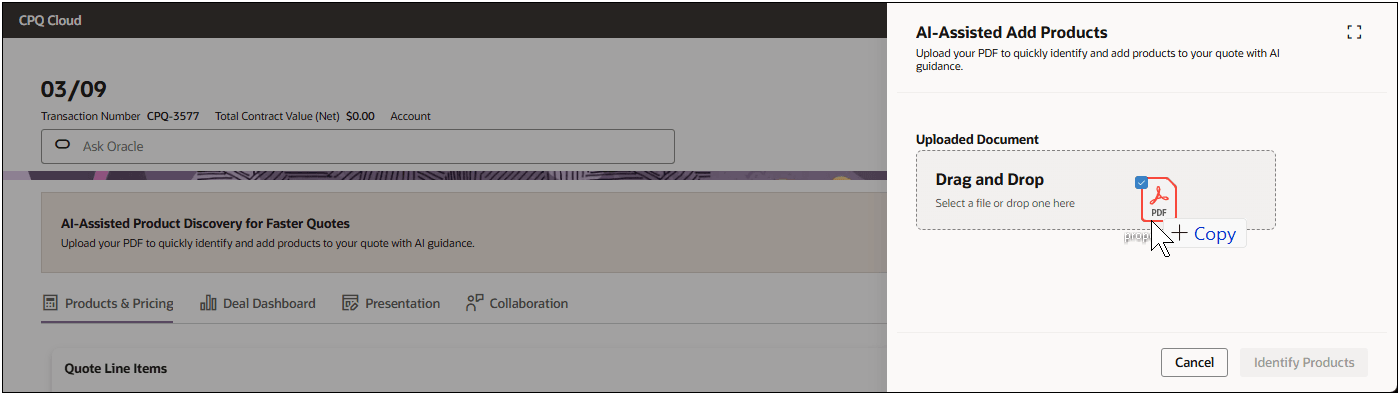
- Upload a document to initiate the product extraction process. Drag and drop a file or navigate to and select the desired file.
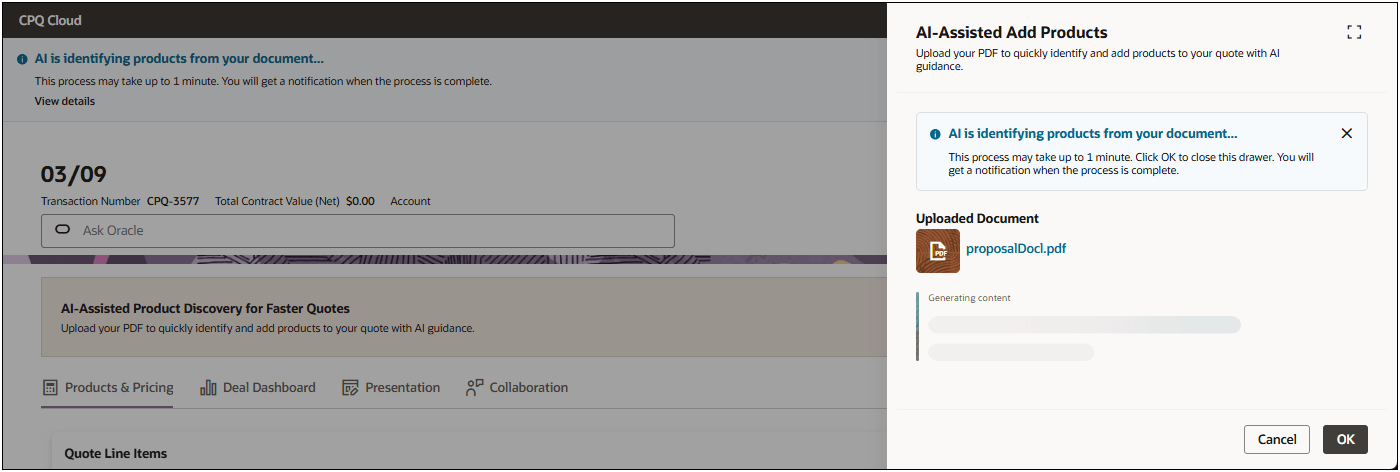
- The AI agent scans the uploaded document/email/notes to:
- Identify product names, SKUs, and quantities.
- Match extracted products against the CPQ catalog.
- Highlight any unrecognized products for manual review.
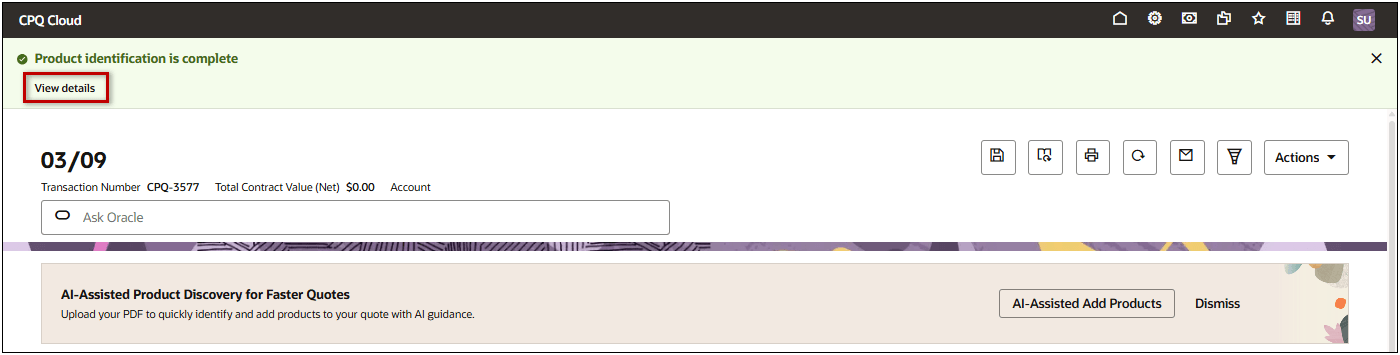
A notification is generated upon completion to provide access to the product details.
- Review and select products to add to your quote.
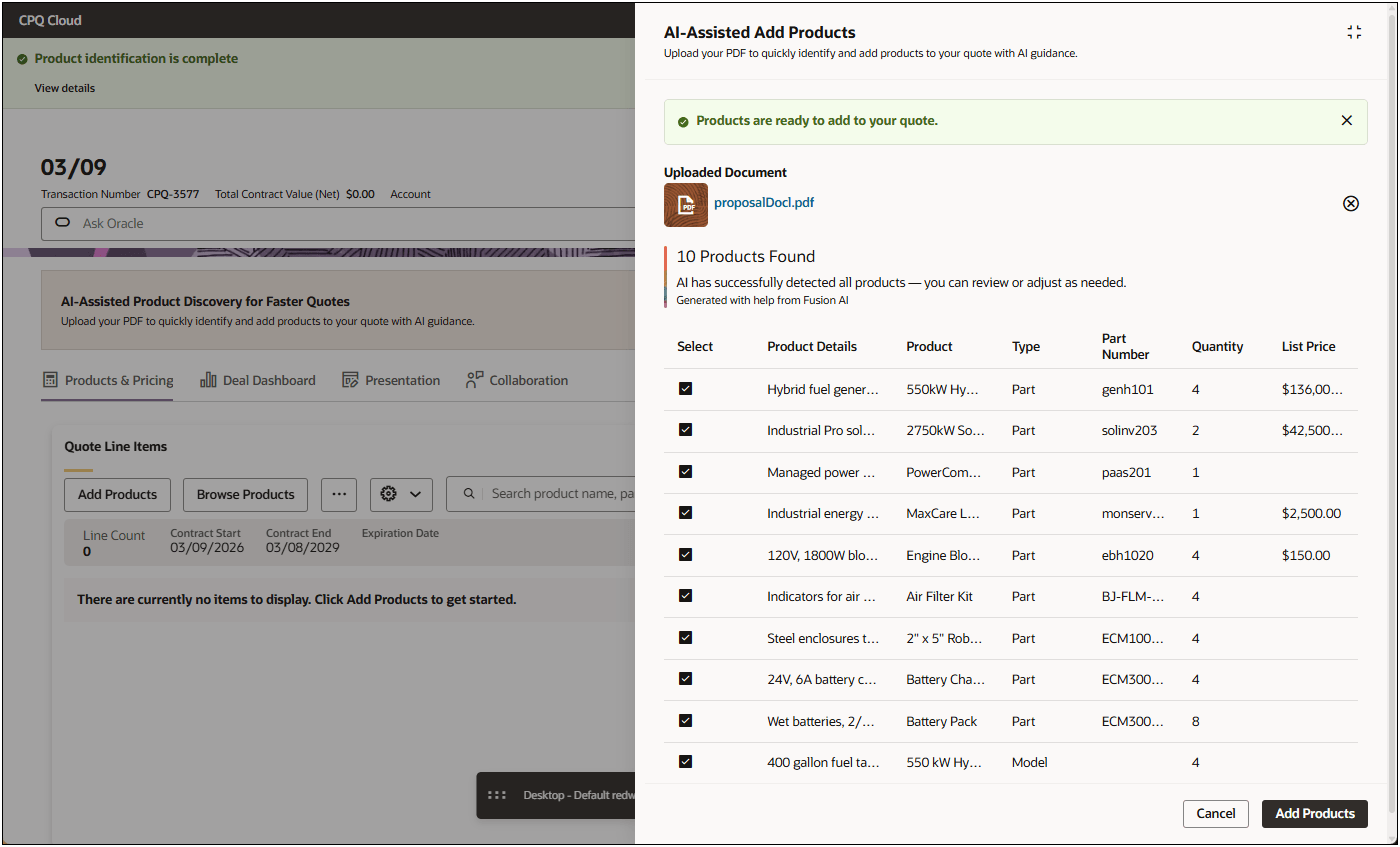
- The selected products are added to your quote, where you can edit quantities and add additional products.
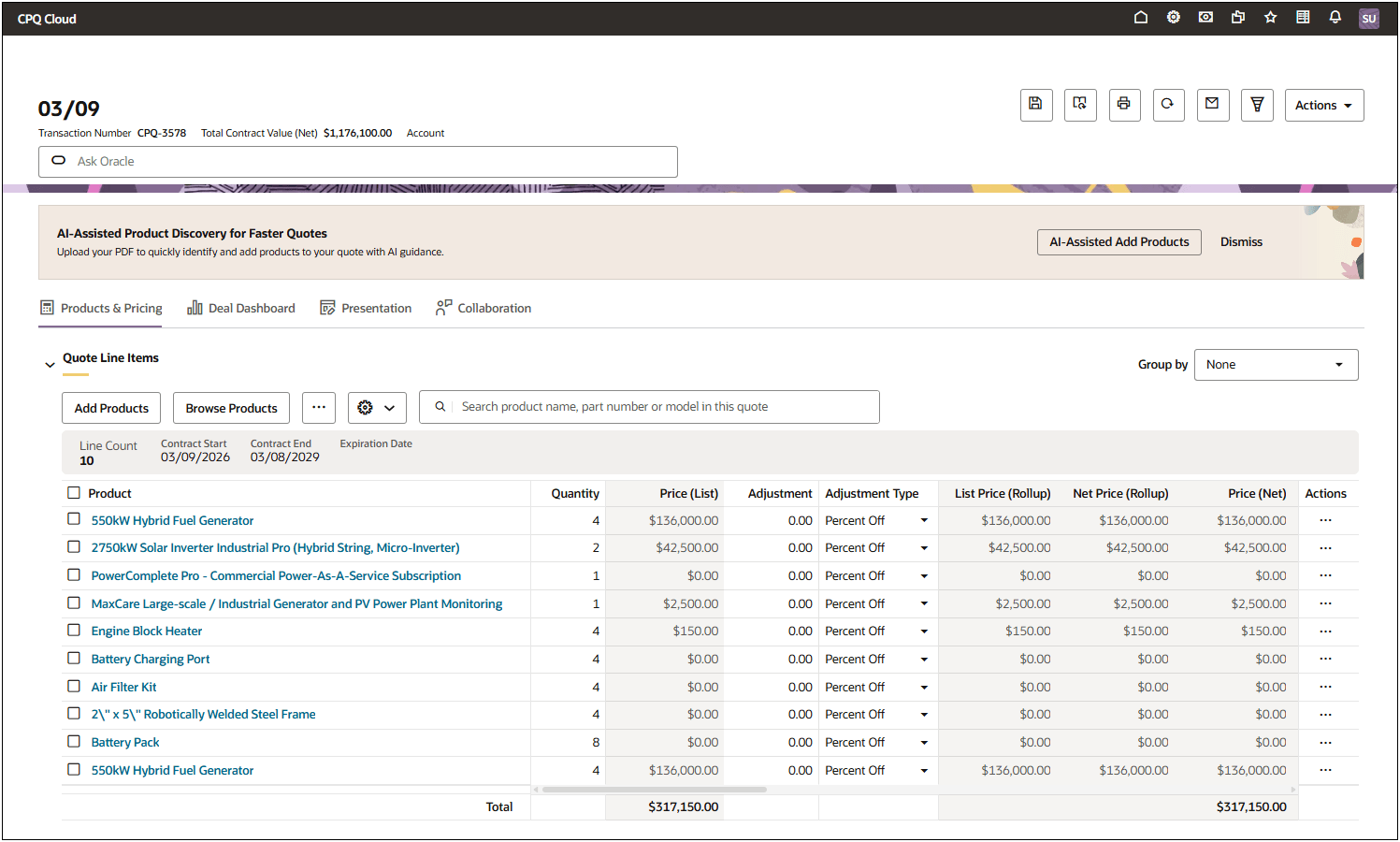
- Click Save.
This feature provides the following business benefits:
- Accelerates quote creation by removing the need for manual product entry.
- Improves data accuracy and consistency in quotes and product catalogs.
- Reduces the administrative effort for sales teams handling supplier or customer documents.
- Increases sales productivity and enables faster response times through AI-powered automation.
Steps to enable and configure
Set Up an Oracle Fusion CRM Integration in CPQ
- Refer to Oracle CPQ Administration Online Help > Integrations > Integration Center > CRM > Oracle Fusion CRM Integration.
Enable the AI-Assisted Add Products
Complete the following steps to enable AI-Assisted Add Products on the Redwood Quote UI.
- Open or create a Redwood quote, then click Design.
- Click the applicable view. (Products & Pricing is the default view for the Line Item Grid)
- Open the Line Item Grid section
- Click next to the Line Item Grid actions.
- Click Customize Actions.
- Open the AI-Assisted Add Products section.
- Check the Enable AI-Assisted Add Products option.