Option for Multicurrency by Row (vs. Column) in Pricing Matrices
Oracle CPQ 26B introduces the ability to manage multicurrency pricing by rows (in addition to the existing by-columns approach) in pricing matrices. This enhancement allows each row to represent a single currency, making it easier for users responsible for specific currencies to view and manage relevant prices. It also aligns with Oracle Fusion Pricing, which uses separate price lists for each currency.
- Decimal type output columns in pricing matrices can now map to currency type attributes for more flexible and accurate currency handling.
- Each pricing matrix row can now support a single currency, simplifying management and filtering for users focused on specific currencies.
- Row-level currency values are mapped to the quote's currency attributes, ensuring accurate pricing calculations.
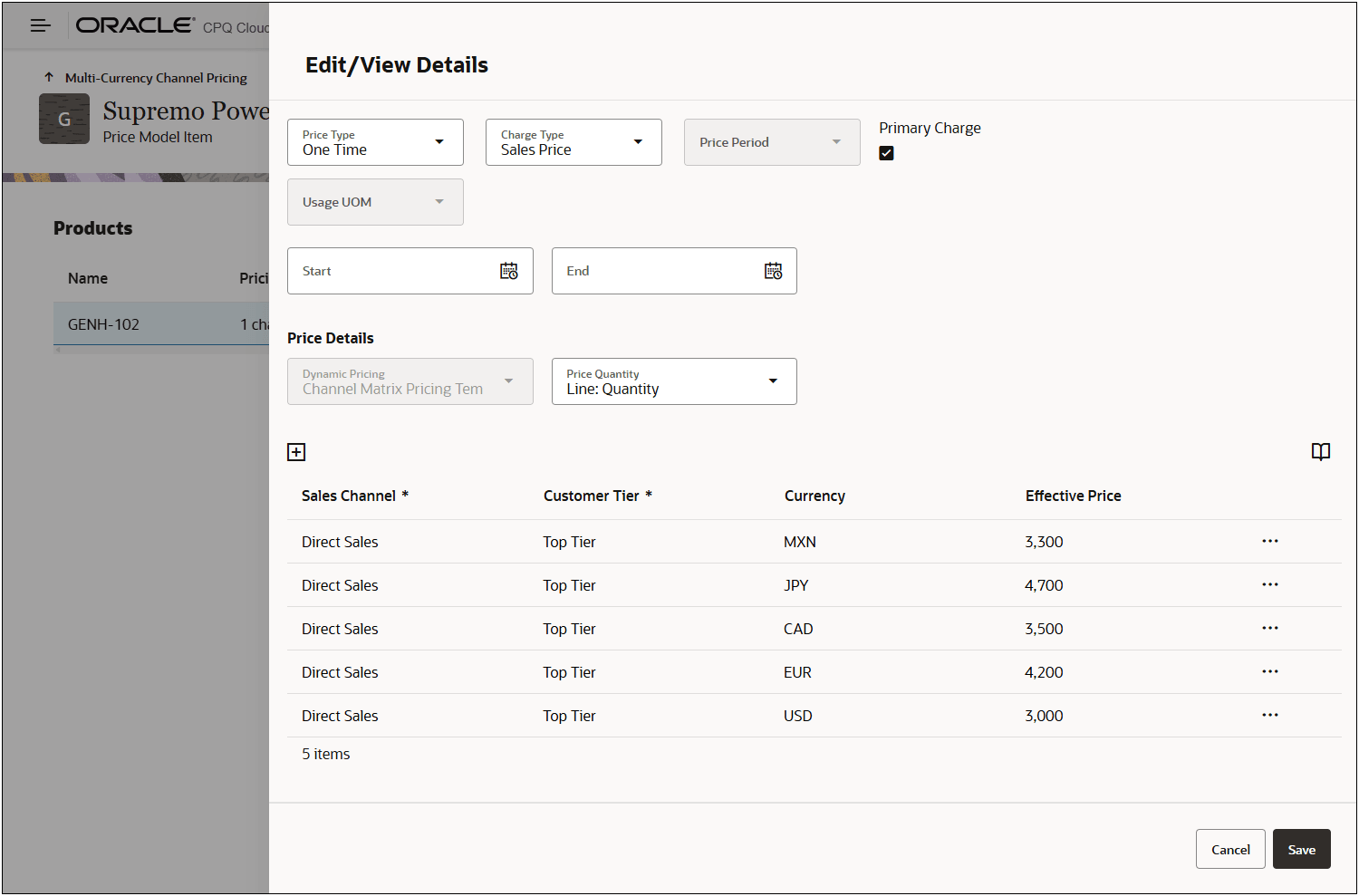
This feature provides the following business benefits:
-
Simplifies Currency Management: Pricing teams can easily view, filter, and manage prices by individual currency without dealing with complex, multi-column matrices.
-
Streamlines Integration: Aligns Oracle CPQ’s pricing structure with Oracle Fusion’s currency-specific price lists, making integration and data synchronization more straightforward.
Steps to enable and configure
Create a Decimal Type Output Column for a Pricing Matrix Template
Complete the following steps to create Decimal type output column for an Attribute-based Pricing Matrix Template.
- Navigate to CPQ Admin > Prices > Pricing Matrix Templates.
- Select the applicable template or create new template.
To create a new template, refer to Oracle CPQ Administration Online Help > Prices > Pricing Portal > Pricing Matrix Templates. - Delete the Item Price Output Column.
- Select Add More Columns from the Output Columns Actions menu.
- Enter Name and Variable Name for the output column.
- Select Decimal from the Data Type menu.
- Select Charge: Unit Price from the Pricing Attribute menu.
- If applicable, check the Required option.
- If you would like to log changes for this column, check the Enable Price History option.
- Click Create.