Assign Participants to Plans Conversationally
Assign participants to compensation plans conversationally using AI. Click on the action Assign Participants for any compensation plan to launch the page to make direct plan participants.
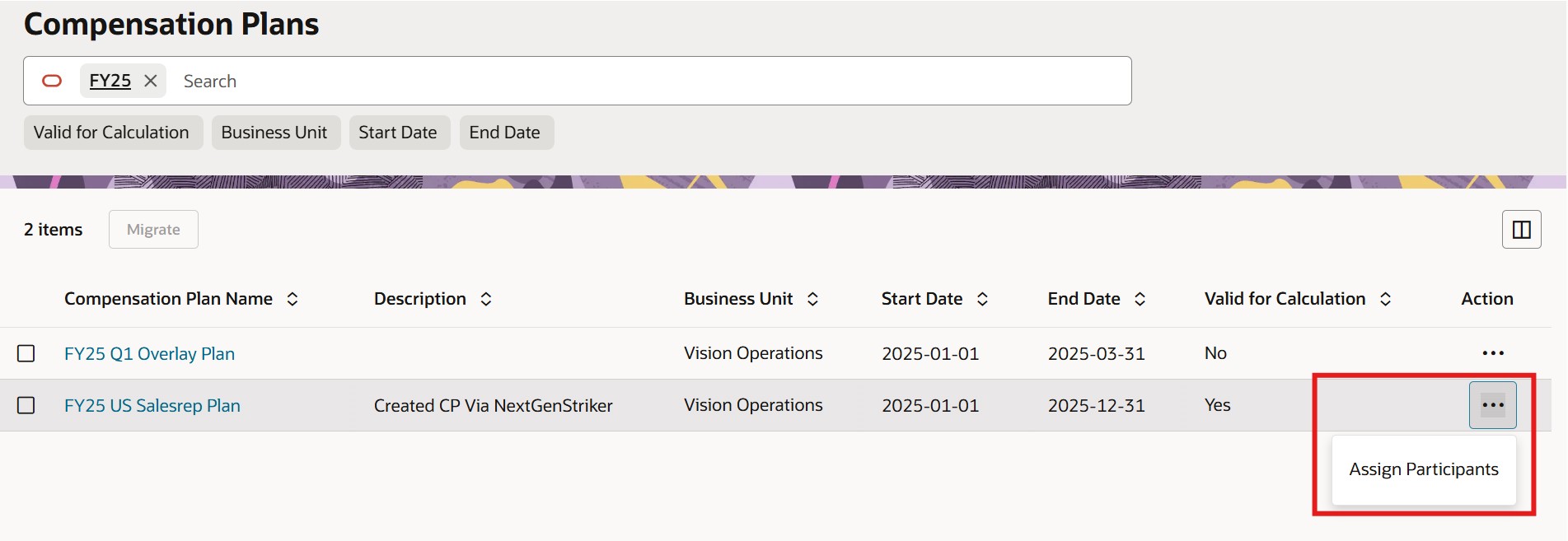
Action to Assign Participants
Enter the instructions whether it is to assign plans, update date assignments or remove someone from a plan. Participants can be identified using any one of the following attributes: participant name or participant email or worker number or participant id.
Example to create plan assignments:
Assign the following participants:
Sandra Roberts
Marny Cantrell
Stephanie Rodriquez
Examples to update assignments:
Update Marny Cantrell's end date to 31-Mar-2025
or
Update everyone's end date to 31-Mar-2025
Example to remove a participant from a plan:
Remove Sandra Roberts
The plan deployer request will be submitted if any plan assignment is successful. The list of failed plan assignment requests as well as successful plan assignment requests is displayed as well.
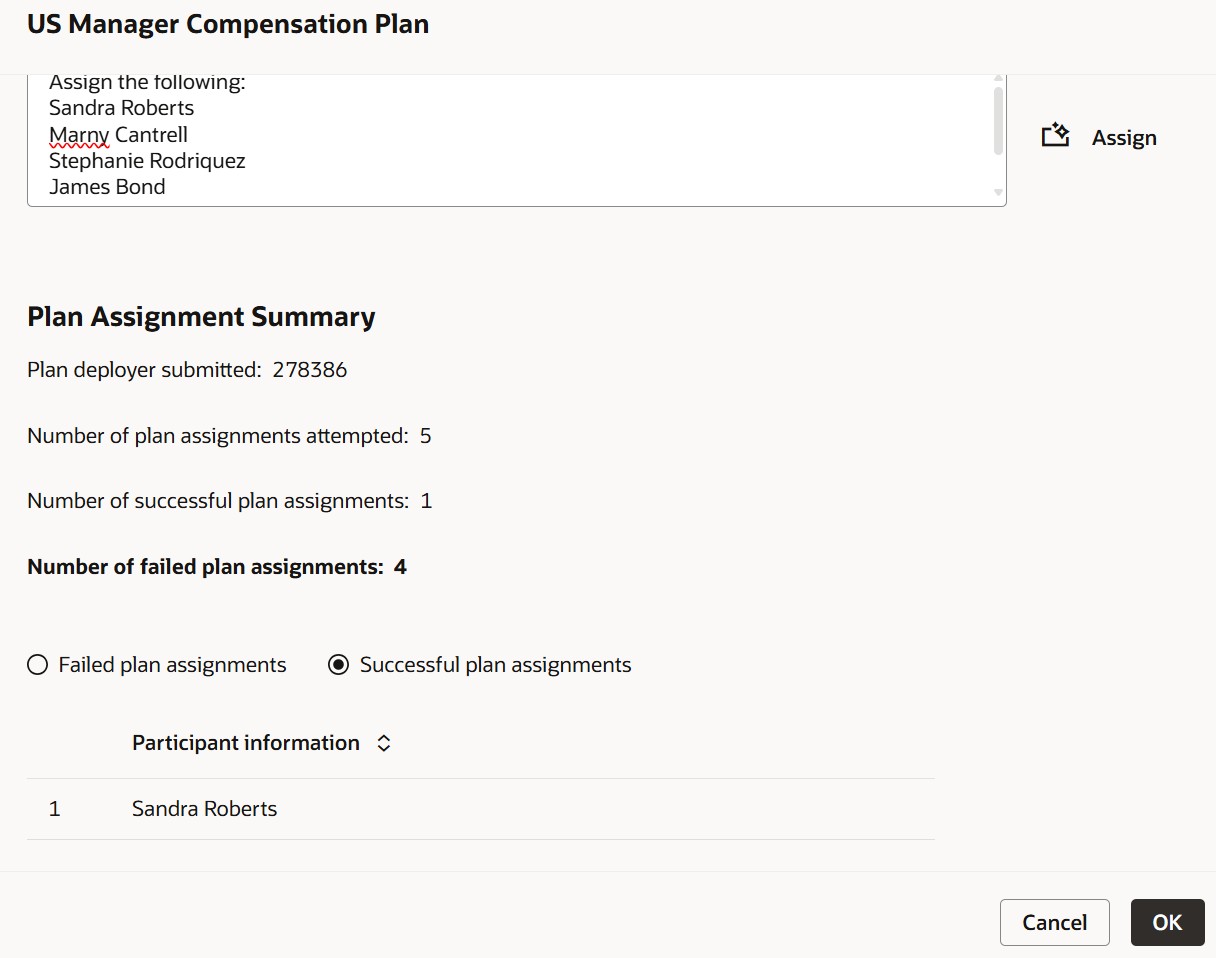
Assign Participants
Easily assign plans directly to participants instead of doing it one by one via the UI.
Steps to enable and configure
You don't need to do anything to enable this feature.
Tips and considerations
- You can assign up to 1000 participants by default. This might take a few minutes. It is advised to not cancel the process after the assignment starts.
- Make sure to look at the failed and successful list of participants to confirm that the participants were the ones you intended to assign the plan to.
- You can copy paste a list from a spreadsheet or provide more generic instructions like 'Update everyone's end date to 30-Sep-2025' but either way make sure that the list of participants doesn't exceed the limit.
Access requirements
Incentive Compensation Plan Administrator
Sales Administrator: You need this role for this feature to use the underlying workflow agent.