Simplified Builder for Creating Segments
A newly redesigned segment creation experience makes it faster and easier for marketers and other business users to define, modify, and publish audience segments. The segment builder provides an intuitive workspace that reduces technical barriers and helps ensure accurate, targeted campaigns, even without SQL skills or data engineering support. Marketers leverage the logical data model to visually create and combine conditions (rules) with rich AND/OR logic. The segment builder even lets you add segments to other segments, so you can build common rule sets once and reuse whenever you need them.
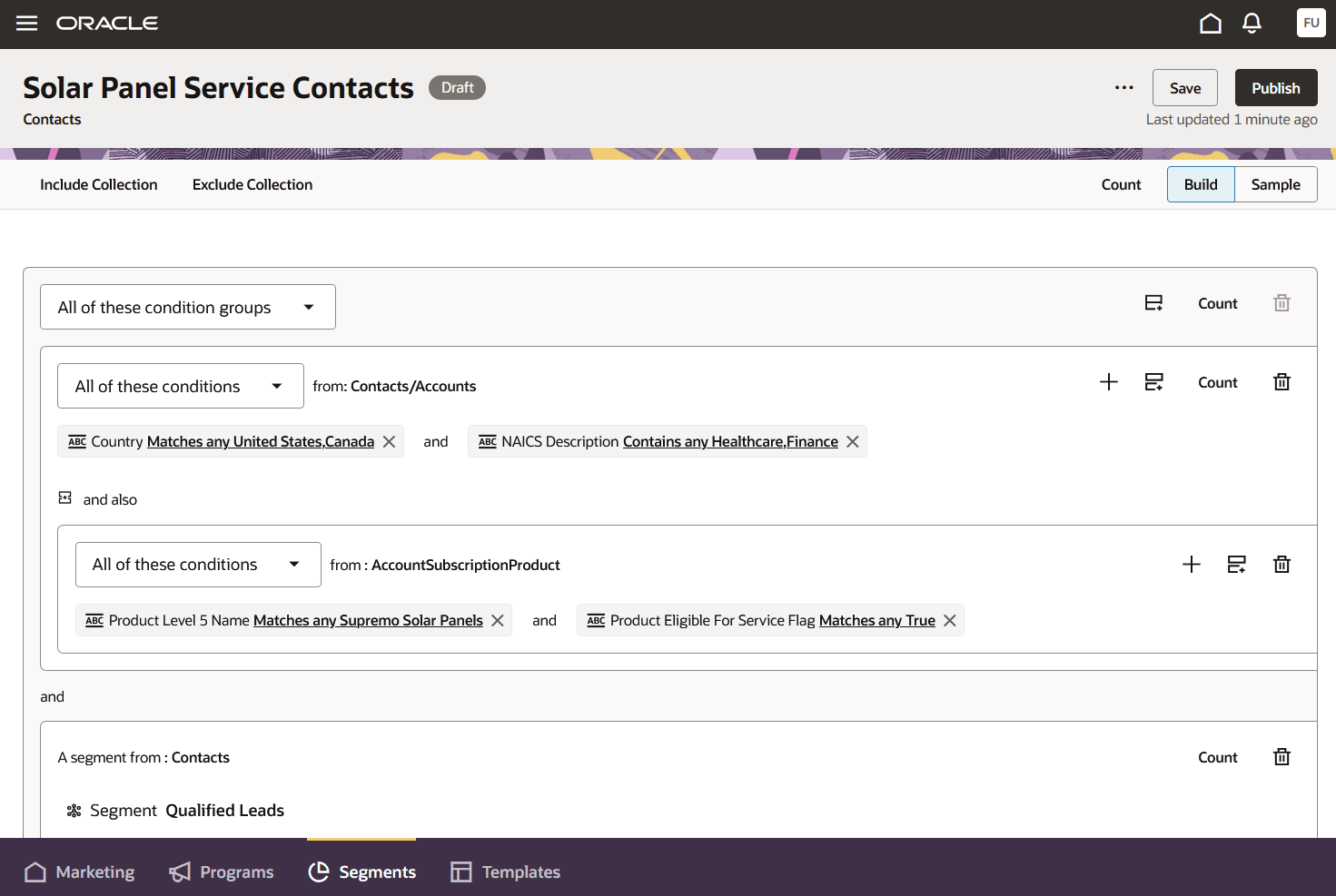
Preview of Segment Creation
Business Benefits:
- Empowers marketing teams: Removes technical barriers, enabling all users to build targeted segments on their own.
- Faster go-to-market: Reduces friction and errors in campaign setup, helping teams respond more rapidly to changing business conditions.
- Data-driven targeting: Granular control and easy previewing ensure the right audience is reached every time.
Steps to enable and configure
You don't need to do anything to enable this feature.
Tips and considerations
To start using the simplified segment building experience:
- Access the Segment Builder: Navigate to “Marketing" > "Marketing Segments" from the main menu.
- Create a New Segment or Edit an Existing One: Click “Create” on the segment list page or select an existing segment to update.
- Name the Segment and Choose a Profile Type: Start by giving the segment a name and selecting the kind of profiles you want to segment. The default options include Accounts, Contacts, and Customers.
- Define Criteria with Visual Tools:
- Use point-and-click selectors and dropdown menus to add and configure rules.
- Combine multiple criteria using intuitive AND/OR logic blocks.
- For example: “Country = United States” AND “Job Title = CEO”.
- Apply Filters and Groupings:
- Quickly add filters for demographics, engagement activity, status, or custom attributes
- Group rules visually to capture more complex audience logic (e.g., those who registered OR attended a webinar, AND also opened a recent email).
- Preview and Validate the Segment:
- Quickly generate counts at multiple levels and view a sample of records that satisfy the segment’s criteria.
- Adjust rules as needed based on real-time feedback.
- Save, Publish, and Use the Segment:
- Save draft versions of your segment as you iterate and publish when it is complete.
- Use the segment by selecting it in a tactic or data orchestration.