Enhanced View of Document Record Attachments
You can now view attachments associated with a document record directly by selecting the attachment count hyperlink. Clicking the attachment count opens the associated attachments in a side panel, allowing you to review document record attachments without navigating away from the document record page.
This streamlined experience provides faster and more convenient access to supporting documents.
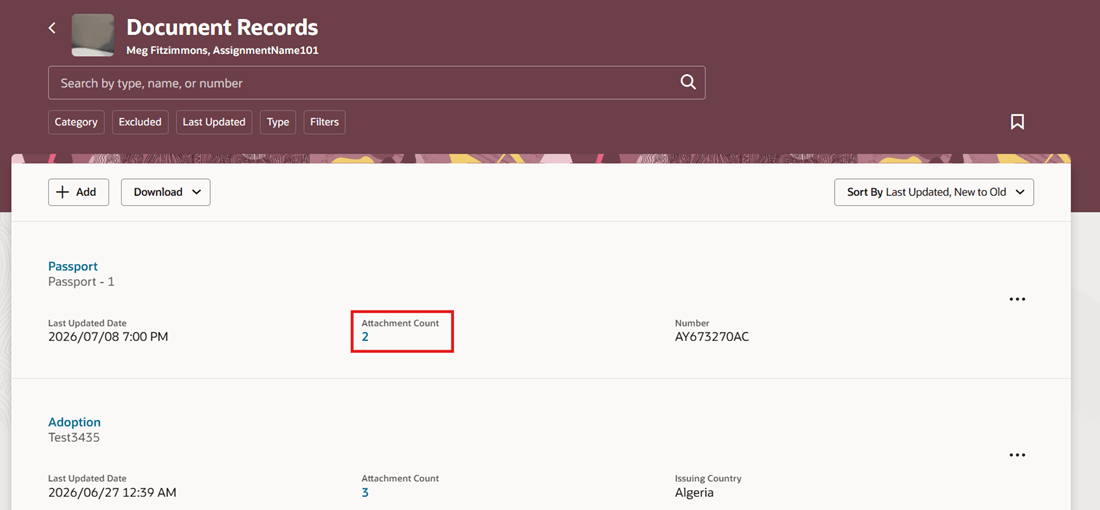
Attachment Count Hyperlink on Redwood Document Records Page
You can preview the attachment directly on the page and download it when needed.
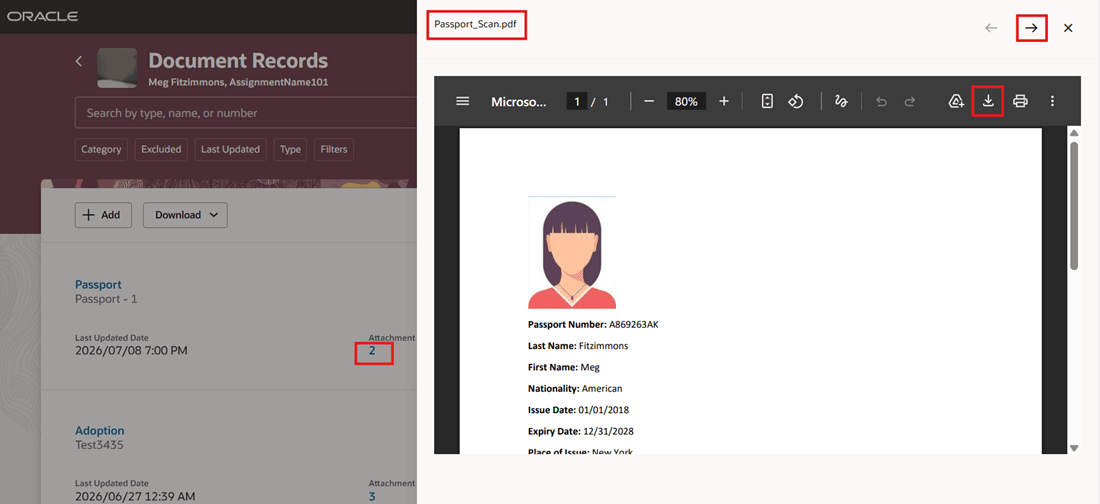
View Attachment Directly on Redwood Document Records
When multiple attachments are available, you can browse them directly in the side panel using the Next and Previous navigation arrows, making it easy to move between attachments without leaving the page.
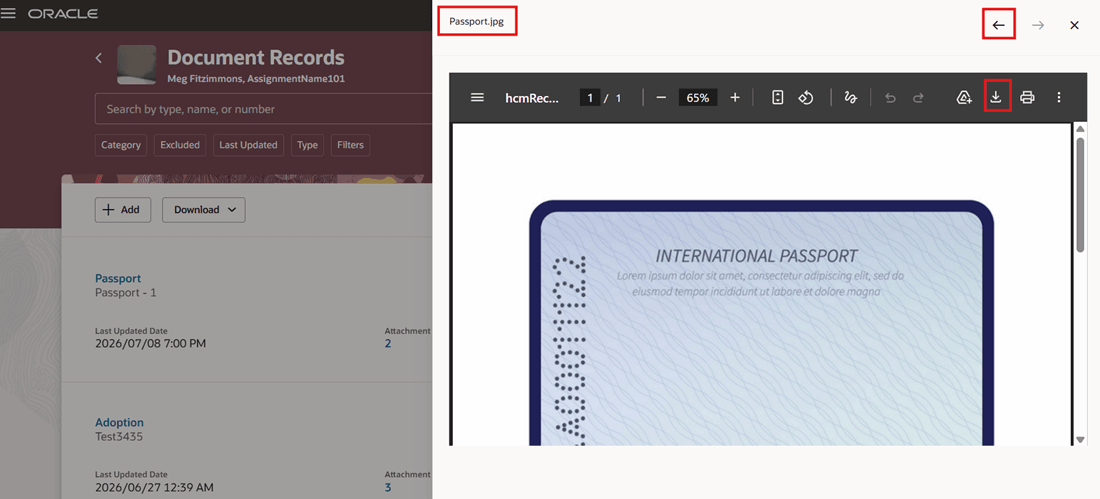
View All Attachments
NOTE: Although this feature is included in the 26C What's New documentation, it won't be available immediately upon the 26C update. Availability begins in September through a CWB request.
Reduces the number of steps needed to open related documents and helps users work more efficiently when reviewing or managing document records.
Steps to enable and configure
You don't need to do anything to enable this feature.
Key resources
For more information about document records, refer to the Using Global Human Resources guide on Oracle Help Center.