Attachments Region Repositioned on Document Records Page
The Attachments region on the Document Records page has been repositioned to improve usability and streamline the document record management process.
This region now appears directly below the Document Type field, allowing users to add or review attachments immediately after selecting the document type when adding or editing a document record. This change helps users more easily identify and upload the required supporting documents while creating or updating a document record, reducing the need to scroll through the page and making the process more intuitive.
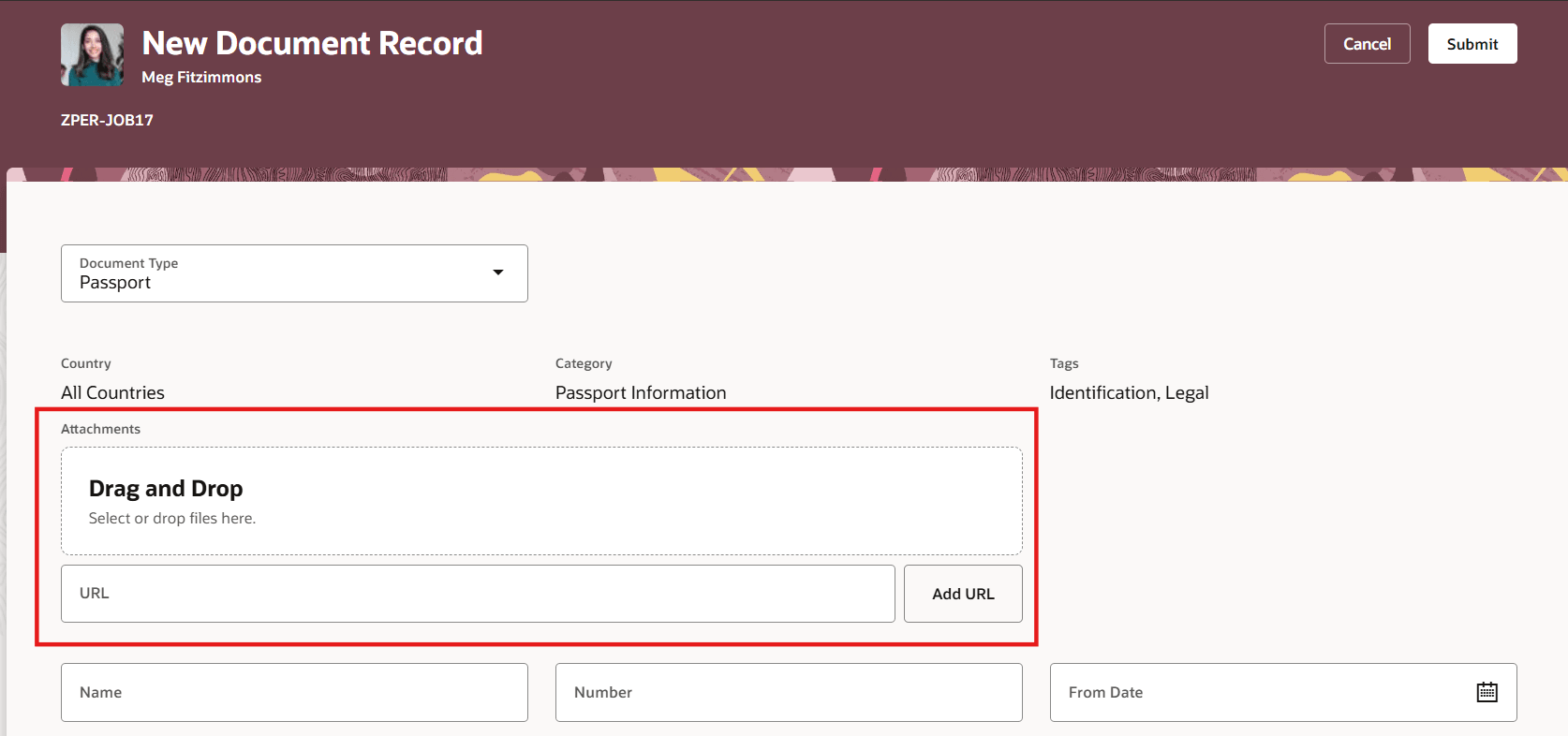
Attachments Region on Add Document Record Page
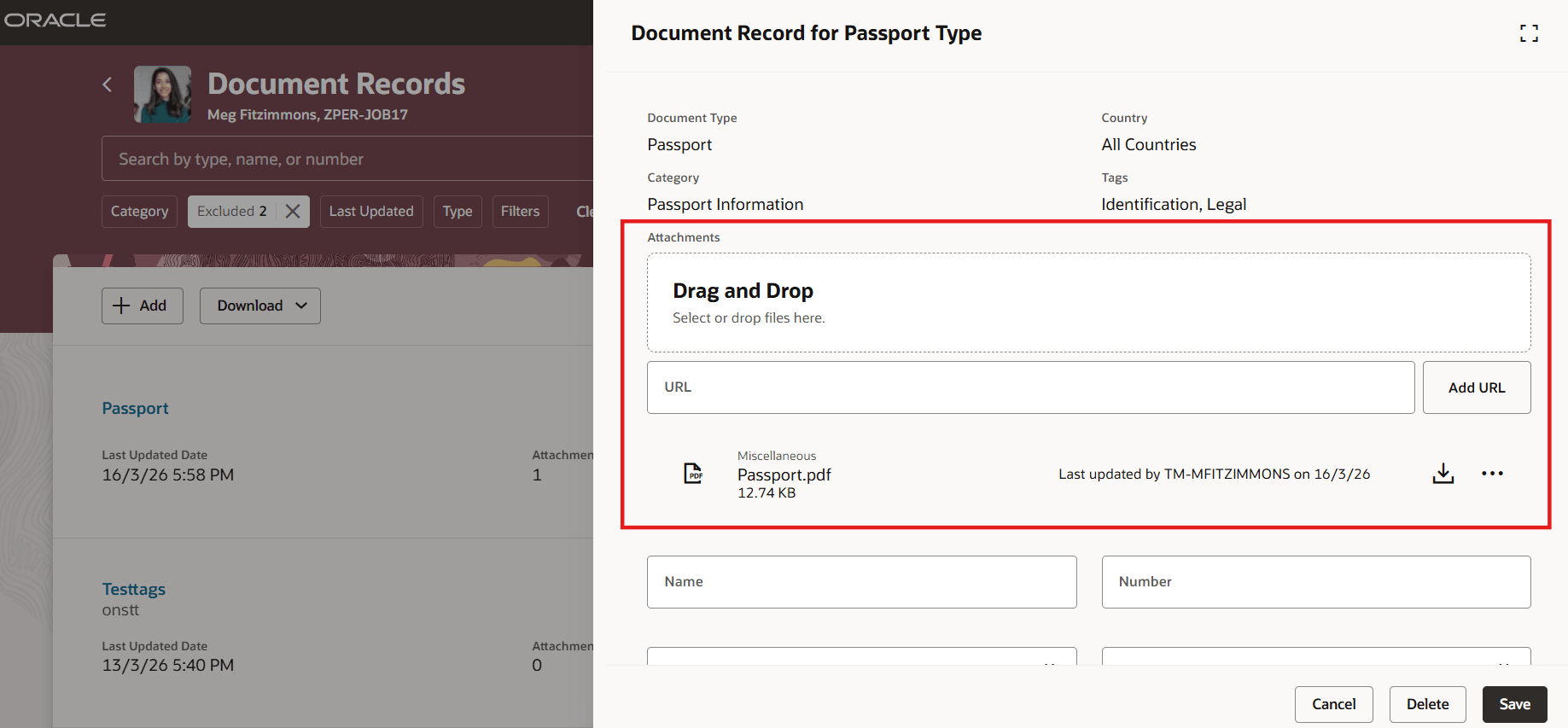
Attachments Region on Edit Document Record Page
Improves efficiency and user experience by making it easier for users to quickly locate and upload required document attachments.
Steps to enable and configure
You don't need to do anything to enable this feature.