 Use Your Preferred Date Formats for Effective Dates on Redwood Workforce Structures Pages
You can now view the effective start date in your user-preferred date format on the Redwood workforce structures pages. From 25B onward, you could view the effective start date only in the MM Day, YYYY format on these pages. This restriction on the date format has now been removed in 26B.
For the date formats of type MM/DD/YYYY, DD/MM/YYYY, or dd/m/YYYY, where the date or month is in double digits, the date on the UI won’t be prefixed with the digit 0 if the date holds a single digit. For example: If the date format selected is MM/DD/YYYY, which is a supported format, the date displayed on the page is 3/21/2026 instead of 03/21/2026.
Note: For more information about how to set the territory and date format of your choice, see the Steps to Enable and Configure section of this What’s New.
Supported Date Formats
This table lists some samples of supported Date formats and how they appear on the Redwood workforce structures pages.
| Territory | Date format | How the dates appear on the pages |
|---|---|---|
| US | M/d/yyyy |
|
| India | d/MM/yyyy |
|
| Japan | yyyy/MM/dd |
|
| UK | dd/MM/yyyy |
|
| Germany | dd.MM.yyyy |
|
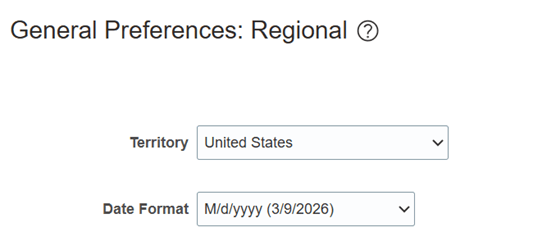
US Date Format
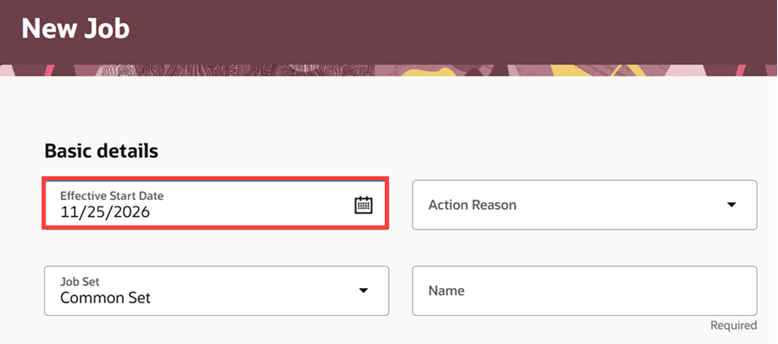
New Job page showing Effective Start Date in the US date format
Unsupported Date Formats
Some date formats aren’t supported.
Note: For the date formats that aren’t supported, the date format set at the user preference level isn’t honored. The supported version corresponding to the user preference format is shown on the Redwood workforce structures pages.
This table shows the date formats aren’t supported, along with the corresponding supported versions that are displayed on the pages. The table also includes examples for each format.
| Unsupported date formats |
Example date formats with sample dates | Supported version of the date format with sample dates |
|---|---|---|
| Year as yy or YY in a date format Territory: Sri Lanka |
M/d/yy, where year is yy 3/9/26 |
MM/DD/YYYY
|
|
Month as mmm or MMM in a date format Territory: Australia |
d.MMM.yyyy, where month is MMM 9.Mar.2026 |
DD/MM/YYYY
|
|
Any date format that ends with a dot (.) Territory: Argentina |
dd.MM.yy. 09.03.26. |
DD/MM/YYYY
|
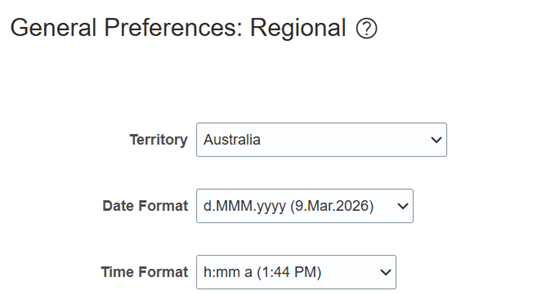
Example of unsupported date format
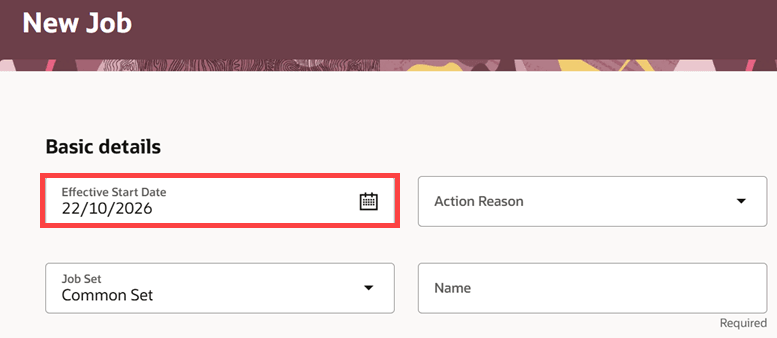
Date format set at the preference level isn’t honored and the corresponding supported format is shown on the page
This feature allows users set their preferred date format for ease of use and also provides a better user experience.
Steps to enable and configure
For more information about how to set the date format to your preferred format, see Set Regional Preferences.