Bulk Price List Update
You can now update atomic offer prices (simple one time and recurring prices only) or bundle prices using bulk actions on price list's prices . You can increase or decrease the price by a fixed amount or a percentage value. This way you will be able to update the prices in a bulk manner. Once done use the bulk offer update capability to update the packages and commercial bundles to uptake the newer versions of the atomic offering so that the bundle roll-up price be the latest one. This is available in the Administration section -> pricing strategy -> price list. Once bulk action is triggered a bulk update price list job is created and you can view the job status under the jobs management tile in the administration section.
Example - Product Manager updates Residential price lists monthly subscription fee by 5%. All the atomic offers or bundles using that pricelist will be revised or updated accordingly.
The following figure depicts the bulk update on prices through price list user experience
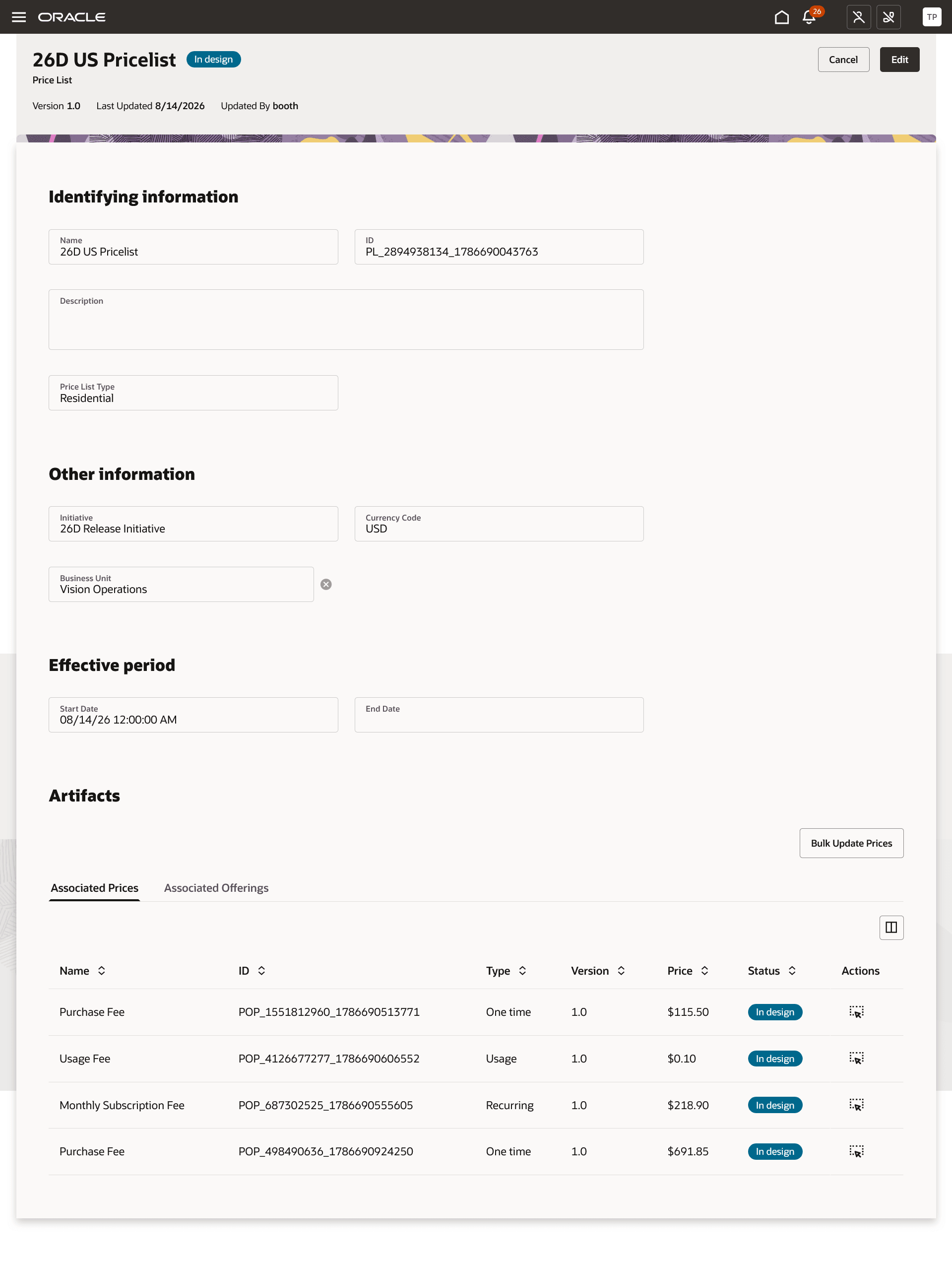
Bulk price list update
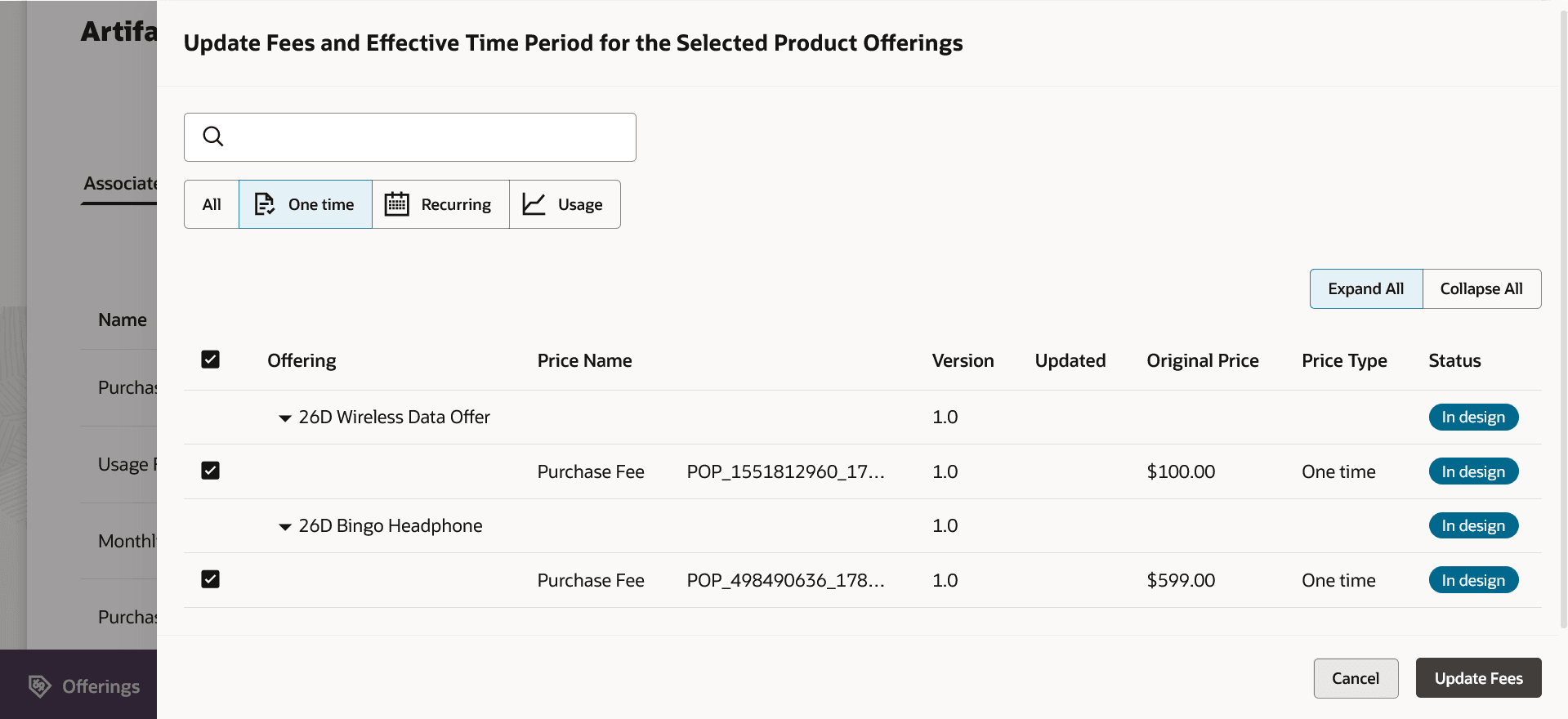
Bulk update of price of a price list
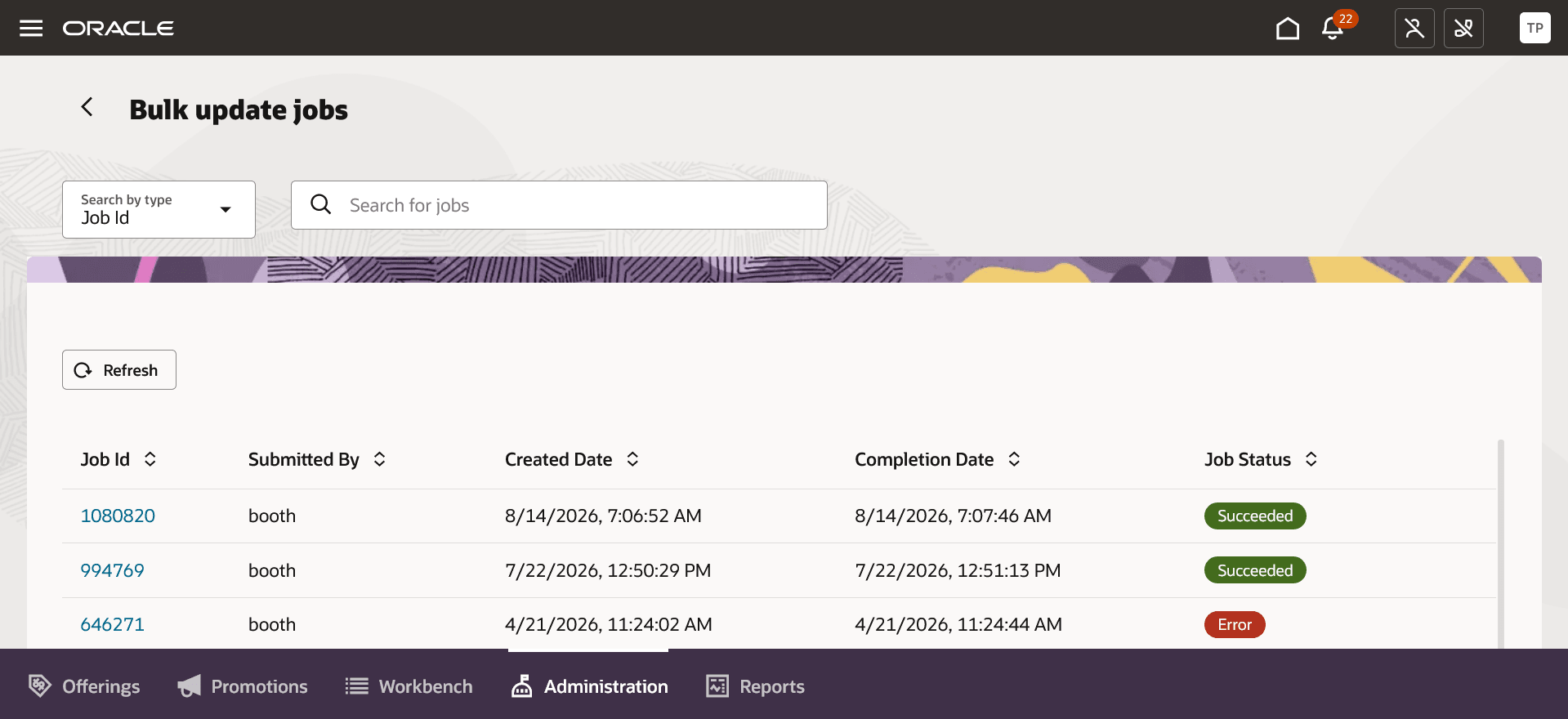
Bulk update job created for the price list update
The business benefit of this feature is you would be able to perform bulk update on atomic offering prices or bundle prices through price list which reduces the overall time to market.
Steps to enable and configure
You don't need to do anything to enable this feature.
Access requirements
- Communications Catalog Administrator