19.15.2.2 Install the add-in on Windows
The Oracle Database for Excel is supported on Windows 10 and Windows 11 operating systems running Microsoft Excel 365.
To install the Oracle Database for Excel, download the oracleplugin.zip file and extract it to get the install.cmd script file from your Database Actions instance.
-
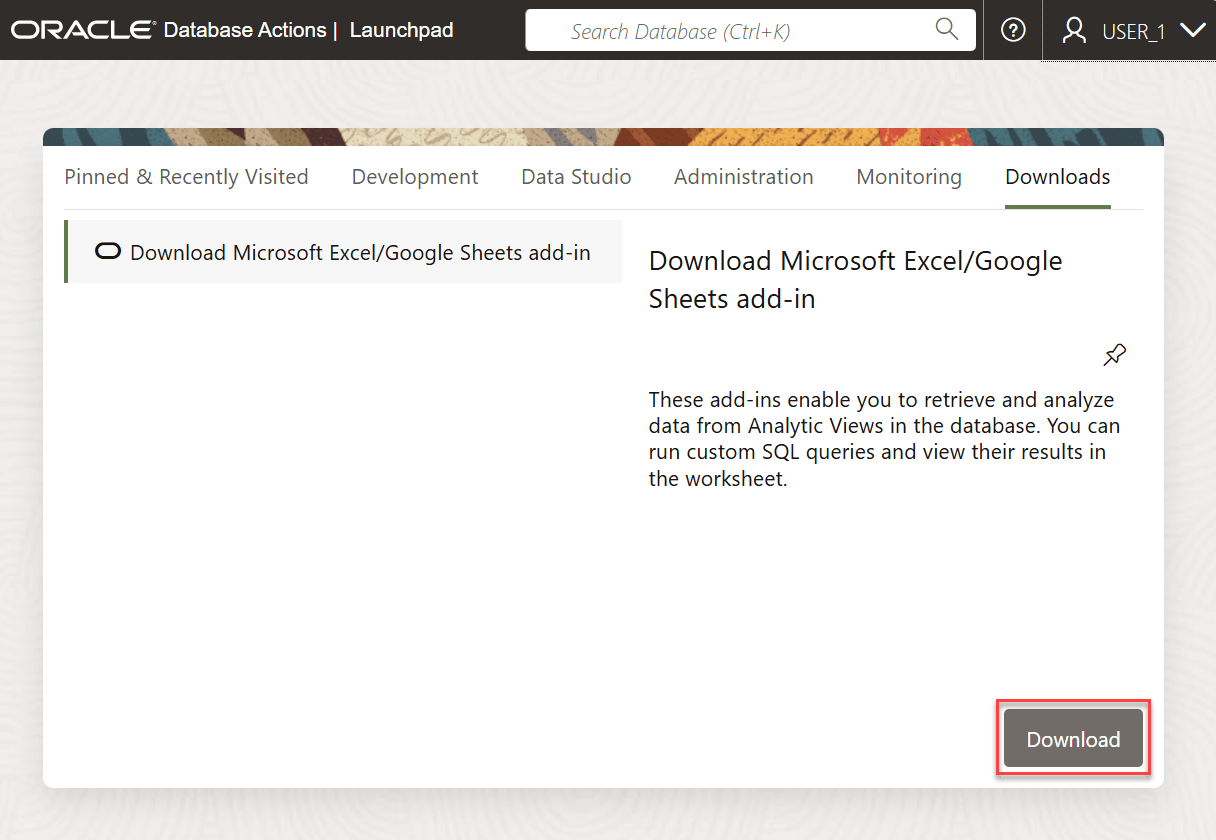
Open the Database Actions Launchpad.
- On the Downloads tab of the Database Actions
page, click the Download Microsoft Excel/Google Sheets Add-in
pane.
- Click Download.
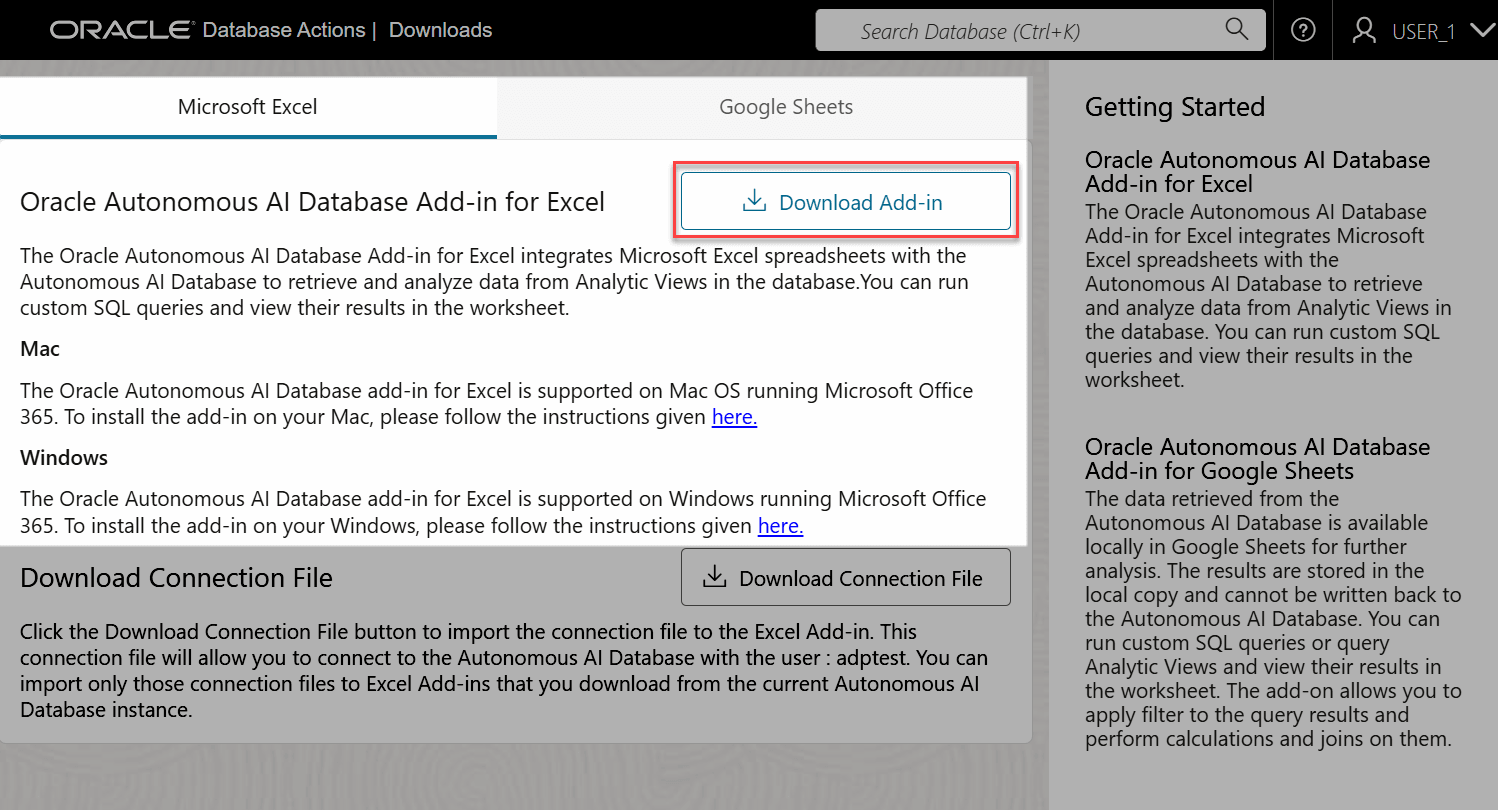
- Click the Download Add-in icon in the Microsoft
Excel tab to download the Oracle Database Add-in for Excel.
- Extract the oracleplugin.zip file to a new folder in the Downloads of your system. The extracted folder consists of an installer (install.cmd file), a manifest.xml file and a readme.txt file.
- Quit Excel before you run the installer.
- Right-click the install.cmd file that you downloaded.
Note:
After running the installer on Windows, the add-in automatically creates a network share and adds the shared location as a trusted catalog location for Office add-ins. A catalog is used to store the manifest for the Excel Add-in. It enables publishing and management of the Excel add-in as well as other add-ins that are available in the Office Store and licensed for corporate use. You can acquire the Excel add-in by specifying the shared manifest folder as a trusted catalog.
- Select Run as administrator.
Note:
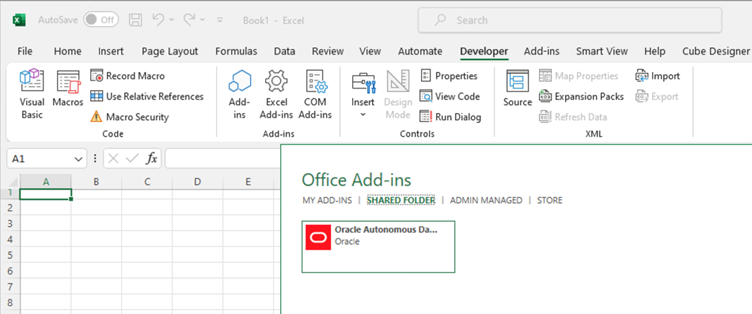
You must have Administrator privileges to install the Excel add-in for Oracle Database successfully. - Start Excel and open a new or existing workbook.
- From the Developer menu in the Excel ribbon, click
Add-ins, select the SHARED FOLDER tab on the pop-up window and
select Oracle Database.
- After you install the add-in, a new Oracle
Database ribbon tab appears in MS Excel.

Note:
You can re-run the installer after the initial installation. Re-run the installer and choose the option of your preference. You can repair your existing installation by deleting it, selecting the installed trusted catalog or adding another manifest to the working installation.