Collect Diagnostics
Collect diagnostics when you need logs, deployment metadata, or runtime evidence for troubleshooting or support.
Agent Factory gathers application logs and packages them into a ZIP file to facilitate troubleshooting, debugging, and support without requiring direct system access.
Only administrators can download diagnostics from the UI.
-
Click the profile icon (your email id) in the top-right corner.
-
Select About.
-
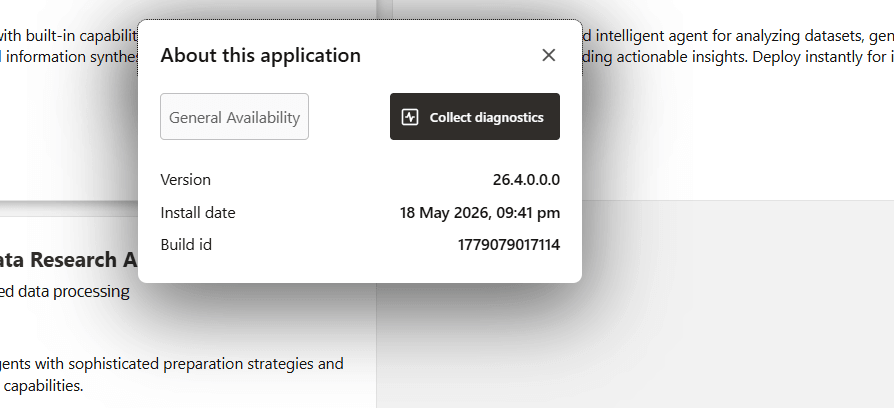
Click Collect Diagnostics.
-
The system gathers logs, packages them into a ZIP archive, and starts the download automatically. Save the downloaded ZIP file and share it with support when requested.
Collect Diagnostics from the Host
If the UI is unavailable, collect diagnostics from the staging directory on the host.
cd <agent_factory_staging_directory>
make diagnose
Run this command from the current staging directory for the installed release. After an upgrade, use the new staging directory, not the old one.
The diagnostics command creates a timestamped diagnostics archive. The exact archive name and path are printed by the command.
What the Diagnostics Bundle Contains
The diagnostics bundle can include:
- Agent Factory application logs.
- Nginx and application startup logs.
- Container logs.
- Deployment and uninstall logs.
- Component logs for pre-built agents.
- Snapshot and upgrade logs when available.
- Deployment metadata used to locate compose files, volumes, and containers.
Diagnostics are intended for troubleshooting. Review your organization’s data handling policy before sharing a bundle externally, because logs can include host names, user identifiers, endpoint URLs, configuration metadata, prompts, tool names, or error payloads.
When to Collect Diagnostics
Collect diagnostics when:
- Installation, upgrade, start, stop, or restart fails.
- Login, SSO, or callback flows fail.
- A data source remains in an error or not-ingested state.
- Knowledge Agent, Deep Data Research Agent, or Data Analysis Agent fails during setup or chat.
- LLM, embedding, REST API, or MCP connection tests fail and the UI error is not enough to resolve the problem.
- Support requests logs for analysis.