Configure SMTP
SMTP configuration screen allows administrators to configure and manage email server (SMTP) settings for their organization. By entering details such as Port, Hostname, From Email, and optionally a Username and Password, administrators can enable the system to send password reset emails to users who have forgotten their passwords.
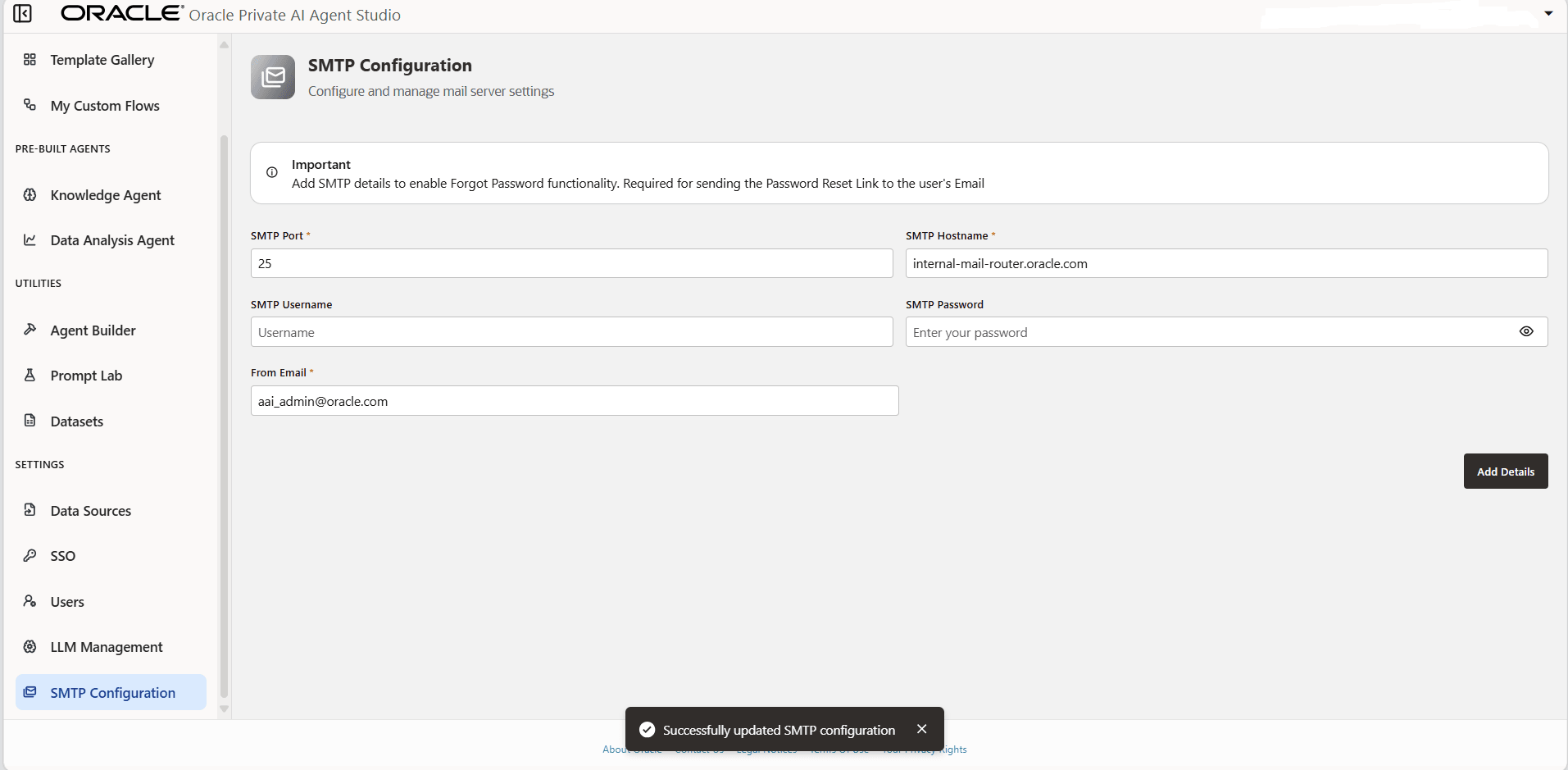
Description of the illustration smtp-config.png
Note: Saving SMTP settings does not immediately send a test email. Email delivery occurs when SMTP is exercised by an agent flow or other platform features that rely on email functionality.
Post-Configuration Validation
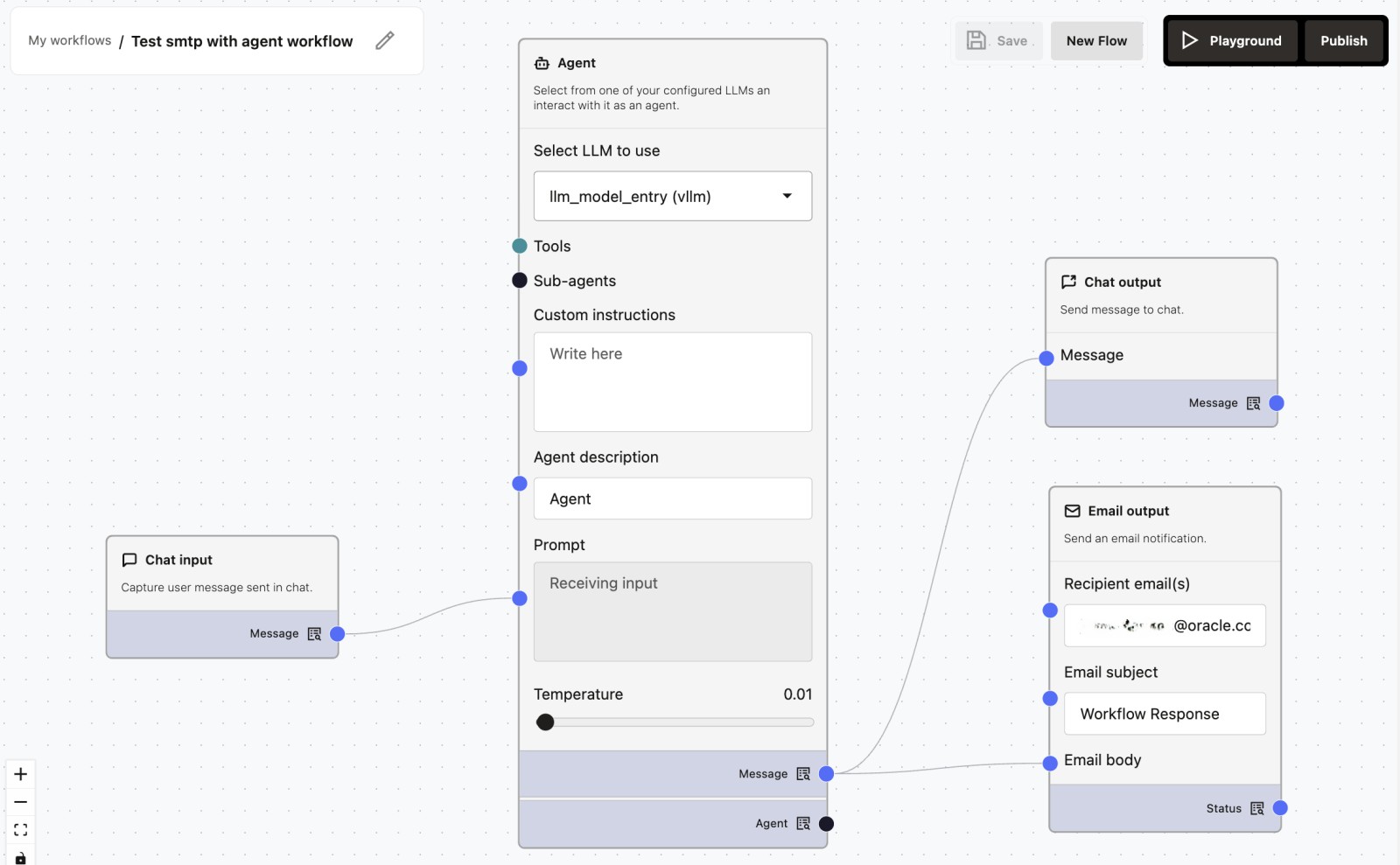
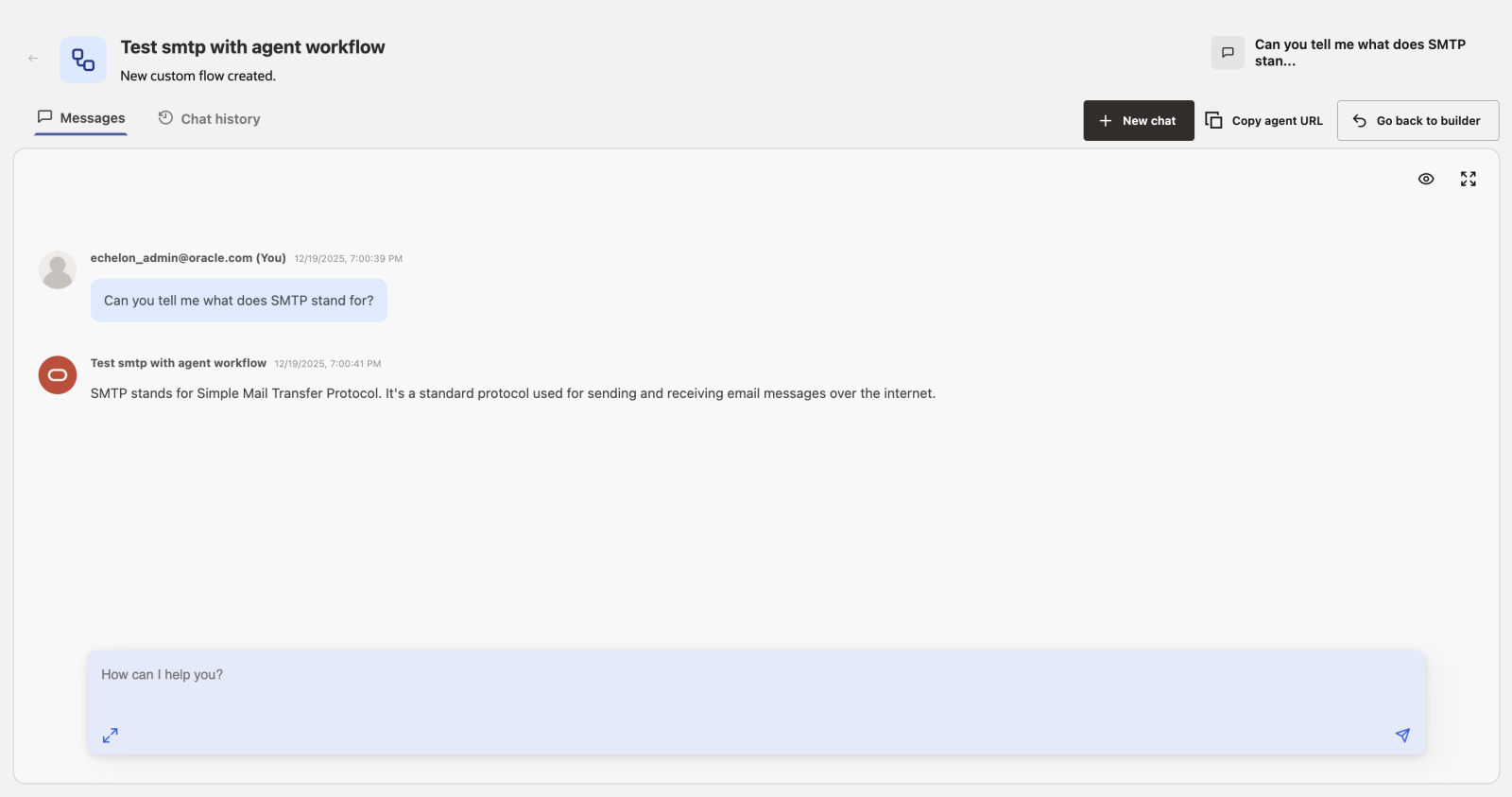
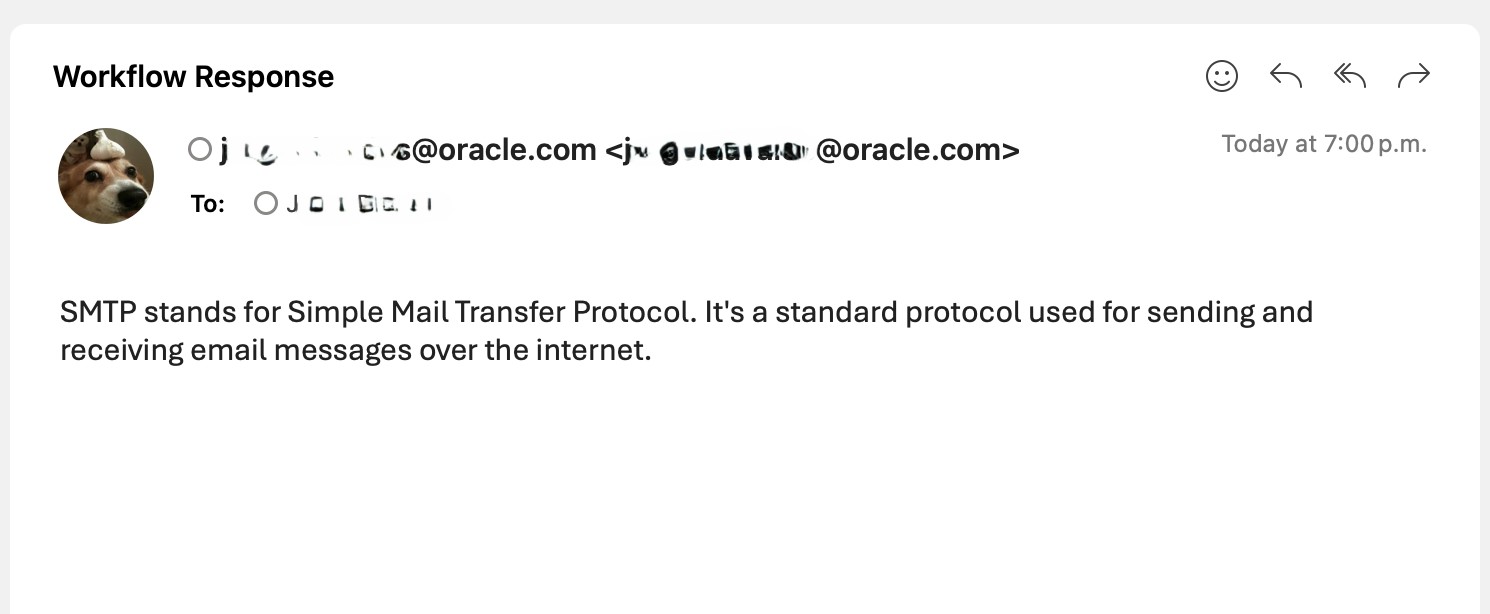
After configuring SMTP, validate that email delivery works as expected. You can do this by:
- Creating or opening an agent workflow that includes an
Email outputnode - Saving and running the agent workflow
- Confirming that the email is delivered to the target inbox
If the email is not delivered:
- Review the SMTP host and port configured in Agent Factory
- Ensure the SMTP server allows connections from the environment where Agent Factory is running
- Check application logs for SMTP connection or authentication errors
This validation confirms both SMTP configuration correctness and network reachability from Agent Factory.
Common Usage Scenarios
SMTP is commonly used for:
- Sending notifications or alerts generated by agent workflows
- Emailing results, summaries, or reports produced by agent workflows
- Integrating email delivery as a step in custom automation or agent flows