Data Distribution
A data distribution configuration is a one-to-many configuration. Oracle GoldenGate supports synchronization of a source database to any number of target systems. Oracle GoldenGate supports like-to-like or heterogeneous transfer of data, with capabilities for filtering and conversion on any system in the configuration although support varies by database platform.
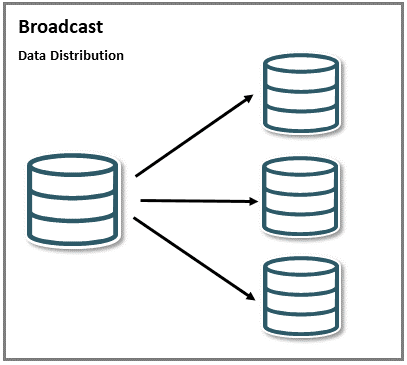
Description of the illustration broadcast.png
Broadcast topologies can include a mix of unidirectional use cases, including offloading of reporting, replication to a data warehouse, or sending data to a lower level environment. In most cases, administrators configure a single Extract process that writes to multiple trail files. Each trail file is used for a different target database. This reduces the overhead on the source database, and allows each target platform to receive just the data that it requires.
In the following use case, a trail file is replicated across different destinations with the following conditions:
-
One trail file is used to replicate across multiple destinations.
-
Multiple Distribution Paths are configured to send the trail data with filtered options to specify which tables will be replicated on to a particular destination.
The following diagram displays this configuration where the source deployment, depl_east is sending trail data to three different deployments using DISTPATHS:
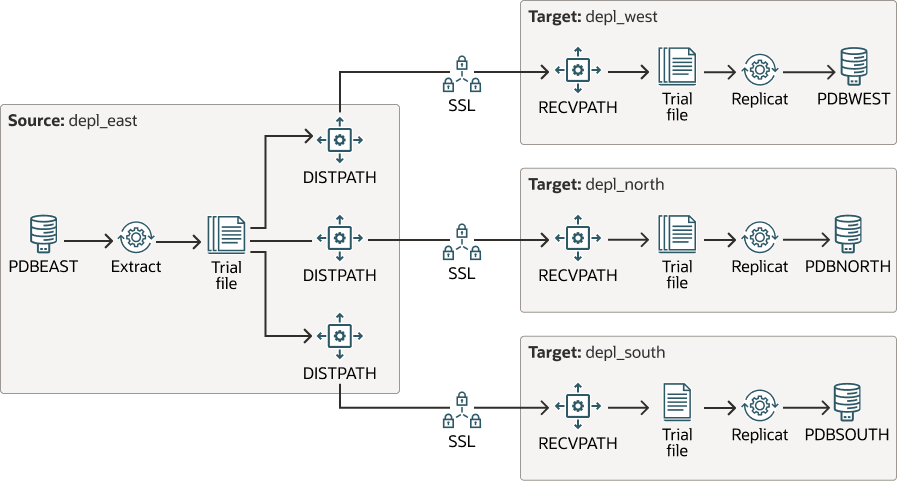
Description of the illustration broadcast_multi_distpaths.png
Example: Creating Multiple DISTPATHS for Sending Trail Files to Multiple Locations
Consider the Extract exte, which needs trail data replication to multiple tables, EMPLOYEES and REGION available in different locations. In this case, you can create multiple DISTPATHS to send trail data to different locations. You can also specify the tables that would be replicated for a specific destination, while configuring the Fitering Options for the DISTPATH.
Here’s the Extract parameter file:
EXTRACT exte
USERIDALIAS ggeast
STATOPTIONS REPORTFETCH
EXTTRAIL ea
TRANLOGOPTIONS INTEGRATEDPARAMS (max_sga_size 512)
LOGALLSUPCOLS
UPDATERECORDFORMAT COMPACT
TABLE hr.EMPLOYEES;
TABLE hr.REGION;-
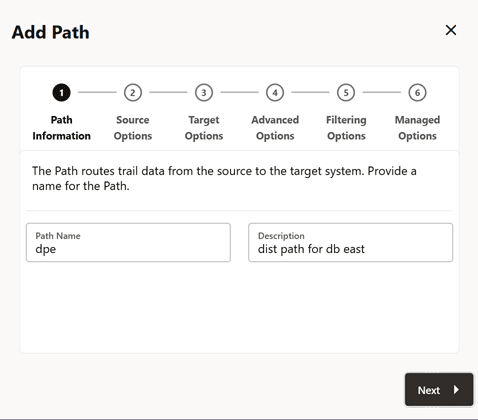
The following screen shows the creation of a DISTPATH where the target host is WEST.
-
The following screens displays the options to set up on the source side for Extract, trail, source URI and other options. In this step, the source Extract trail file is configured.
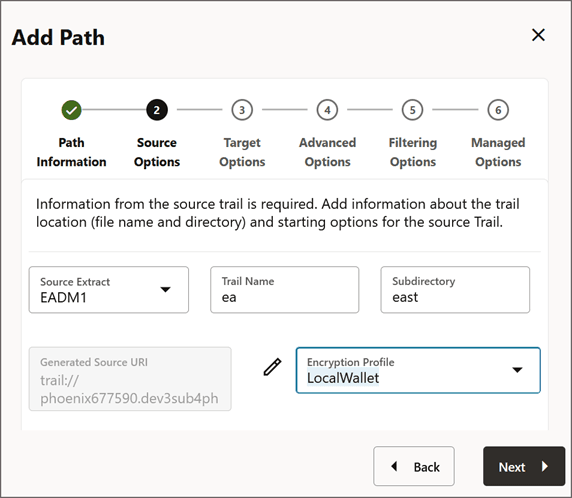
-
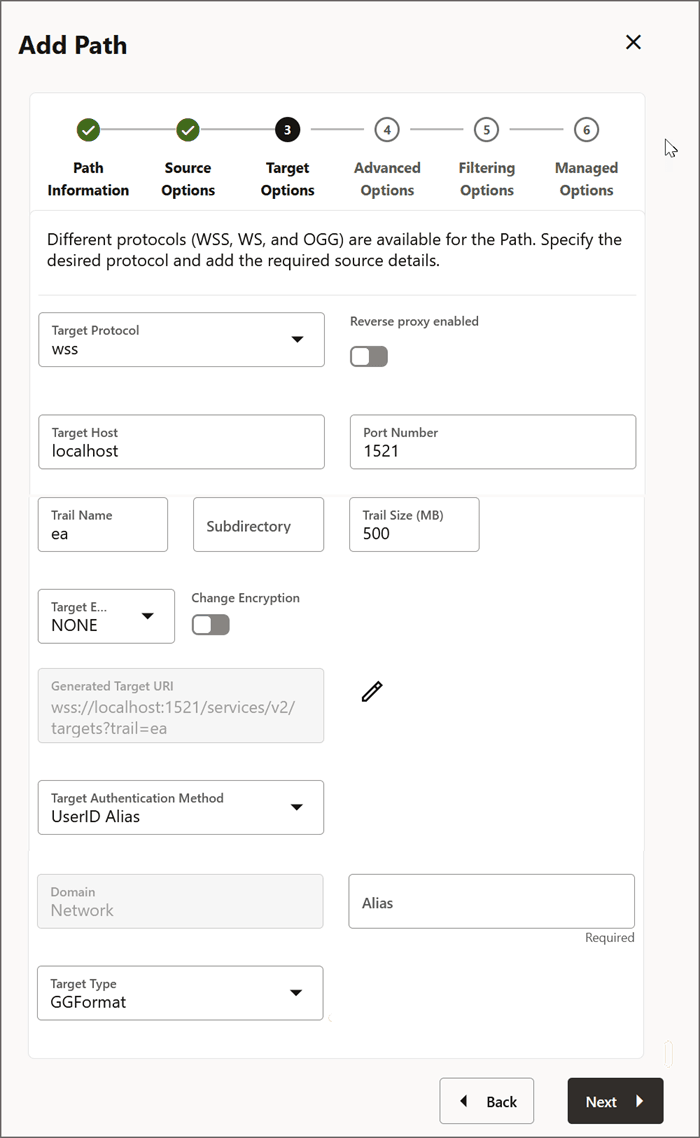
The following screen shows the configuration for the target database. At this stage, you can specify the destination where you want the trail file replicated. When you create another DISTPATH, you can provide a different target URI that would allow replication to that destination.
-
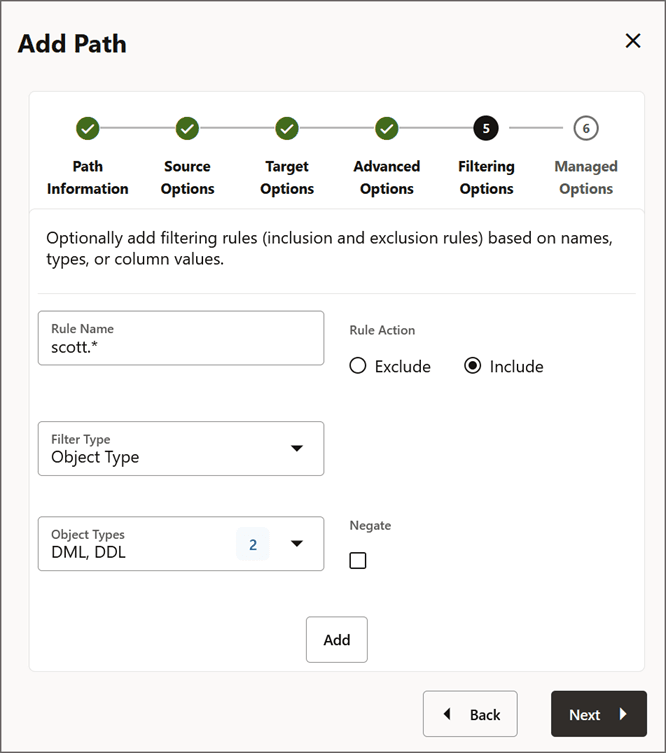
The following step allows you to set up the filtering rules for replication. So, you can specify the filtering rules to select tables, columns, values that you need replicated for each target URI.
-
The following screen allows you to set up autostart/autorestart options and create the DISTPATH.
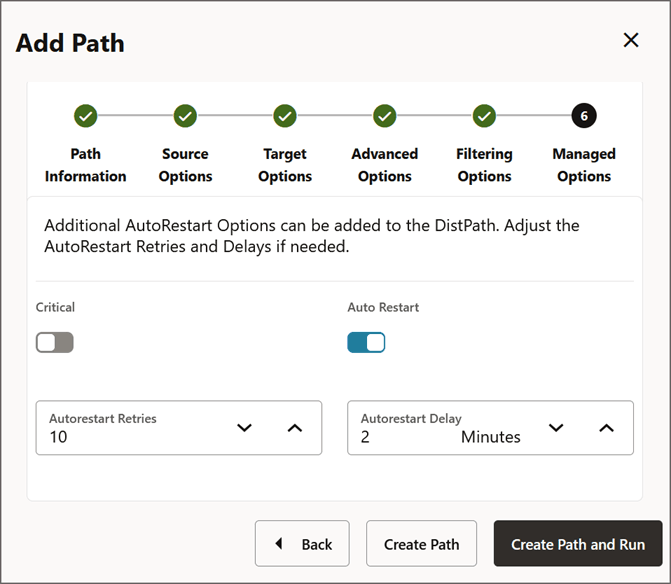
You an create other DISTPATHS in a smilar manner to add multiple destinations for replicating data from the same source trail.