10.1 Introduction to Workflows
A workflow is made up of multiple steps organized in a sequence in which they must be executed. You can add data flows, workflows, SQL queries, data loads, as well as variables as steps within a workflow.
When you execute a workflow, a step either succeeds or fails. Depending on whether the a step succeeds or fails, you can choose the next step that must be executed. To run your transformations, you can create non-dependency-based workflows in sequential mode and dependency-based workflows in parallel mode. The following table shows the differences between both workflow types:
| Sequential Workflows | Parallel Workflows |
|---|---|
|
Non-dependency-based workflow. |
Dependency-based workflow. |
|
You must define a node as the first step. |
All nodes that have no dependencies will start executing in parallel. |
|
Nodes are processed in serial order. For example,
|
Nodes can execute in parallel. For example, |
|
Only single outgoing |
A node can have multiple outgoing and multiple incoming |
|
|
A node cannot simultaneously have multiple converging |
|
You can have closed loops.
|
You cannot have closed loops. |
Here is an example of a sequential workflow:
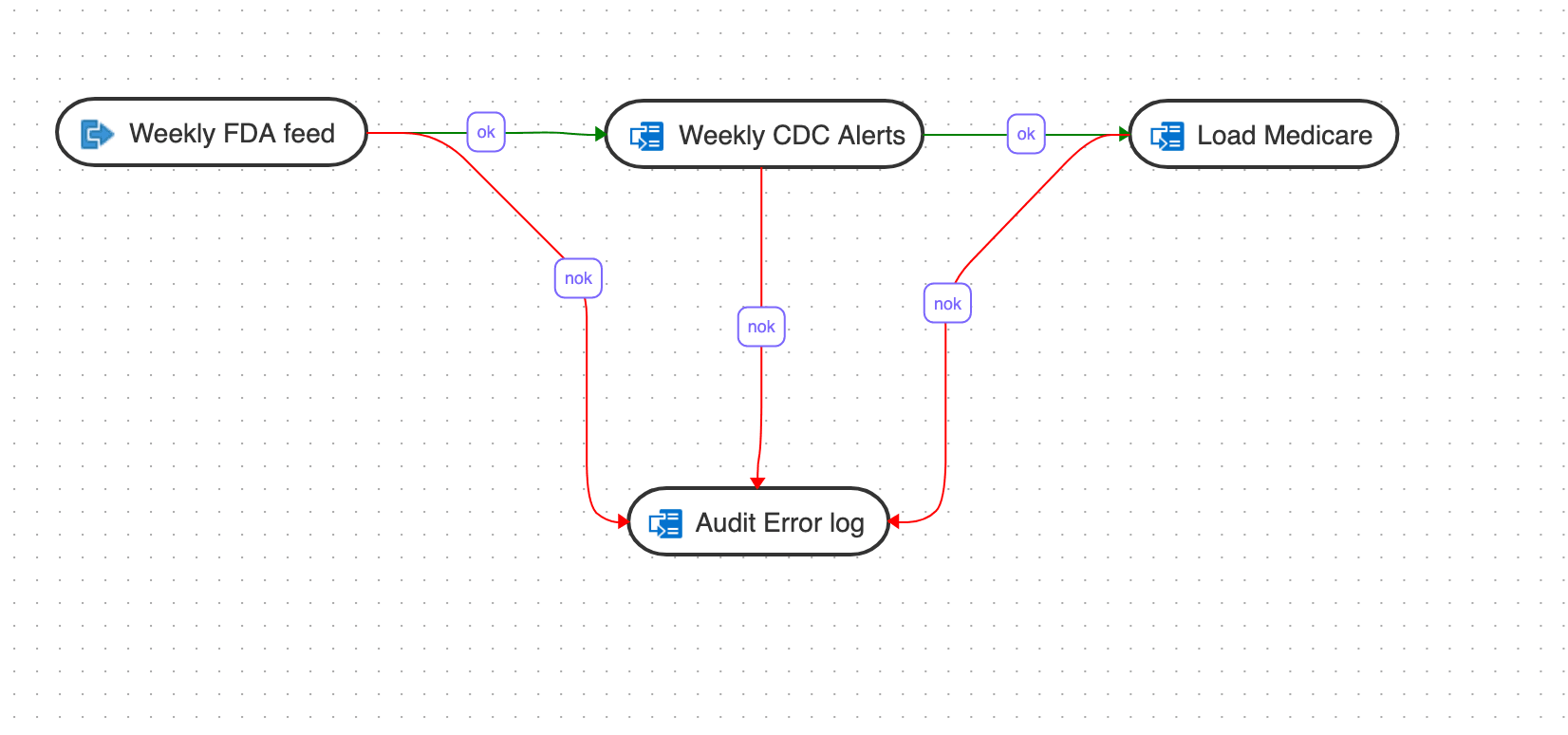
Description of the illustration introduction-workflows.png
In this example, the workflow performs the following actions:
- Execute the "Weekly FDA feed" data flow.
- If the "Weekly FDA feed" data flow execution is successful, execute the "Weekly CDC alerts" data flow.
- If the "Weekly CDC alerts" data flow execution is successful, execute the "Load Medicare" data flow.
- If any of the above data flow fails, then execute the "Audit_error_log" data flow.
Topics
Parent topic: Workflows