Automatically Respond to New Inbound Email Requests
The AI-powered Service Inbound Email Message Handler Agent automatically processes new incoming customer emails and responds with relevant knowledge articles before a service request is created. This AI agent identifies frequently asked questions to provide an immediate email replay to the customer.
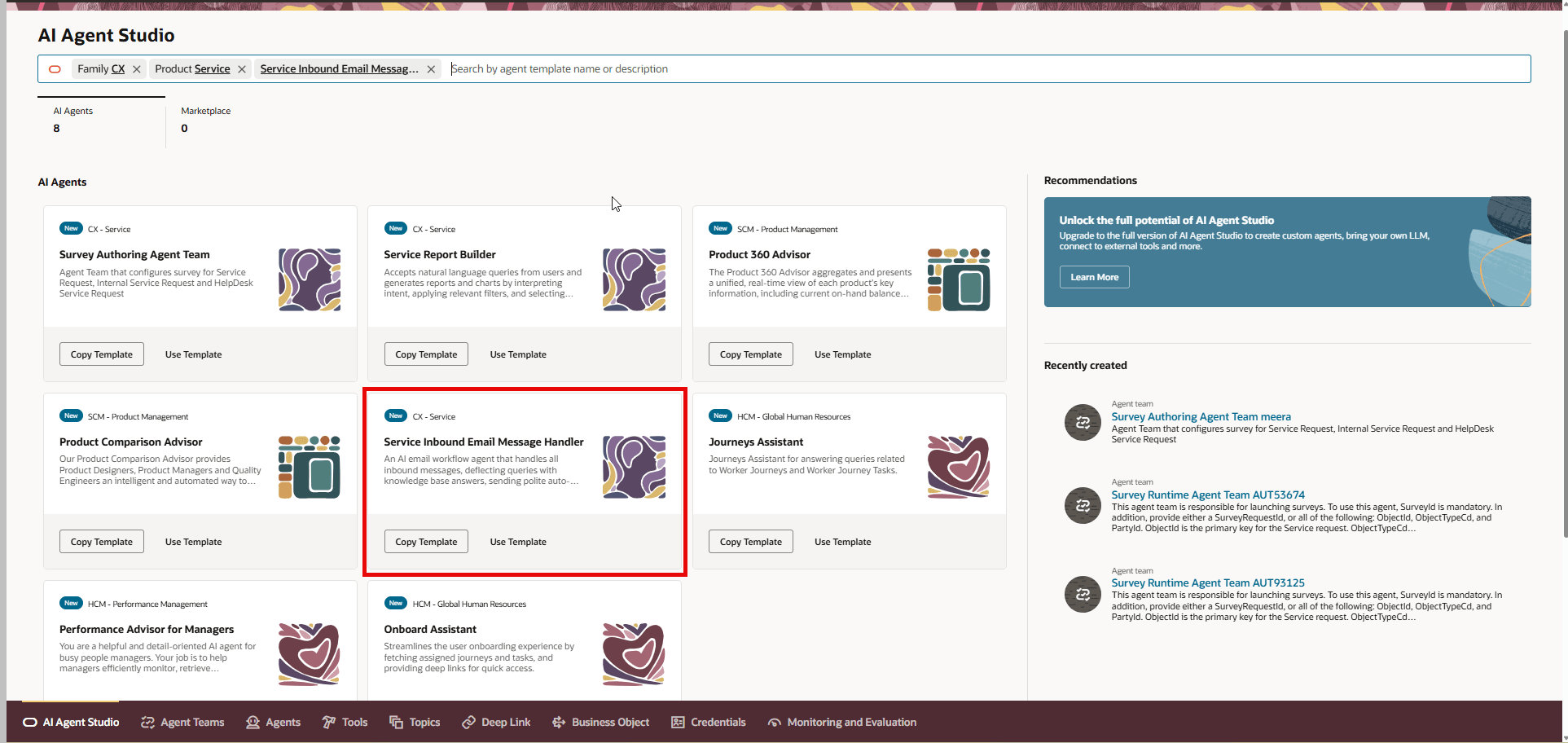
Service Inbound Email Message Handler AI Agent
When the AI Agent is enabled, it will search publicly available knowledge articles using the information in the email subject and body and generate an auto response suggesting possible action. If the customer replies back and indicates that the suggested solution resolved their issue, the AI Agent will not create a service request. If the customer replies back and indicates they need further assistance, the AI Agent will create a new service request with the initial email right away. If the customer does not provide a reply, the AI Agent will create a new service request with the initial email after one hour of time has passed.
NOTE: If you want the system to wait longer to create the new service request, this can be configured through the ORA_SVC_INBOUND_MSG_USER_FEEDBACK_WAIT_PERIOD profile option. Default value is 1 hour and Maximum value is 24 hours.
- Faster Response Time by automatically sends helpful knowledge articles to customers, providing immediate answers and improving customer satisfaction.
- Reduced Manual Effort which minimizes the time and resources spent by customer service representatives (CSRs) on handling routine inquiries, allowing them to focus on more complex issues.
- Consistent and Accurate Responses by delivering standardized and accurate information using the latest, approved knowledge base articles
- Improved Customer Experience by offering 24/7 automated support, ensuring customers receive assistance outside of normal business hours.
Steps to enable and configure
If you want to use this auto-response AI Agent feature, then make sure the ORA_SVC_EMAIL_AI_AGENT_ENABLED profile option is set to Yes.
To set the profile option to yes, log in as a System Administrator and navigate to Setup and Maintenance > Service Offering > search for the Manage Administrator Profile Values task and query for the profile option. Set the value to Yes as shown below:
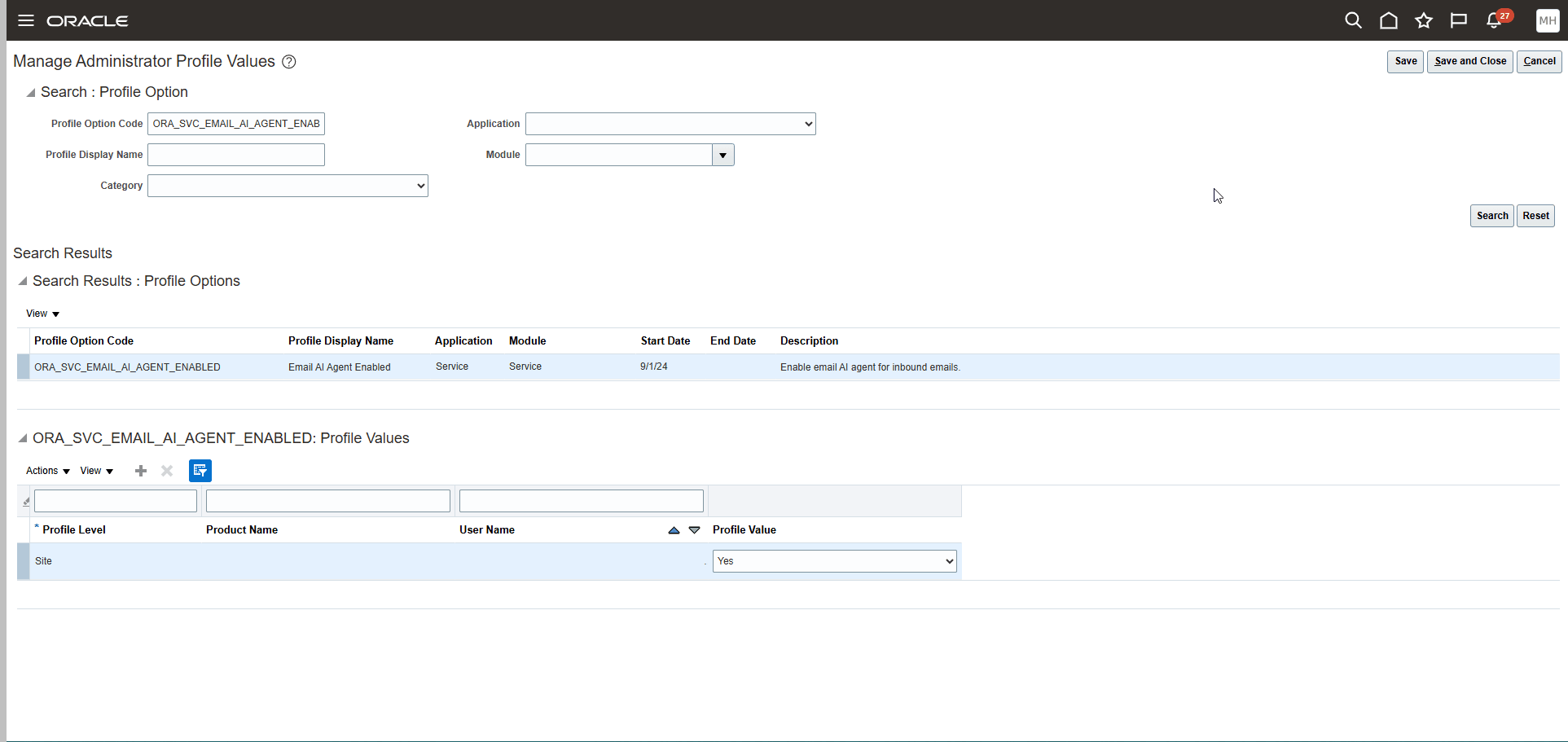
Manage Administrator Profile Values Task
Additionally, if it is a new incoming email, check if the Sender email address matches the pattern set in the profile option ORA_SVC_EMAIL_AI_AGENT_DEFLECTION_PATTERN. If it matches the pattern, then check if profile option ORA_SVC_EMAIL_AI_AGENT_ENABLED is set to Yes.
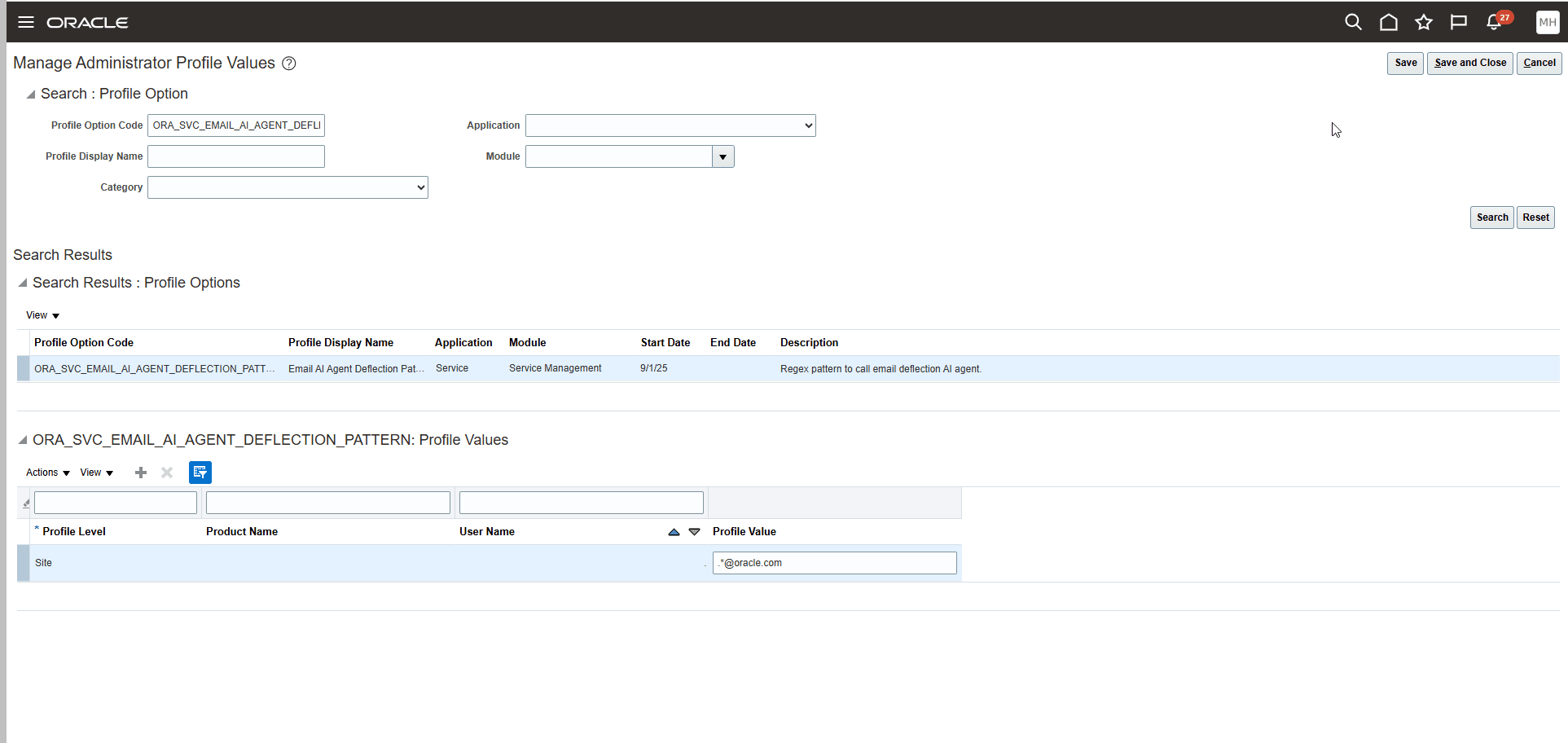
Manage Administrator Profile Values Task
NOTE: The reason why you want to specify a sender email address pattern is to avoid having all the emails that come to your company be processed by this AI Agent. Instead, you should only specify certain email domains to be directed to this particular AI Agent.
Tips and considerations
The environment needs to have the Spectra Service enabled to use this AI Agent.
Access requirements
Customer Service Representatives