View invoices from purchase orders in Supplier Portal using a new user experience
View invoices from purchase orders in the new user experience for suppliers in Supplier Portal. When the required profile option and privilege are set, purchase order links open the corresponding invoice page in the new user experience instead of the classic page.
Invoices are hyperlinked from the Purchase Orders search page and the View Purchase Order Page. The following screenshots illustrate this behavior.
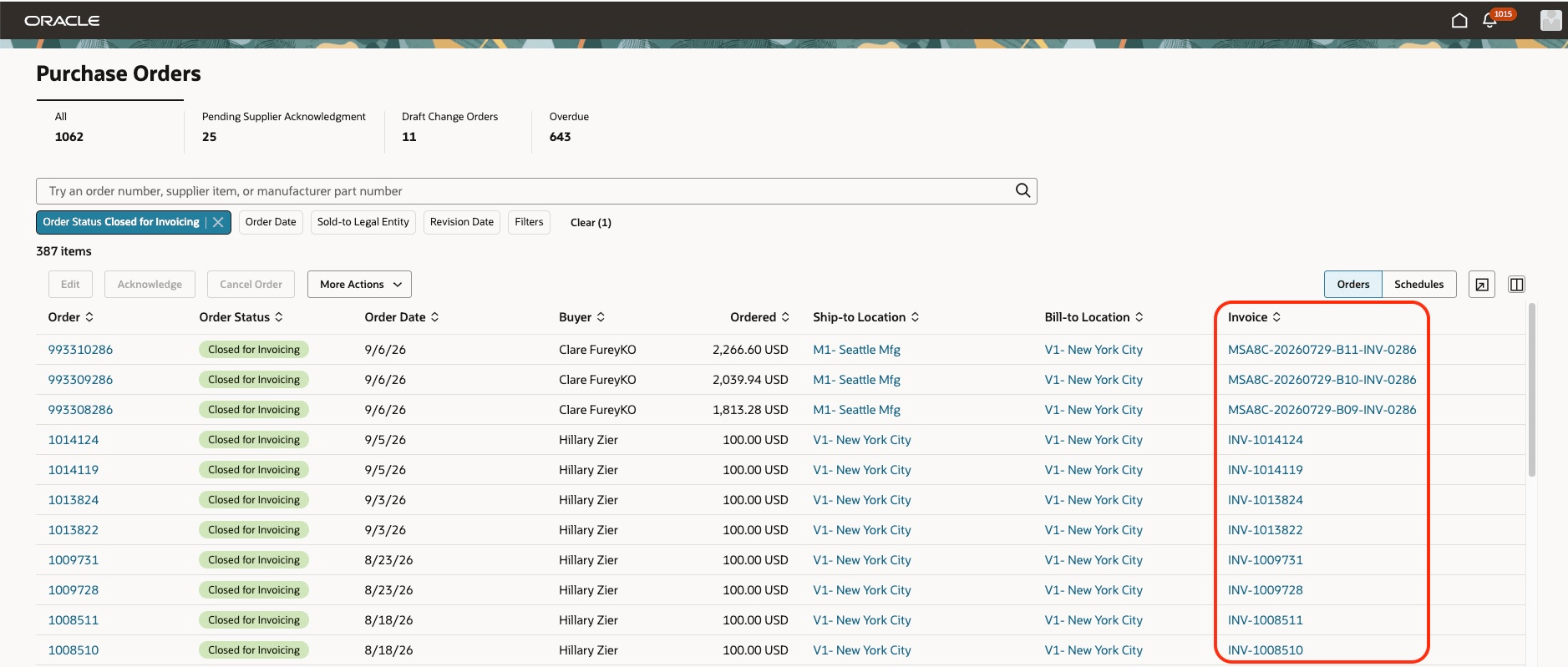
Invoice hyperlink in purchase orders search results
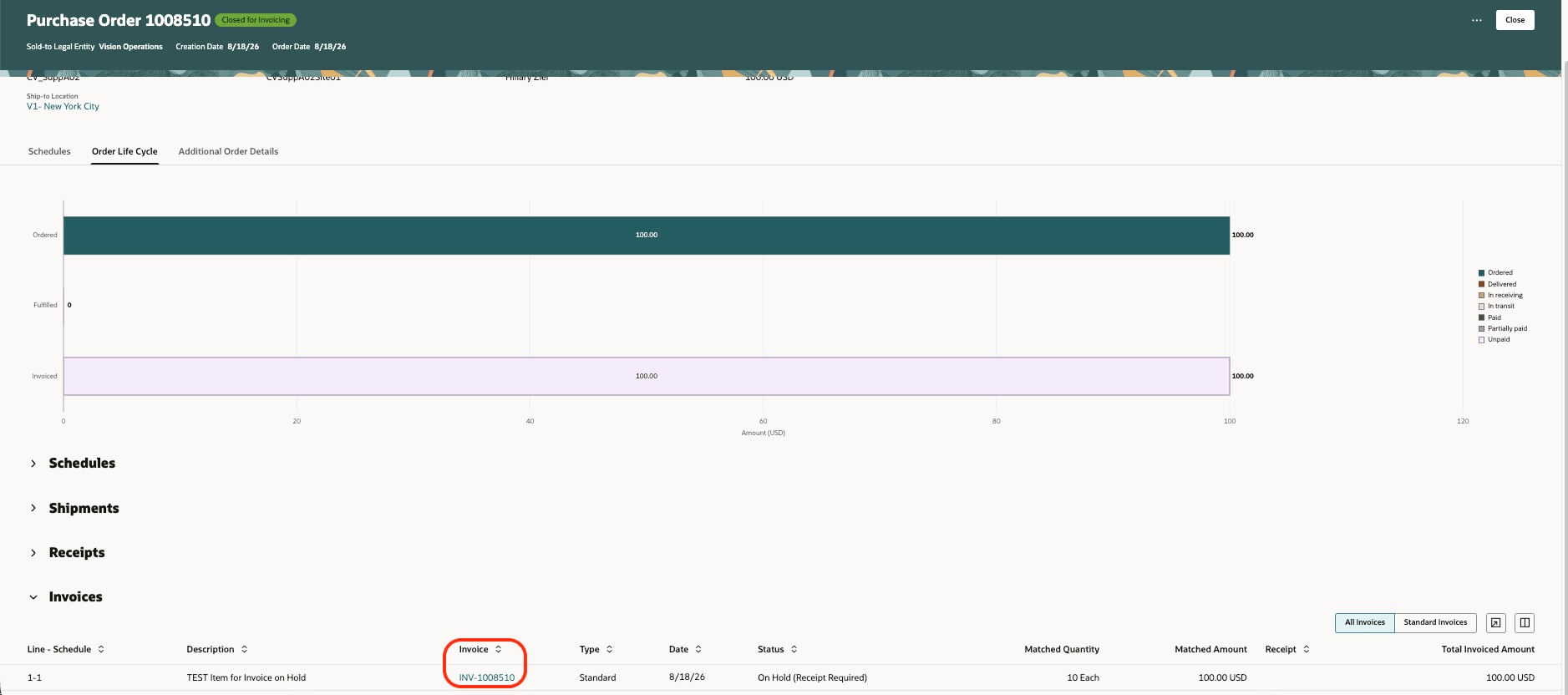
Invoice hyperlink when viewing purchase order lifecycle
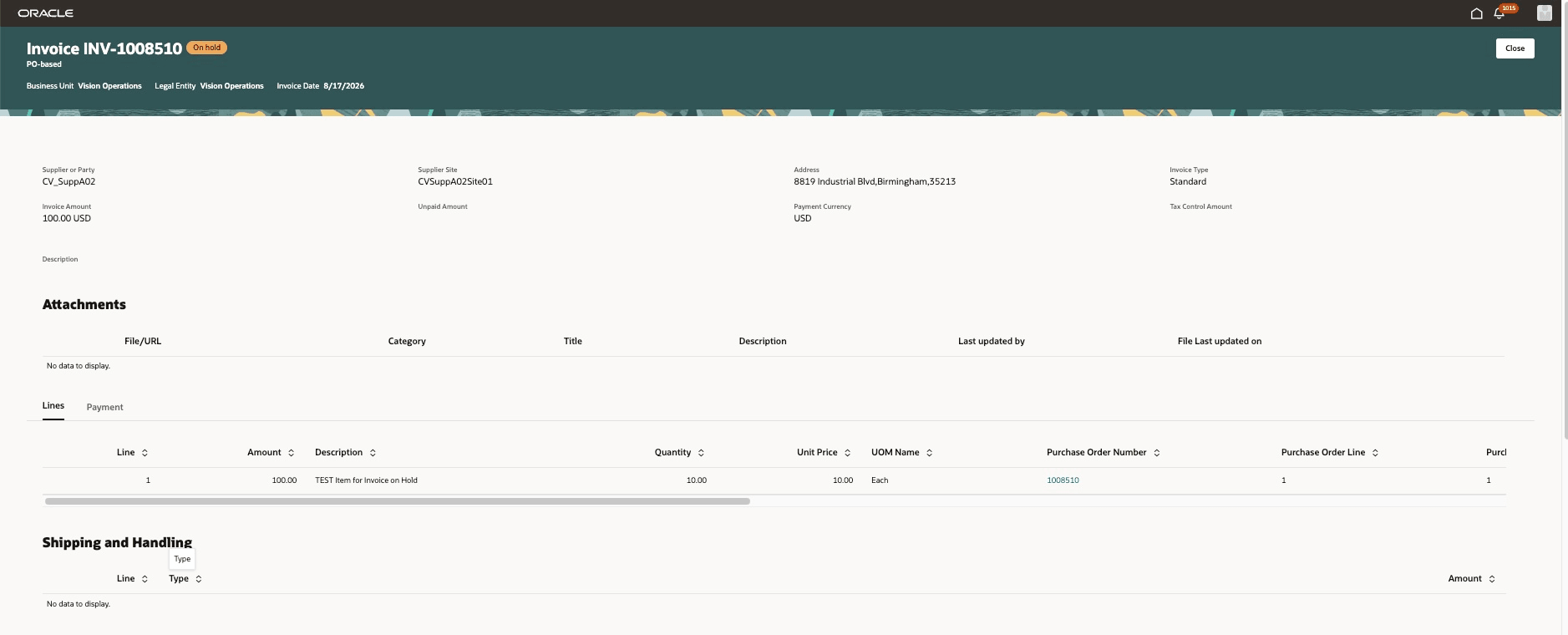
View invoice using the new user experience
Use the Close button to return to the previous page.
Steps to enable and configure
- In the Setup and Maintenance work area, search for and select the Manage Administrator Profile Values task.
- On the Manage Administrator Profile Values page, search for either the profile option name or the code:
- Profile option name: Redwood Page for Supplier Portal Invoices and Payments Enabled
- Profile option code: ORA_AP_INVOICES_PAYMENTS_SUPPLIER_PORTAL_REDWOOD_ENABLED
- In the Profile Values section, set the Site level to Yes or No. The default value is No.
- Yes = enables the feature
- No = disables the feature
- Click Save and Close. Changes to the profile value take effect the next time users sign in.
Note: If you use custom job roles, make sure your job role contains the View Payables Invoice as Supplier (AP_VIEW_PAYABLES_INVOICE_AS_SUPPLIER_PRIV) privilege. This privilege is included in the Purchase Order Management as Supplier (ORA_PO_PO_CHGS_AS_SUPPLIER_DUTY) duty role.
Access requirements
Users need the following duty role to access this feature. This duty role includes the existing privilege required to use this feature.
| Duty role status | Duty role name and code |
|---|---|
| Previously delivered |
Purchase Order Management as Supplier ORA_PO_PO_CHGS_AS_SUPPLIER_DUTY |