Create Records Easily with Global Actions
Sellers can now create sales records easily from the Mobile home page using Global Actions. These actions include mobile specific actions to create contact or lead by scanning the business card or using the phone contacts, as well as the standard actions to create opportunity, account and other sales records. Tapping on global search icon from the home page, salespeople can quickly access the most used global actions in the Suggestions section of the recent items. They can also search for actions using matching keywords. Note that the same familiar keyword search now brings back results for matching global actions as well as sales records.
This capability improves the user experience and enhances seller productivity by reducing the number of taps to quickly navigate to screens and perform tasks.
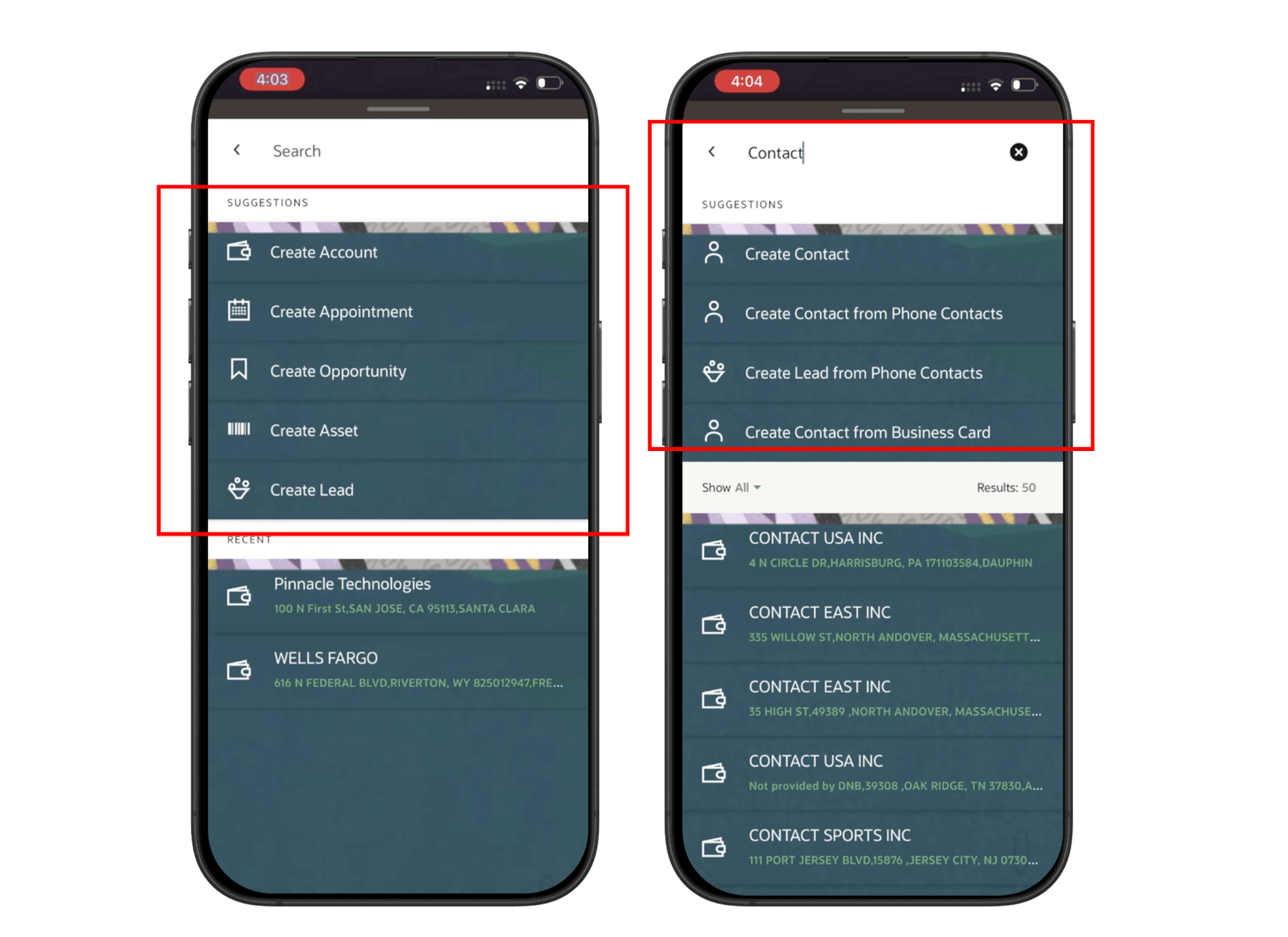
Global Actions in Global Search
Steps to enable and configure
You don't need to do anything to enable this feature.
Tips and considerations
The global actions are available by default on the CX Sales Mobile App for predefined objects such as Accounts, Contacts, Opportunities, Leads and Activities. Note that these actions have the 'Mobile' Application tag. If you do not wish to enable these actions for your users, you may disable the actions or remove the 'Mobile' tag.
For custom objects, you can create actions from the Global Actions administration page, and add the application tag 'Mobile' to ensure these are available in the mobile application.
Key resources
See documentation on how to enable Global Actions, see Global Actions in the Sales Dashboard.
Access requirements
Users having the Create privileges will be able to view and access these global actions.