Display Custom Open Enrollment Message on Redwood Self-Service Pages
Configure open enrollment messages that are relevant to your organization on Redwood self-service pages.
Use this feature to:
- Display a custom open enrollment message on the self-service home page.
- Display a separate custom open enrollment message on the self-service enrollment journey page.
- Use messaging that better reflects your organization’s enrollment process.
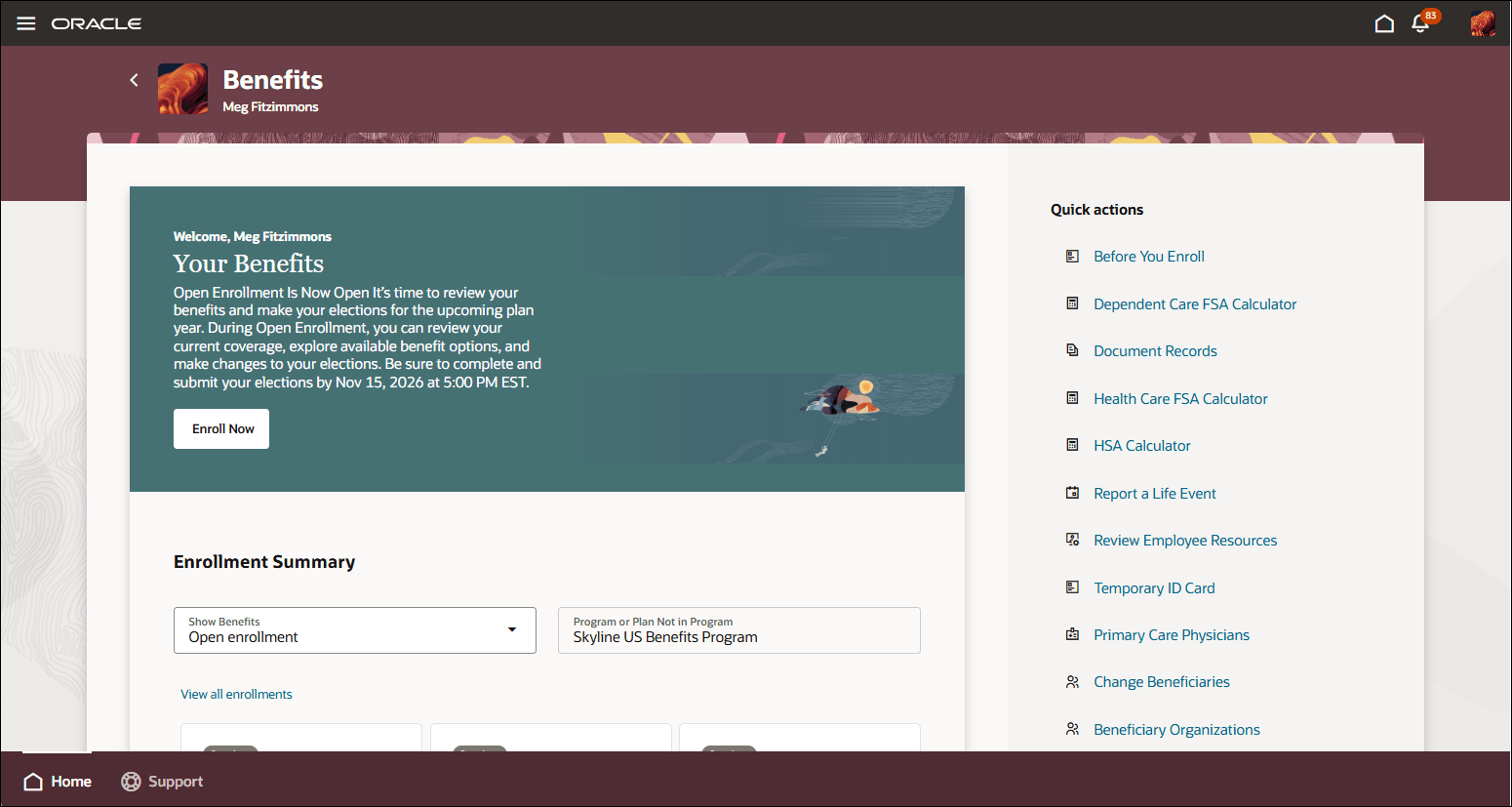
Self-Service Benefits Landing Page
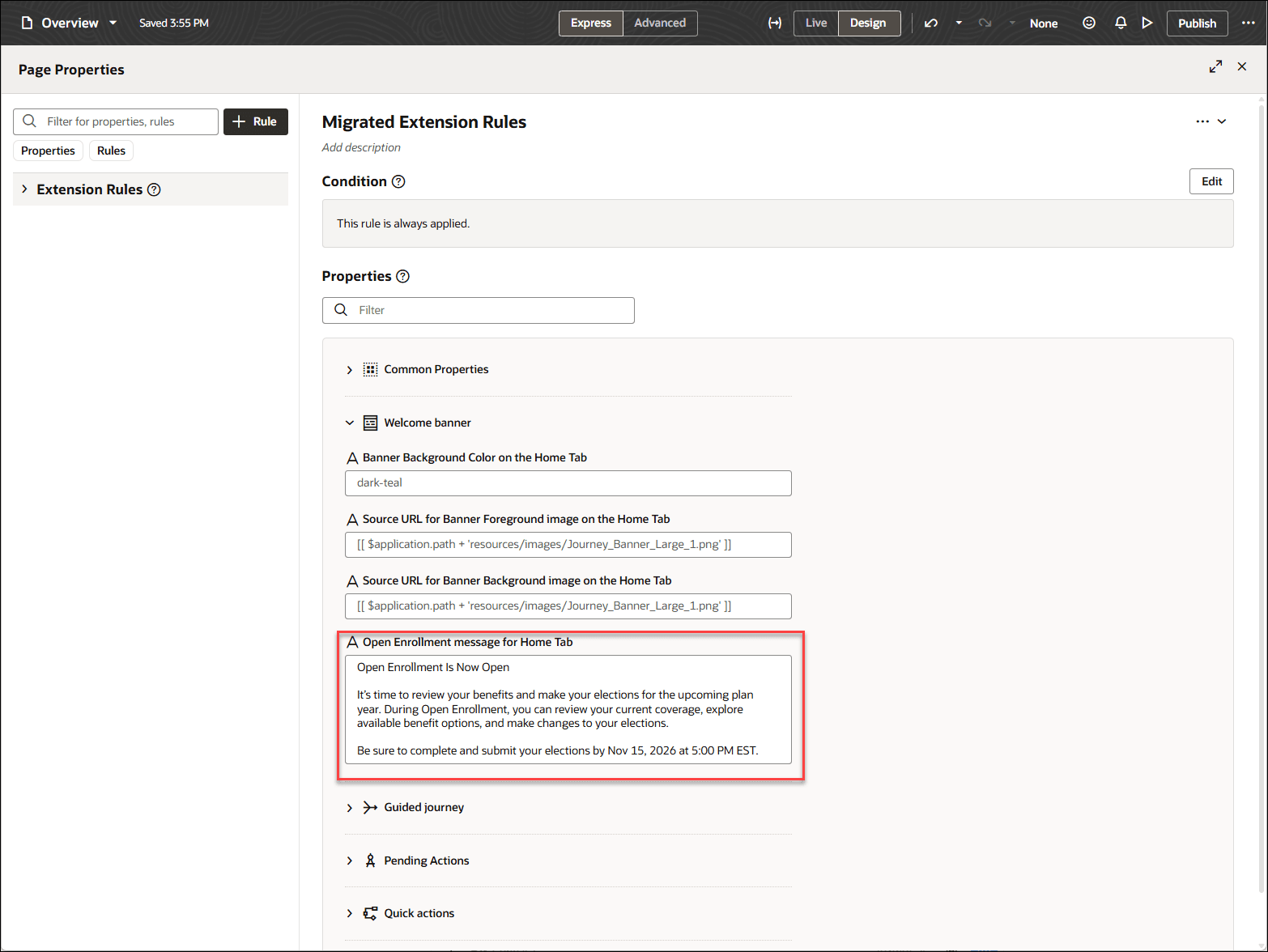
Visual Builder Studio: Self-Service Landing Page
Business benefit: Provide open enrollment messaging that better reflects your organization's enrollment process and communication requirements.
Steps to enable and configure
- Open the page, open the Settings and Actions menu, and select Edit Page in Visual Builder Studio.
- Enter the open enrollment message you want to display in the corresponding message constant:
Visual Builder Constants for Personalizing Open Enrollment Message
| Page | Constant |
|---|---|
|
Self-Service Home page |
Open Enrollment message for Home Tab |
| Self-Service Enrollment Journey page | Open Enrollment message for Enrollment Journey |
Tips and considerations
- If an open enrollment message constant isn’t configured or is blank, the default Oracle-delivered message remains displayed.
- The custom message applies only for open enrollment, not for other life events.
- The custom message displays only when the employee has an open enrollment opportunity and an active open enrollment period exists.