Enhancements In All-in-One Evaluations
Improve manager productivity and streamline employee evaluations with the following enhancements to All-in-One Evaluations:
- Redesigned Review Period and Performance Document Selection
Moved the review period and performance document selection into a drawer layout to maximize available workspace and provide a more focused evaluation experience.
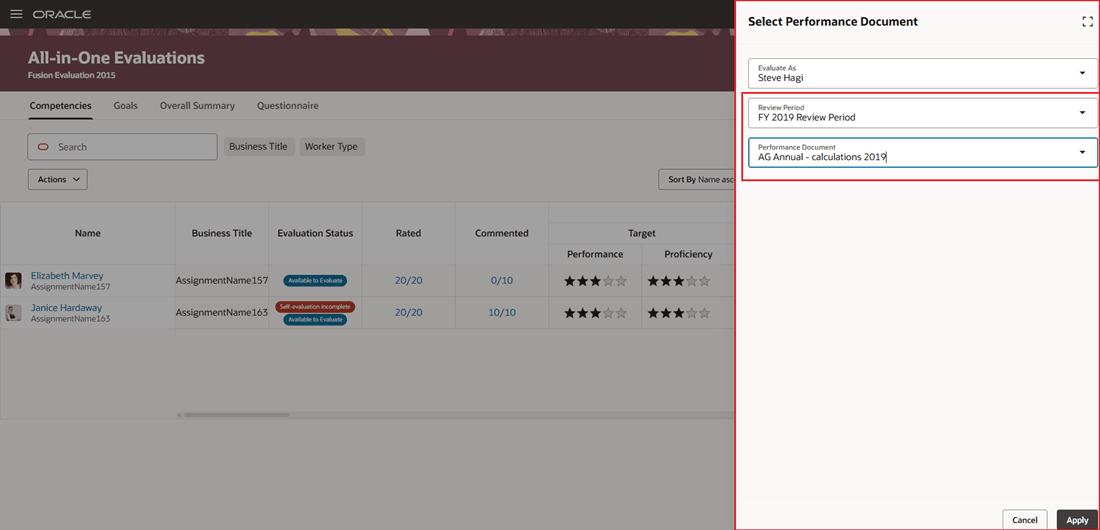
Review period and performance document moved to drawer
- Advanced Employee Filtering Capabilities
Use additional filters such as Business Title, Person Number, Position, Grade, and Worker Type to quickly group and evaluate employees with similar competencies, goals, or organizational levels. Free text search allows you to search across the enabled filters.
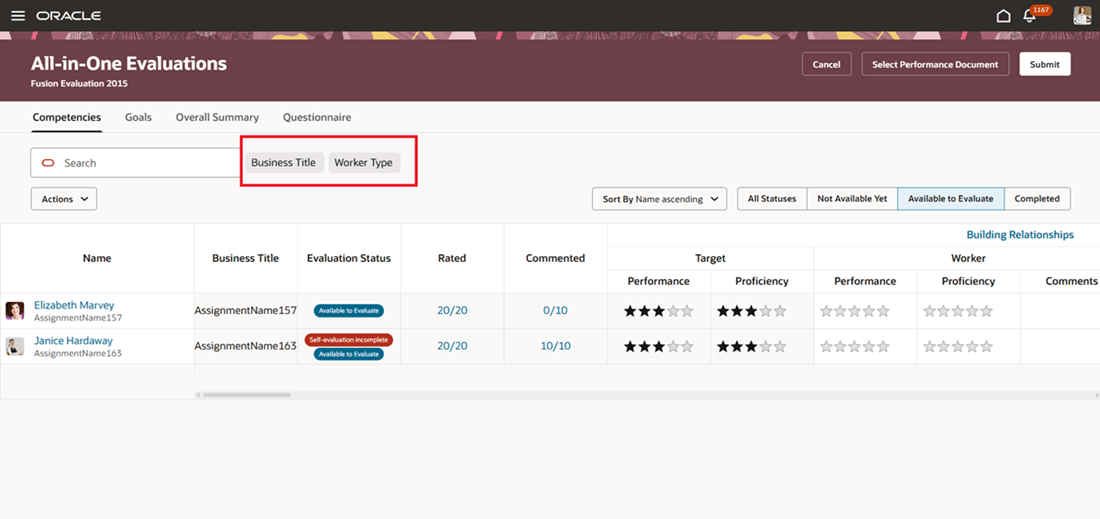
Ability to use additional filters
- Improved Table Personalization and Usability
Right-click support enables managers to easily hide columns and resize rows or columns, allowing a more personalized and efficient evaluation workspace.
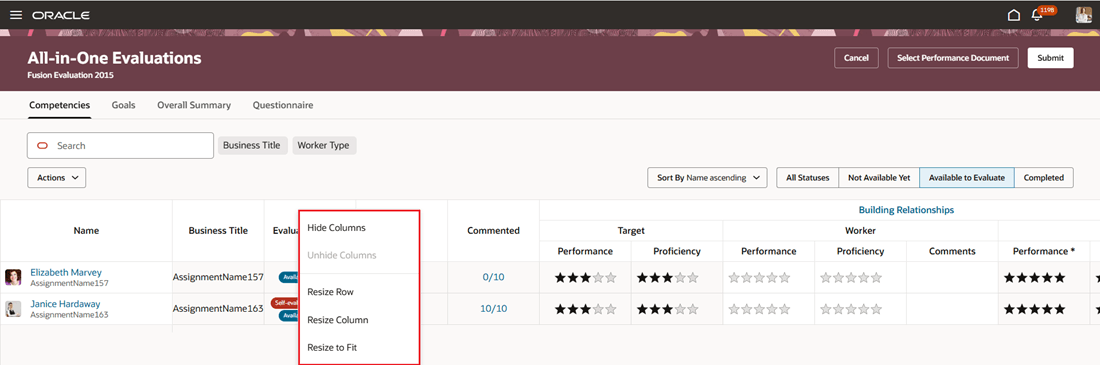
Table personalization options
Business benefit: These enhancements enable managers to streamline the evaluation process in All-in-One Evaluations.
Steps to enable and configure
If these column page properties are configured then you can search by these filters as well:
| Page Property | Description |
|---|---|
| Show Worker Type Column on All-in-One Evaluations Page |
This property shows the Worker Type column on the All-in-One Evaluations page. |
| Show Person Number Column on All-in-One Evaluations Page |
This property shows the Person Number column on the All-in-One Evaluations page. |
|
Show Assignment Number Column on All-in-One Evaluations Page |
This property shows the Assignment Number column on the All-in-One Evaluations page. |
| Show Position Column on All-in-One Evaluations Page | This property shows the Position column on the All-in-One Evaluations page. |
|
Show Grade Column on All-in-One Evaluations Page |
This property shows the Grade column on the All-in-One Evaluations page. |
Key resources
- For more information on extending Redwood pages in HCM, see: Extending Redwood Applications for HCM and SCM Using Visual Builder Studio
Access requirements
Managers require the duty role Mass Evaluate Performance Documents by Manager (ORA_HRA_MASS_EVALUATE_PERFORMANCE_DOCUMENTS_BY_MANAGER) to access All-in-One Evaluations.