Redwood: Redesigned Talent Review Configuration Pages in Setup and Maintenance Work Area
From this release, if your organization has enabled the Redwood Talent Review setup page, you’ll be taken to the Redwood redesigned Talent Review Templates page when you use the Configure Talent Review Dashboard Options task in the Setup and Maintenance work area.
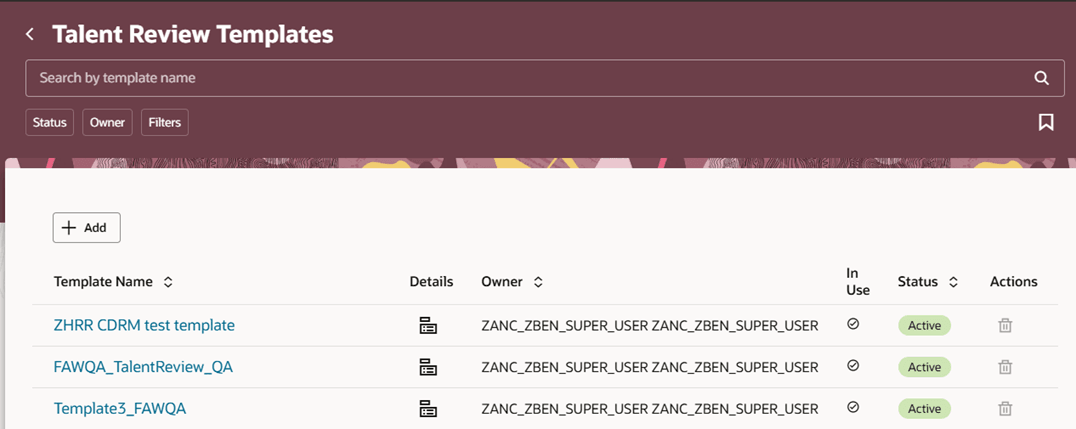
Redwood Redesigned Talent Review Templates Page
Similarly, if your organization has enabled the Redwood Questionnaire setup pages, you’ll be taken to the Redwood redesigned Questionnaires page with the Potential Rating folder when you use the Potential Assessment task in the Setup and Maintenance work area.
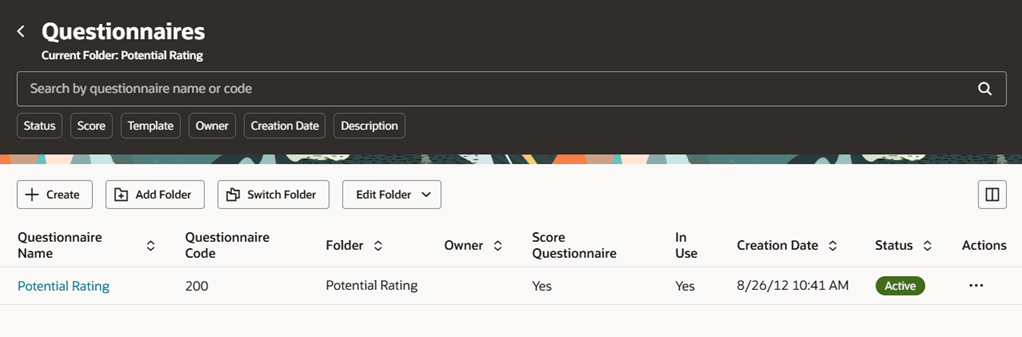
Redwood Redesigned Questionnaires Page
Take advantage of the Redwood redesigned administrative pages and manage the talent review process of your organization with ease.
Steps to enable and configure
To view the Redwood redesigned Talent Review Templates setup page, you need to enable the profile options indicated in the table.
|
Profile Option Code |
Profile Option Display Name |
Value |
|---|---|---|
|
ORA_HCM_VBCS_PWA_ENABLED |
Enable VBCS Progressive Web Application User Interface |
Y |
| ORA_HRR_TALENT_REVIEW_SETUP_REDWOOD_ENABLED | Redwood Talent Review Setup Enabled | Yes |
To view the Redwood redesigned Questionnaire setup page, you need to enable the profile options listed in this table.
|
Profile Option Code |
Profile Option Display Name |
Value |
|---|---|---|
|
ORA_HCM_VBCS_PWA_ENABLED |
Enable VBCS Progressive Web Application User Interface |
Y |
| ORA_HRQ_QUESTIONNAIRE_SETUP_REDWOOD_ENABLED | Redwood Enabled for Questionnaire Setup Pages | Y |
For more information, see How do I enable a profile option?.