Redwood Experience: Job Application AI Rating Sort Options
You can sort job applications by AI ratings including options for overall rating, education, experience, and skill. These sort options are now available:
- Profile Rating, High to Low
- Profile Rating, Low to High
- Education Rating, High to Low
- Education Rating, Low to High
- Experience Rating, High to Low
- Experience Rating, Low to High
- Skills Rating, High to Low
- Skills Rating, Low to High
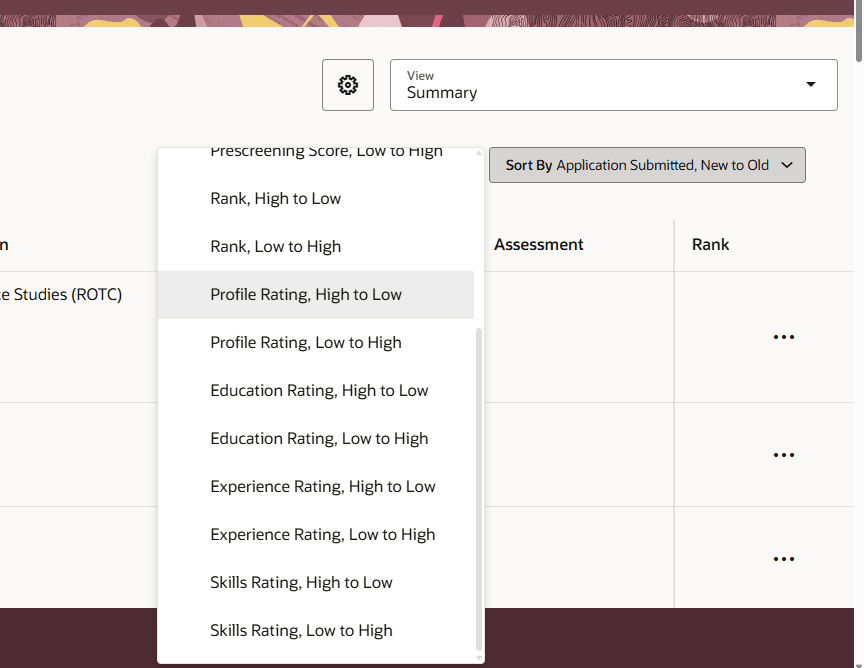
New Job Application Sort Options
Business benefit: Helps improve shortlisting speed and prioritizes the order to review job applications so less time is spent reviewing low-fit job applications and more time can be focused on top candidates.
Steps to enable and configure
You need to enable the sort options in My Client Groups > Show More > Search Views > Job Application Search > Sort tab.
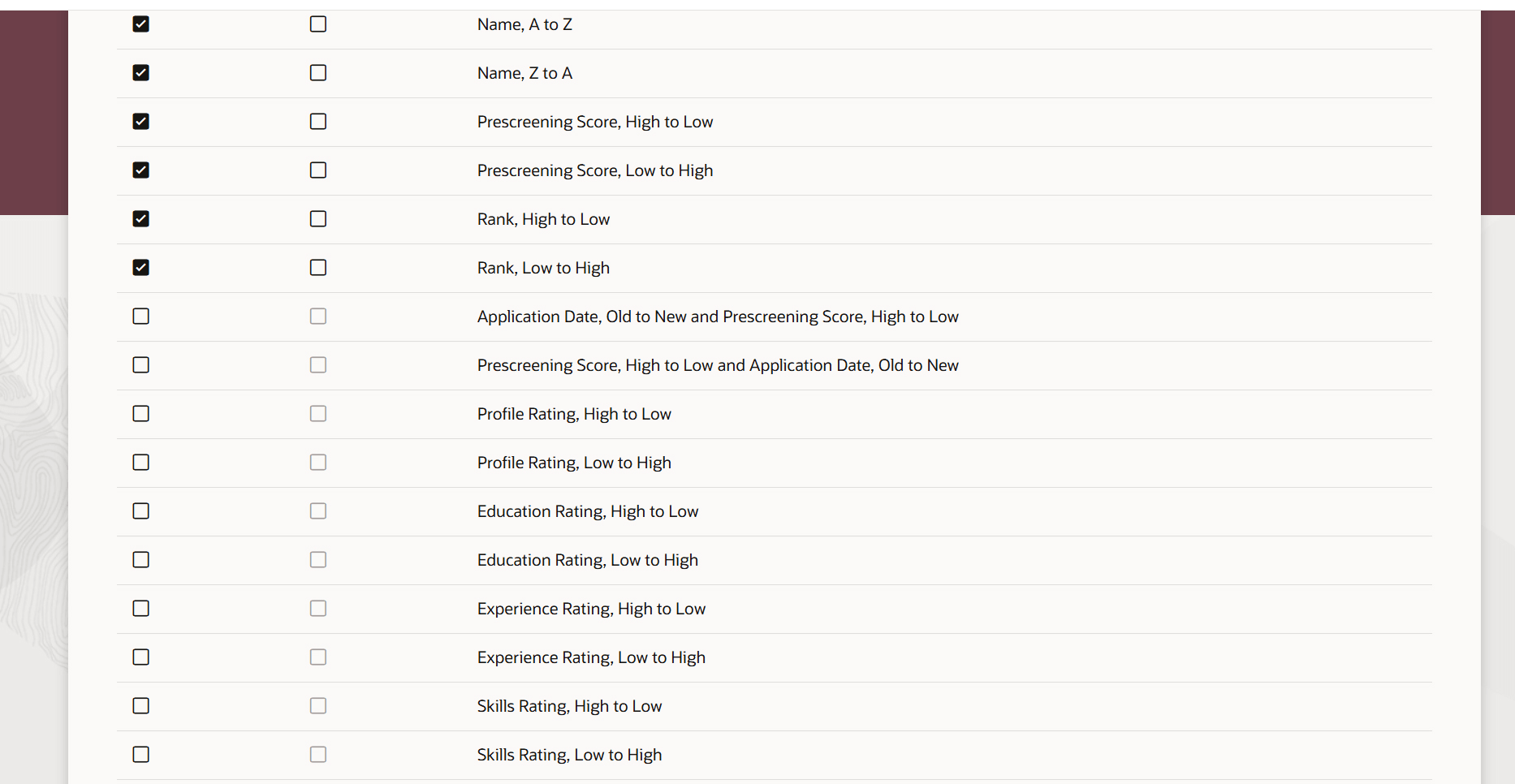
Sort Option Configuration
To use Redwood experience, you need to enable the Recruiting Redwood pages profile options. For details, see Set profile options for Redwood pages.
Tips and considerations
The overall rating is referred to as Profile Rating in the Search Views configuration and in the Sort by list of values on the Job Applications list.