Redwood Experience: Control the Display of Job Code and Management Level Fields
You can configure the display of the Job Code and Management Level fields that appear on the Job info page and on job cards.
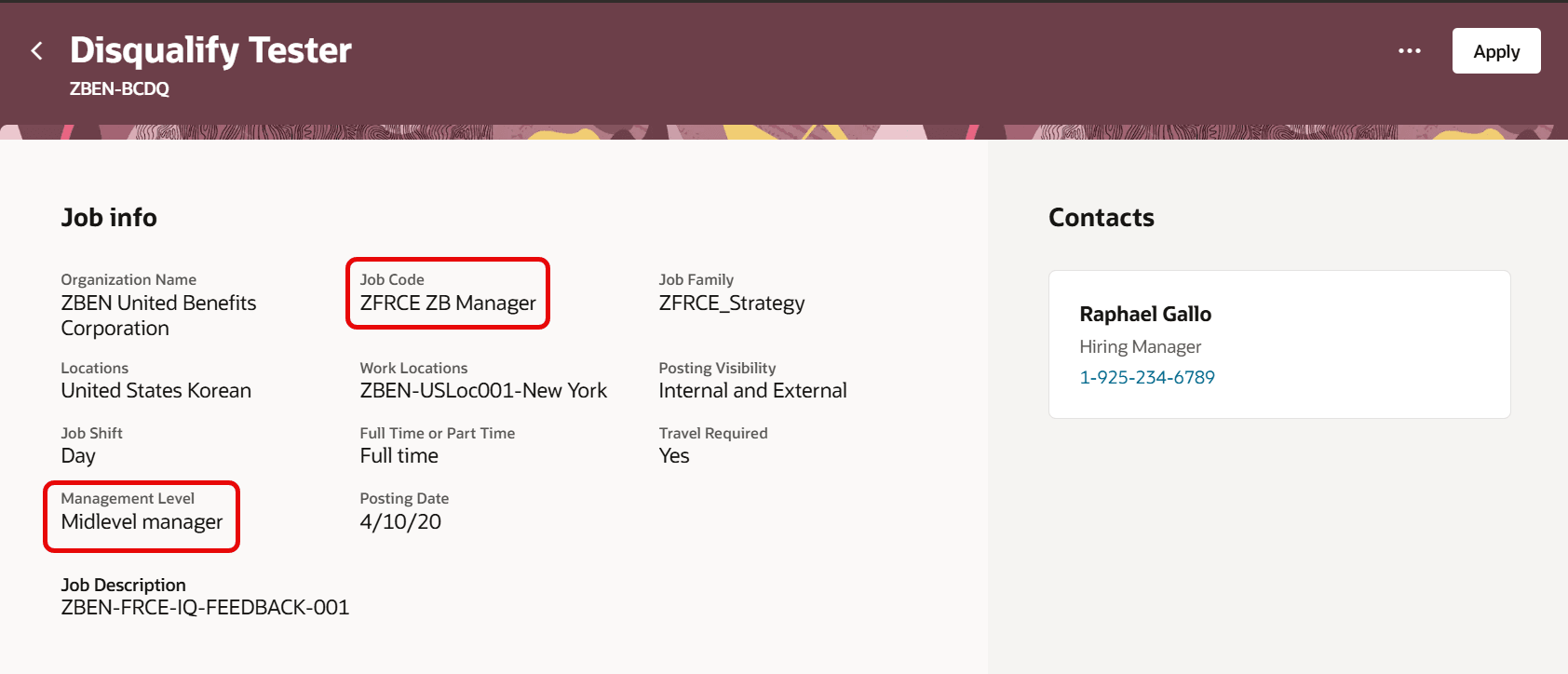
Job Code and Management Level Fields
You can also search for, or use filters to display a list of jobs that use the Job Code or Management Level fields.
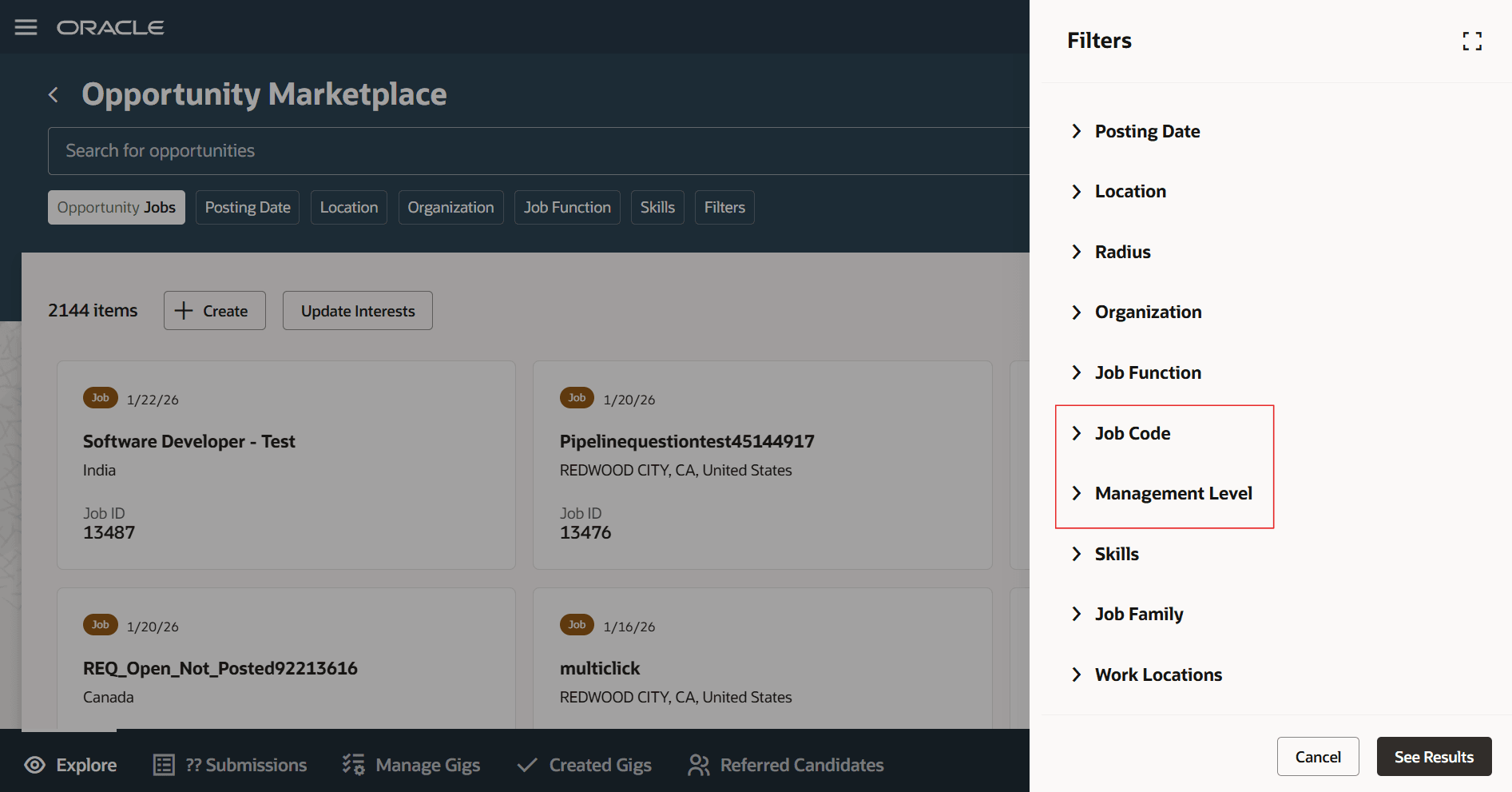 Job Code and Management Level Filters
Business benefit: Adding details on card customization lets users utilize key requisition fields such as Job Code and Management Level to search and filter for specific jobs based on their interest. They can also customize the Job Cards to add these two fields.
Steps to enable and configure
- In Visual Builder Studio, you can control the display of the Job Code and Management Level fields. By default, these fields are hidden. To display them, you need to create a business rule in Visual Builder Studio. The fields are available on the Opportunity Marketplace > View Job Details page. For details, see How do I hide or show a field in Visual Builder Studio?
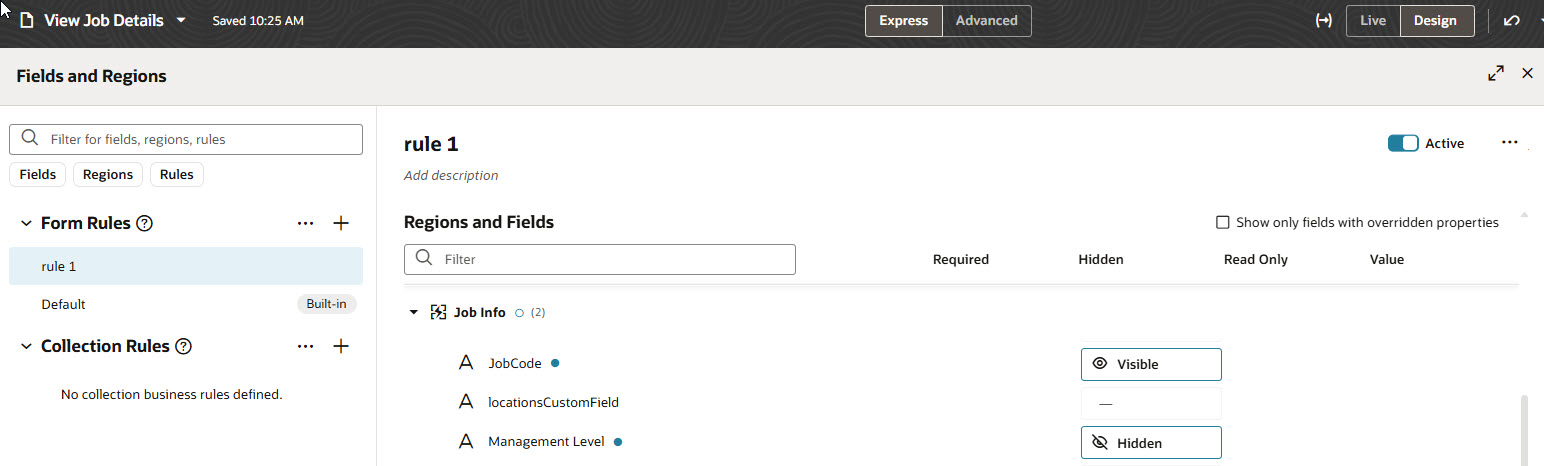
Job Code and Management Level Fields in Visual Builder Studio
- Configure the job cards to display the Job Code and Management Level fields in one of the available slots. For details, see How do I configure job and gig cards?