 Approval Enforcement for Connections Photo Changes
Photo changes (upload, edit, and delete) initiated from the waterfall view in Connections are subject to the same Change Photo approval rule that already applies to Personal Details. If the approval rule is configured to require approval, the photo is changed. Enter the approvals workflow and show pending status until approved, rejected, or withdrawn.
- Upload, edit, and delete actions from the Connections trigger the Change Photo approval rule when it is configured.
- When an approval is required the new or updated photo isn't visible immediately but marked as pending (yellow banner) until approval is completed.
- Approving the change makes the photo permanent and removes the pending banner; rejecting or withdrawing the transaction removes the pending photo and banner.
- If no Change Photo approval rule is configured (or the rule is bypassed), photo changes complete immediately without pending status.
- Existing capability to hide the photo section using a page configuration rule remains supported and prevents photo actions from being visible.
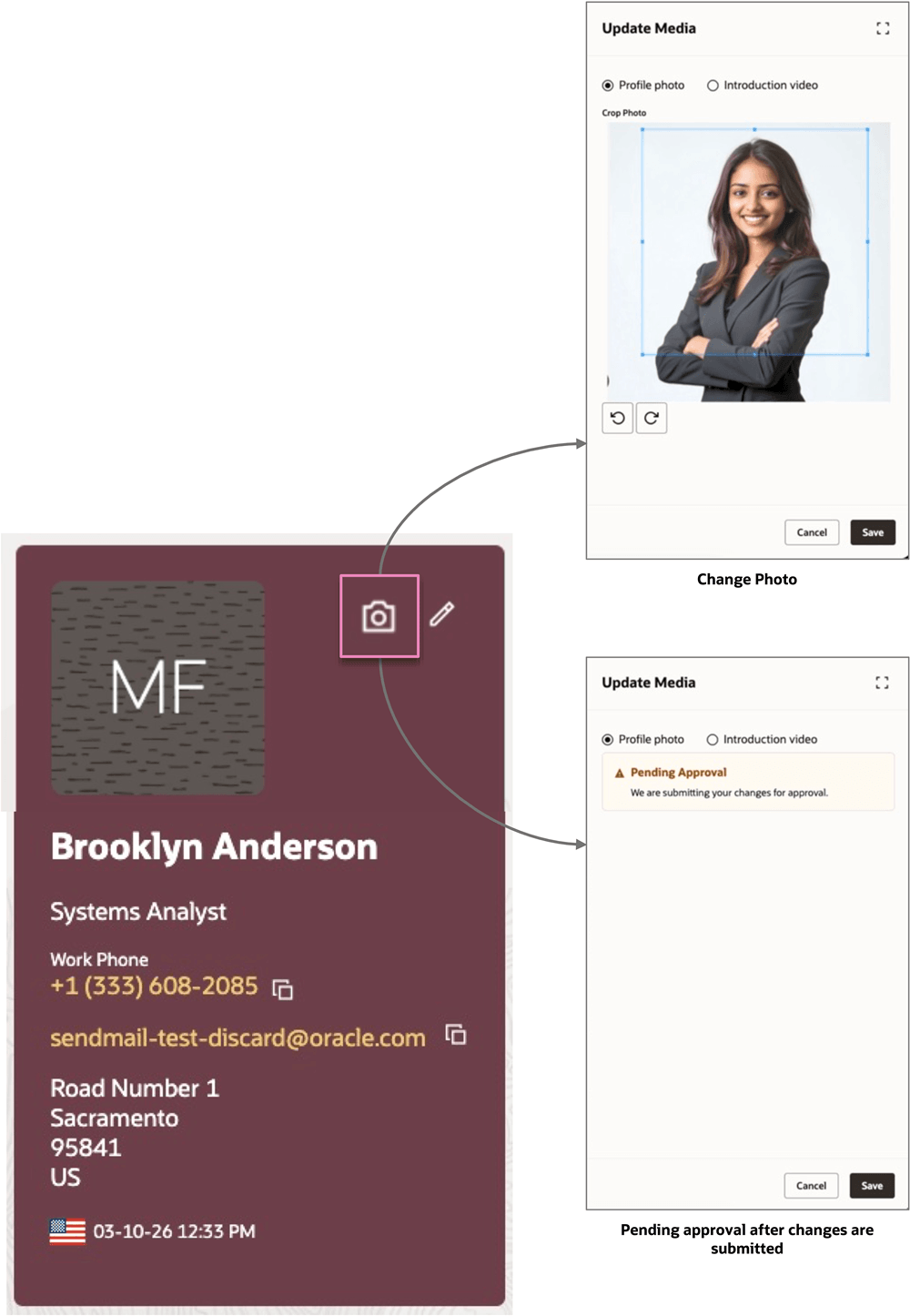
Change Profile - Connections
Ensures consistent and compliant employee data by enforcing approval workflows across all user interfaces.
Steps to enable and configure
No change is required to enable this behavior.
Tips and considerations
- The approval workflow triggers in the waterfall view only.
Key resources
For more information, refer to this What's New announcement in 26A